Proroute GEM420 4G M2M Router
GEM420 User Manual 18
usually chosen when you use ADSL for WAN connection.
Press
to continue.
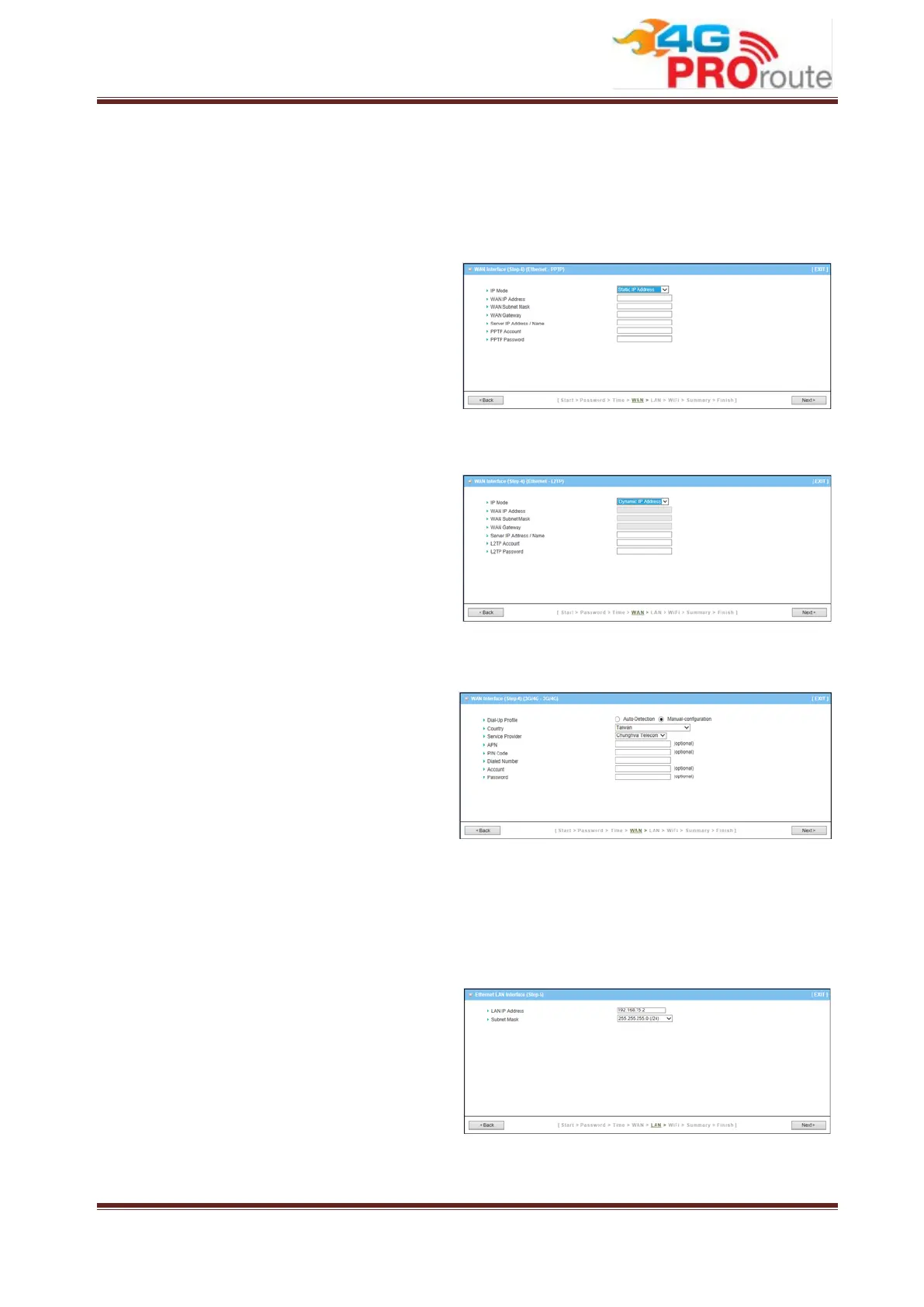
Step 4-4: Ethernet (PPTP)
If choosing Ethernet->PPTP, you need to
input required dial-up information that you
get from ISP. This option is usually chosen
when your ISP requests it.
Press
to continue.
Step 4-5: Ethernet (L2TP)
If choosing Ethernet->L2TP, you need to
input required dial-up information that you
get from ISP. This option is usually chosen
when your ISP requests it.
Press
to continue.
Step 4-6: 3G/4G
If choosing 3G/4G->3G/4G, please make
sure you have inserted SIM card. If not,
please power off this gateway, and insert
SIM card first. Then you can select
“Auto-Detection” to finish dial-up profile
automatically. This option is chosen when
you want to connect to Internet through 3G/4G network instead of fixed line broadband.
Press
to continue.
Step 5: Ethernet LAN
LAN Interface Configuration: Change the
LAN IP address and subnet mask of this
gateway. You can keep the default setting
and go to next step.
Press
to continue.



 To Next Page