Proroute GEM420 4G M2M Router
GEM420 User Manual 20
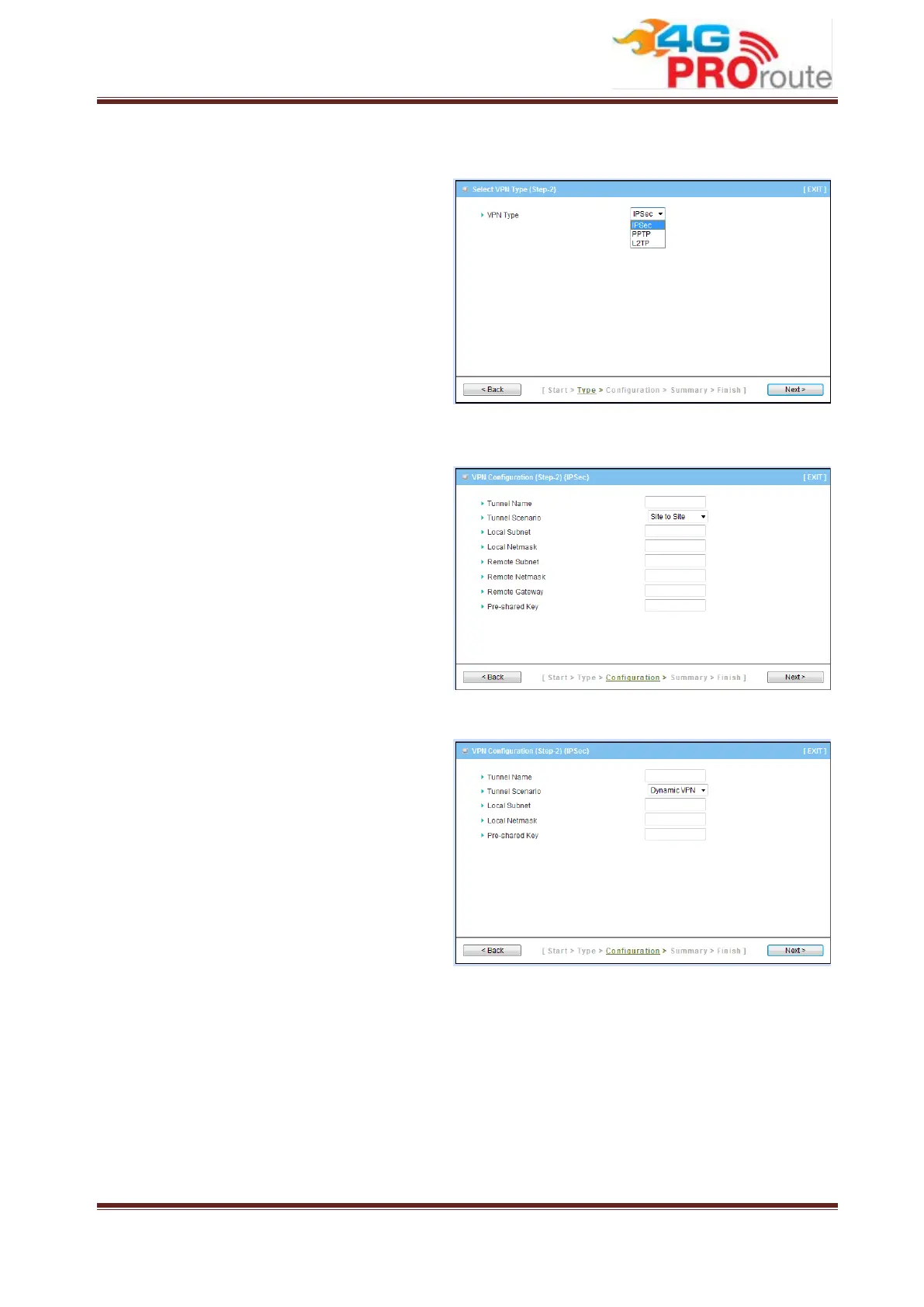
Step 2: VPN Type
Select type of VPN connection you want
to create. Here you can choose IPSec,
PPTP, or L2TP.
Press “Next” to continue.
Step 2-1: IPSec
If choosing IPSec, there are two options
of tunnel scenario can be chosen. “Site to
Site” is for two offices to create VPN
tunnel. “Dynamic VPN” is for remote
users to connect to office. For other
options, please go to Advanced
Network->VPN to setup. Input the
required network information and
pre-shared key for VPN connection.
For Dynamic VPN, you don’t need to
input network information of remote
subnet and remote gateway.
Press “Next” to continue.



 To Next Page