Proroute GEM420 4G M2M Router
GEM420 User Manual 24
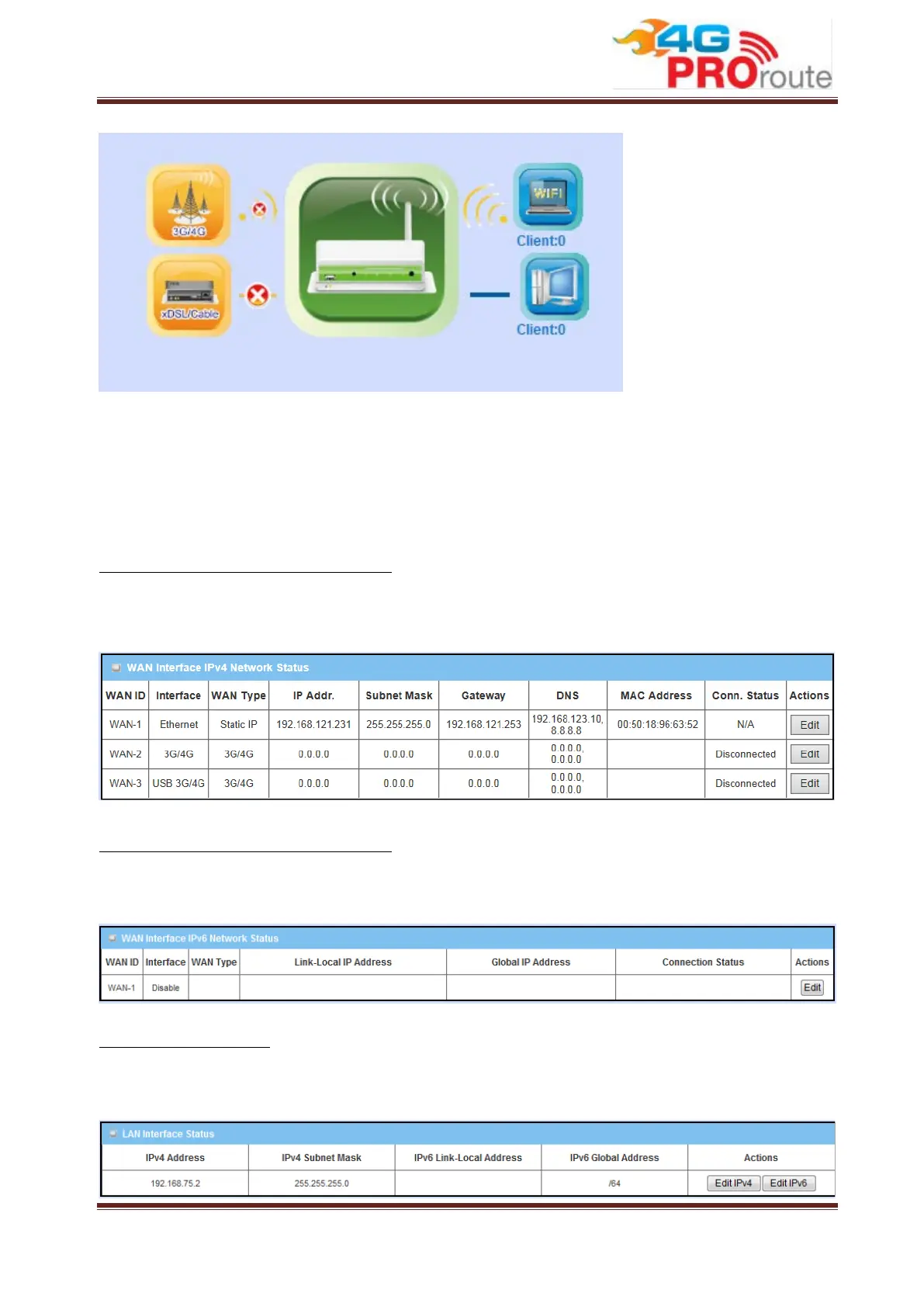
1. 3G/4G Icon: Indicates if 3G/4G connection is established or not.
2. xDSL/Cable Icon: Indicates if Ethernet WAN connection is established or not.
3. Wired Client Icon: Indicates how many Ethernet clients are connected now.
4. WiFi Client Icon: Indicates how many WiFi clients are connected now.
WAN Interface IPv4 Network Status
Display WAN type, IPv4 information, MAC information, and connection status of multiple
WAN interfaces in IPv4 networking. Press “Edit” button if you want to change settings.
WAN Interface IPv6 Network Status
Display WAN type, IPv6 information, and connection status of multiple WAN interfaces in
IPv6 networking. Press “Edit” button if you want to change settings.
LAN Interface Status
Display IPv4 and IPv6 information of local network. Press “Edit” button if you want to
change settings.



 To Next Page