Proroute GEM420 4G M2M Router
GEM420 User Manual 36
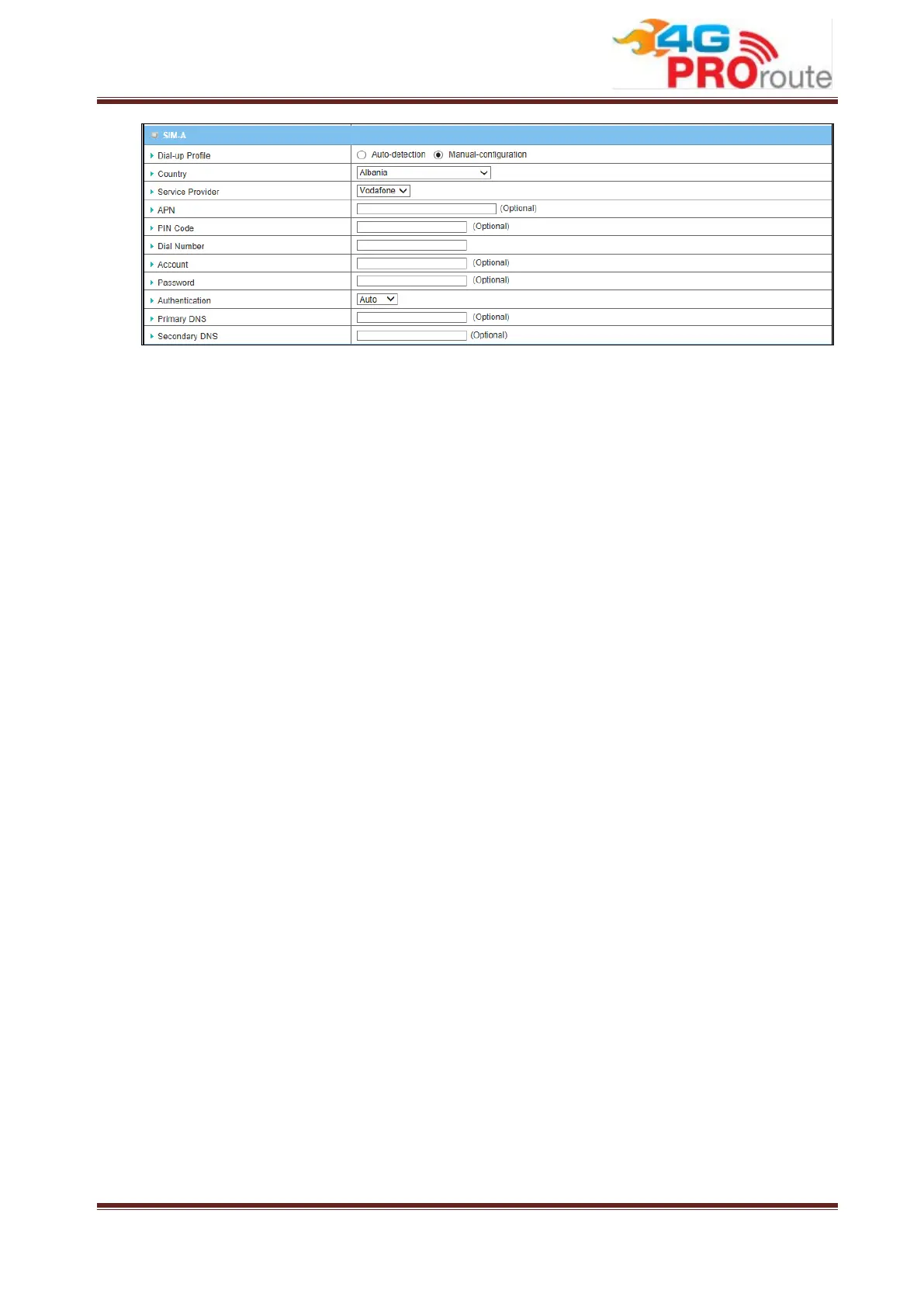
1. Dial-up Profile: After you subscribe 3G/4G data service, your operator will
provide some information for you to setup connection, such as APN, dialed
number, account or password. If you know this information exactly, you can
choose “Manual-configuration” option and type in that information by your own.
Otherwise, you can select “Auto-detection” to let this gateway detect
automatically. Even you choose “Manual” setting, this gateway will show
responding information for your reference after you select country and service
provider. If you choose “SIM-A First” or “SIM-B First” for Preferred SIM Card, you
need to input dial-up profile for SIM-A and SIM-B respectively.
2. PIN Code: Enter PIN code of SIM card if your SIM card needs it to unlock.
3. Dial Number: Enter the dialed number that is provided by your ISP.
4. Account, Password: Enter Account/Password that is provided by your ISP.
5. Authentication: Choose “Auto”, “PAP”, or “CHAP” according to your ISP’s
authentication approach. Just keep it with “Auto” if you can’t make sure.
6. Primary/Secondary DNS: Enter IP address of Domain Name Server. You can
keep them in blank, because most ISP will assign them automatically.



 To Next Page