Proroute GEM420 4G M2M Router
GEM420 User Manual 39
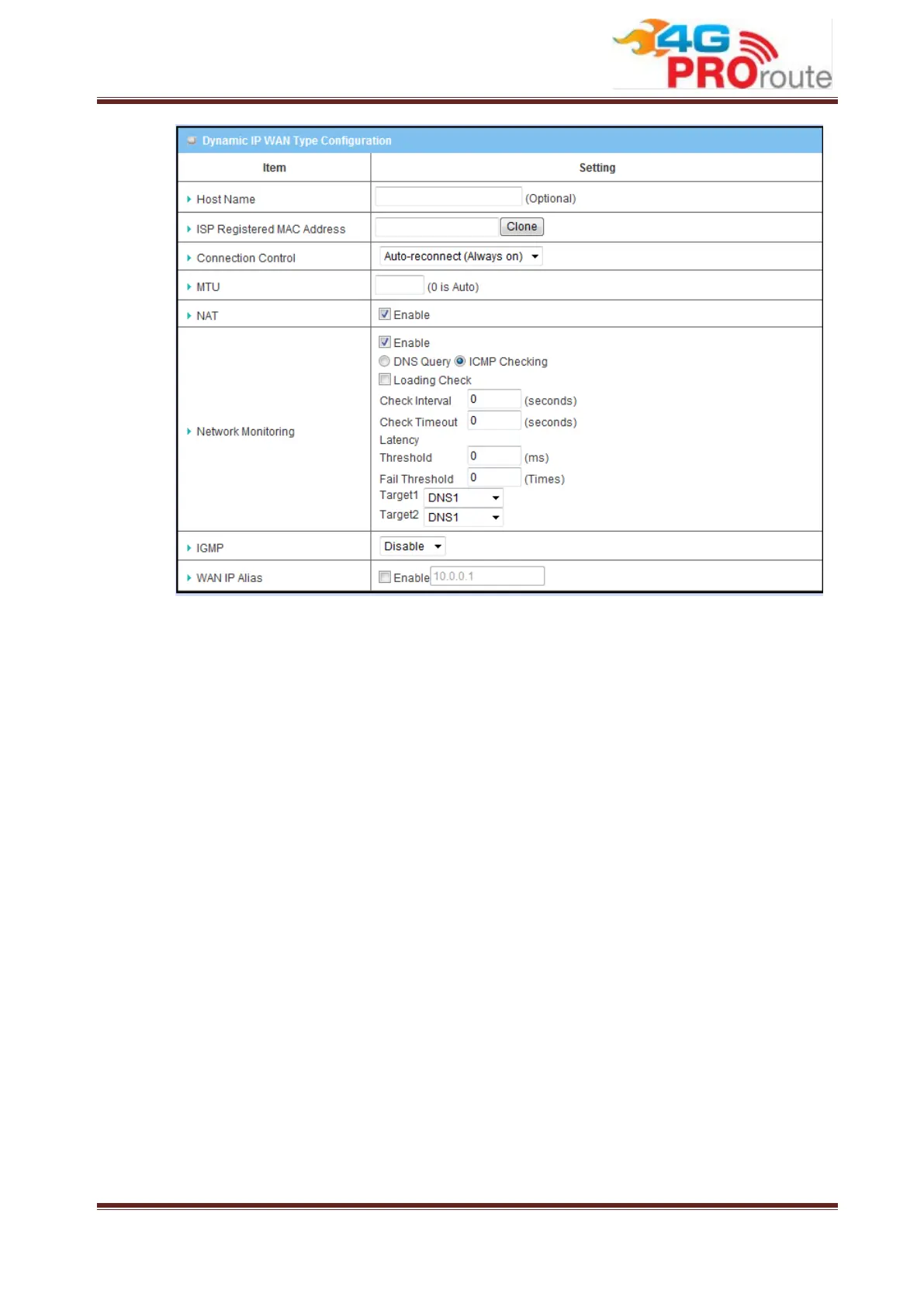
1. WAN Type: choose “Dynamic IP” from the drop list.
2. Host Name: Optional, required by some ISPs, for example, @Home.
3. ISP registered MAC Address: Some ISP would ask you to register a MAC
address for Internet connection. In this case, you need to enter the
registered MAC address here, or simply press “Clone” button to copy MAC
address of your PC to this field.
4. Connection Control: Select your connection control scheme from the drop
list: “Auto-reconnect (Always-on)”, “Dial-on-demand” or “Manually”. If
selecting “Auto-reconnect (Always-on)”, this gateway will start to establish
Internet connection automatically since it’s powered on. It’s recommended
to choose this scheme if for mission critical applications to ensure Internet
connection is available all the time. If choosing “Dial-on-demand”, this
gateway won’t start to establish Internet connection until local data is going
to be sent to WAN side. After that, this gateway will disconnect WAN
connection if idle time reaches value of Maximum Idle Time. If choosing
“Manually”, this gateway won’t start to establish WAN connection until you
press “Connect” button on web UI. After that, this gateway will disconnect
WAN connection if idle time reaches value of Maximum Idle Time.
5. MTU: Most ISP offers MTU value to users. The default value is 0 (auto).



 To Next Page