Proroute GEM420 4G M2M Router
GEM420 User Manual 52
device will automatically allocate the outbound traffics to each WAN interface.
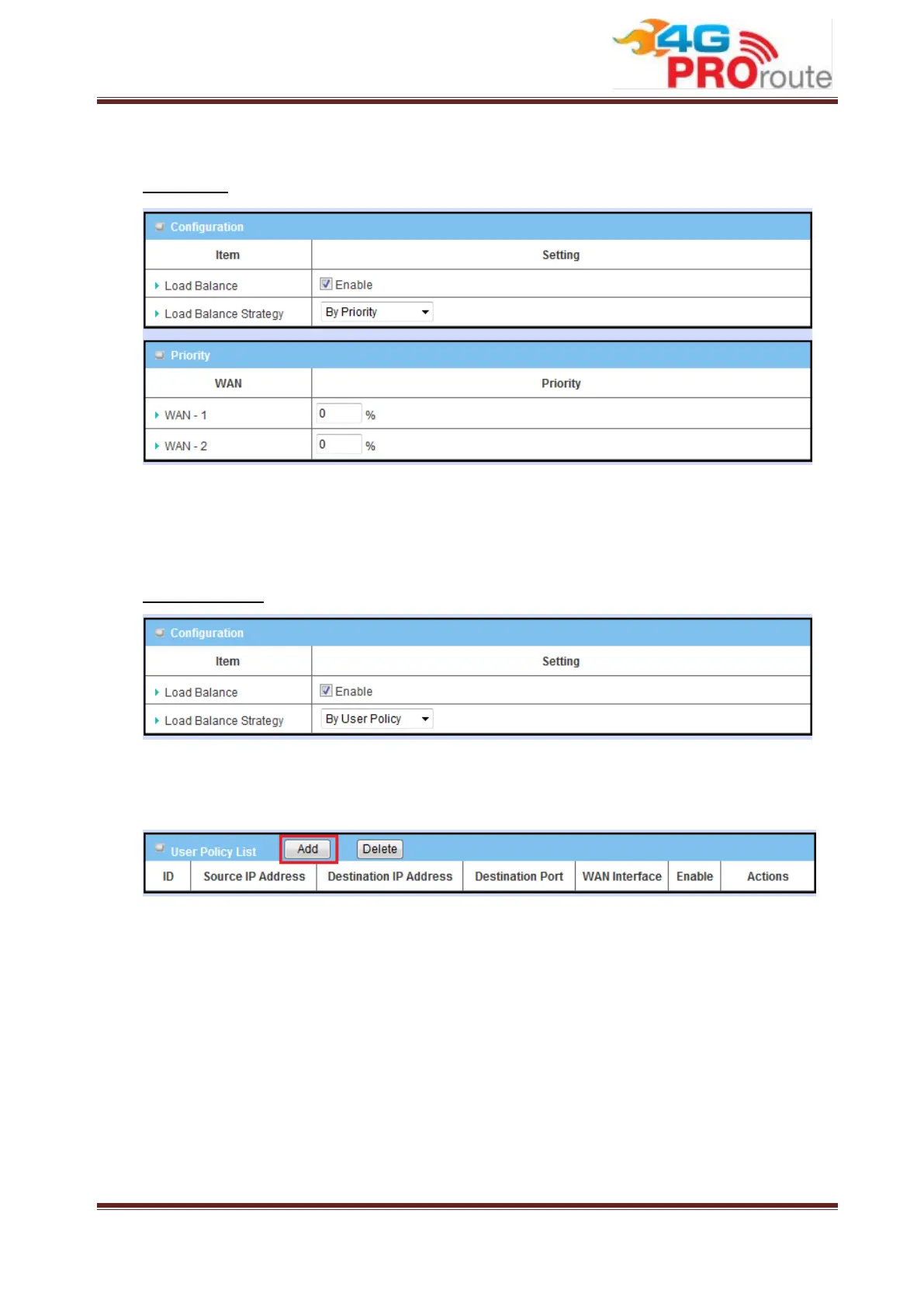
By Priority
If you choose the “By Priority” strategy, you have to further specify the outbound
traffic percentage for each WAN interface. The load balancing mechanism will follow
these settings to allocate proper traffics for each WAN to access the internet.
By User Policy
If you choose the “By User Policy” strategy, you have to create the expected
policies one by one. Click the “add” button to add your load balance policy.
You can manage the outbound traffics flow and the force specific traffics to access
Internet through designated WAN interface. For those traffics not covered in the user
policy rules, the device will allocate the WAN interface by applying “Smart Weight”
mechanism simultaneously.



 To Next Page