Proroute GEM420 4G M2M Router
GEM420 User Manual 84
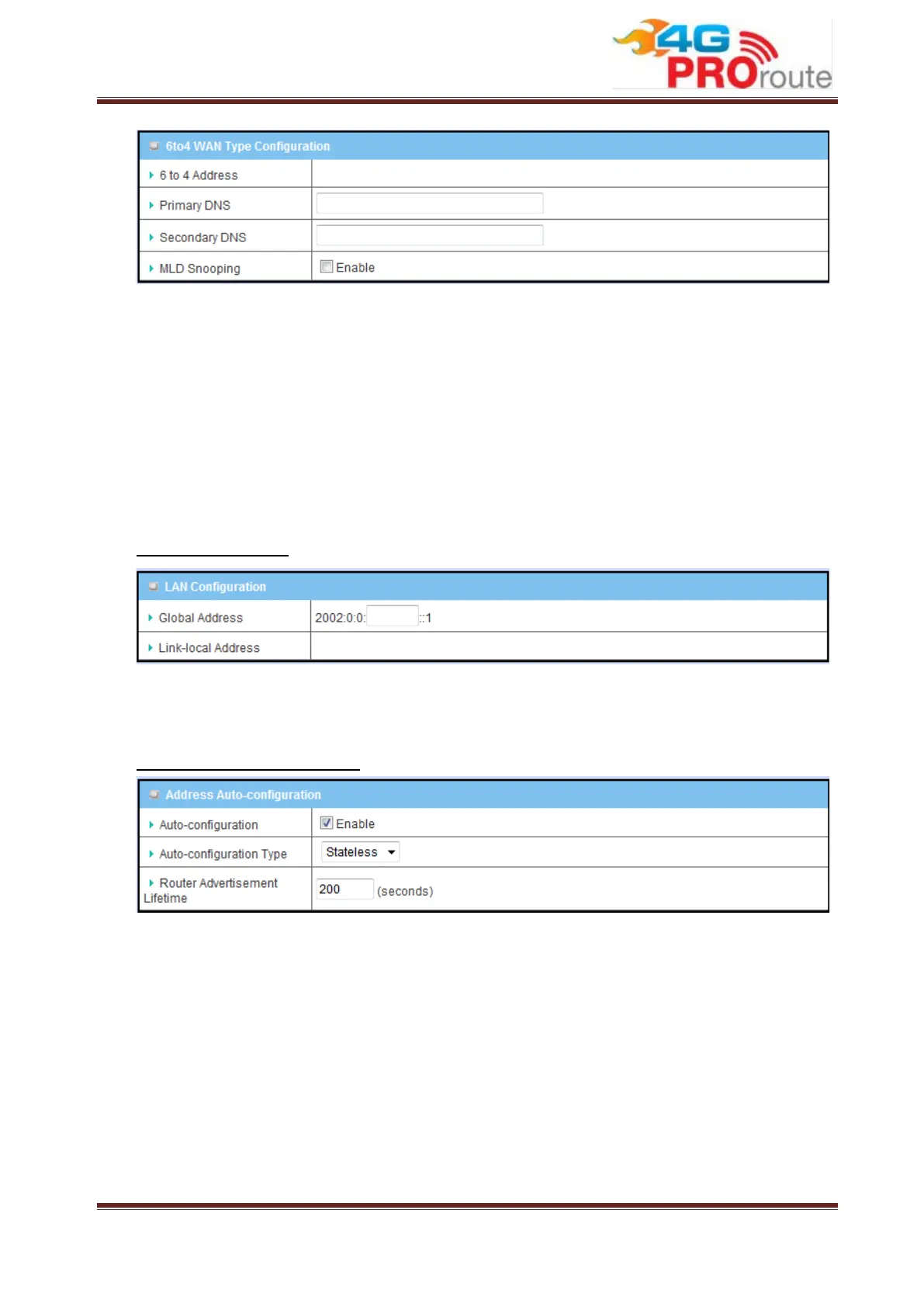
1. 6 to 4 Address: You may obtain IPv6 DNS automatically or set DNS address
manually for Primary DNS address and secondary DNS address.
2. Primary / Secondary DNS: Please enter IPv6 primary DNS address and
secondary DNS address.
3. MLD Snooping: MLD snooping, IPv6 multicast data is selectively forwarded to a
list of ports that want to receive the data, instead of being flooded to all ports in a
VLAN. This list is constructed by snooping IPv6 multicast control packets. If
necessary in your environment, please enable this feature.
LAN Configuration
1. Global Address: Please enter IPv6 global address for LAN interface.
2. Link-Local Address: To show the IPv6 Link-Local address of LAN interface.
Address Auto-configuration
1. Auto-configuration: Disable or enable this auto configuration setting.
2. Auto-configuration type: You may set stateless or stateful (Dynamic IPv6).
3. Router Advertisement Lifetime: You can set the time for the period that the
router send (broadcast) its router advertisement. Each router periodically
multicasts a Router Advertisement from each of its multicast interfaces,
announcing the IP address of that interface. Hosts discover the addresses of their
neighboring routers simply by listening for advertisements. When a host attached
to a multicast link starts up, it may multicast a Router Solicitation to ask for
immediate advertisements, rather than waiting for the next periodic ones to arrive;
if and only if no advertisements are forthcoming, the host may retransmit the



 To Next Page