ProtaSteel 2021 - Quick Start Guide 29
8. Up to 4 beams framing into a column (two from flange side and two from the web side)
9. Combination of beams and vertical braces framing into a column
As far as limitations on profile types and connection types are concerned, the same limitations given in
the simple cases apply.
How to use
The following is the summary of how to use Intelliconnect :
❖ The user will first select a single or multiple nodes which holds the information of all elements
meeting at a single point.
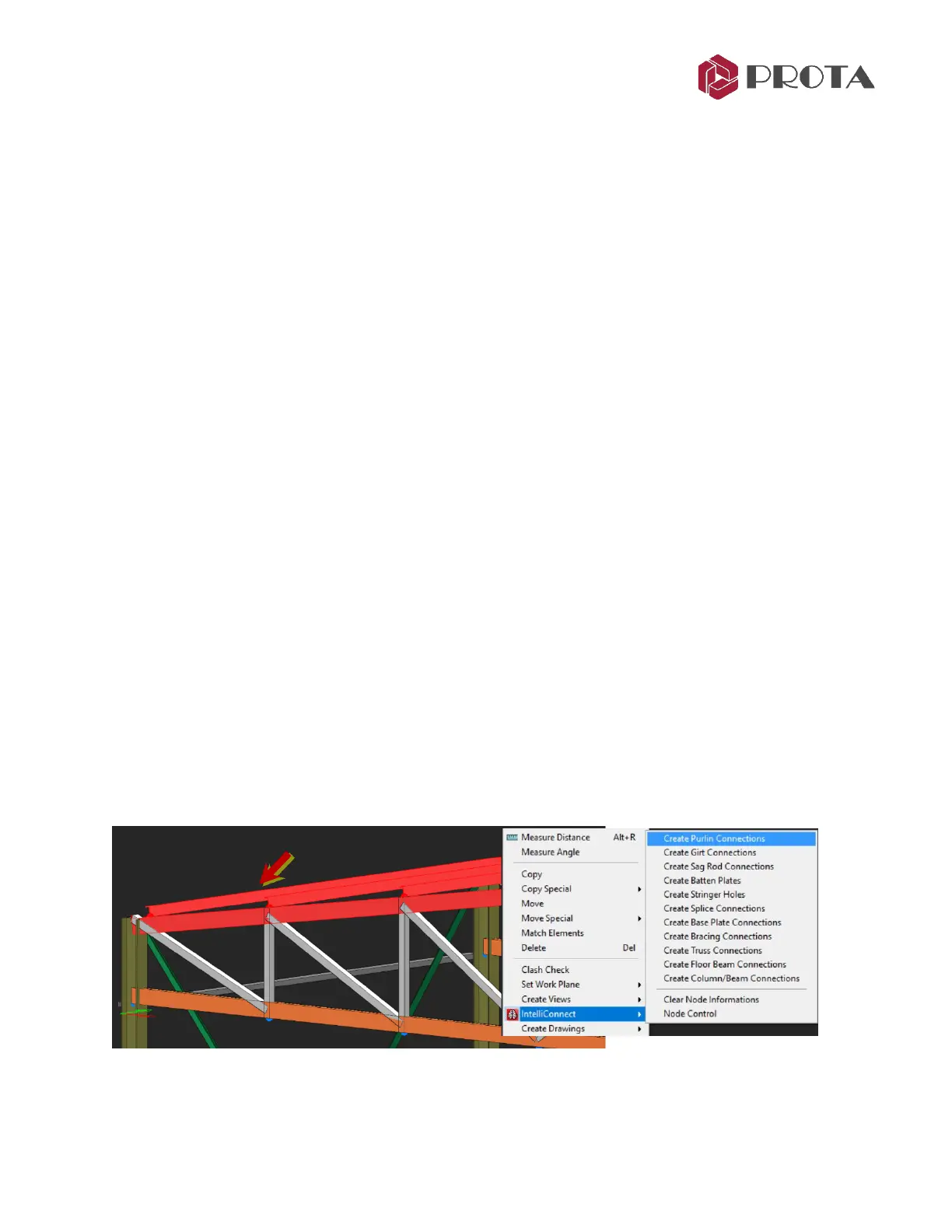
❖ After which the user simply right clicks and goes into the IntelliConnect context sensitive menu and
select the type of connections to create.
❖ For some IntelliConnect connections however the user needs to select frames and not nodes (e.g.
simple cases 9 and 10 stated previously)
❖ Intelliconnect will use its “internal classifying algorithm” to connect as many of the nodes selected
by the user as possible.
❖ However, if it encounters a case which is not supported, it will either partially connect the node or
leave it completely unconnected.
❖ A detail report will automatically be displayed listing nodes that are successfully connected or failed
to connect.
❖ Intelliconnect Node Control tool is an interactive navigator to browse & examine points that
partially connected or not connected; so the user can connect / correct them manually.
Purlin Example
➢ Select the nodes (joints) of the steel structure where you wish to create connection
Joints are shown as blue dots at the end of the member. For simplicity, you can click and drag a box to
select all members which will then also select the nodes.
For illustration purpose, we will create the purlin connections based on the Quick Start Guide Steel
model.
➢ Go to the 3D View
➢ Select all the truss members and purlins by left-click a drag a box around them
➢ Right-click
→
IntelliConnect
→
Pick Create Purlin Connection



 To Next Page