ProtaSteel 2021 - Quick Start Guide 30
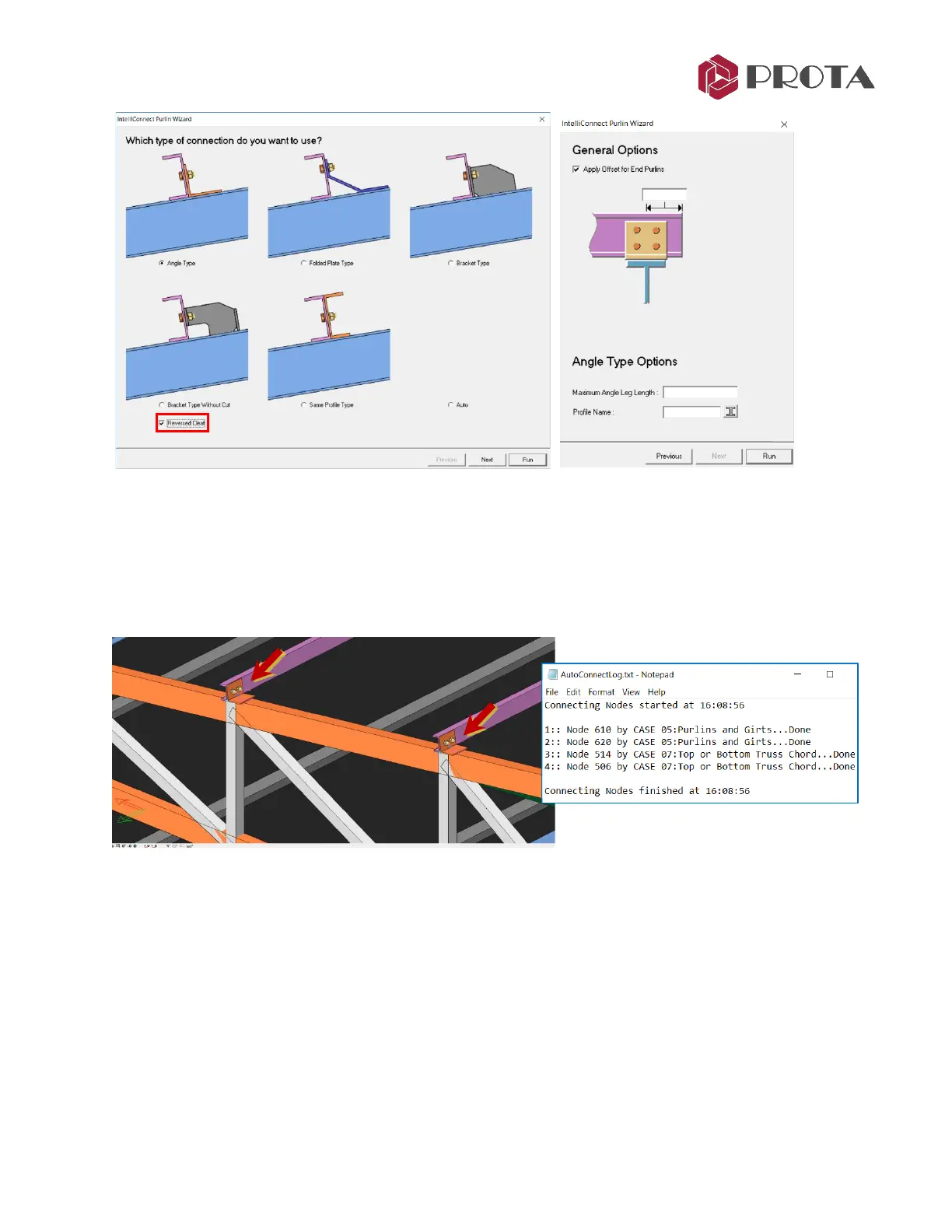
➢ In the Purlin Wizard, choose the preferred type of connection
➢ For this example, choose “Angle Type” & “Reversed Cleat”
➢ Input further parameters in the next wizard dialog
→
Run
• Max Angle Leg Length or profile can be specified
➢ AutoConnectLog text file will open
→
Review its contents as it lists all the connections that are
successfully / unsuccessfully created
Beam – Column – Brace Example
For illustration purpose, we will auto create a beam – column – brace connection based on the Quick
Start Guide Steel model.
➢ Go to Storey 1 view
→
Select the all the column and beam joints along axis 2



 To Next Page