ProtaSteel 2021 - Quick Start Guide 41
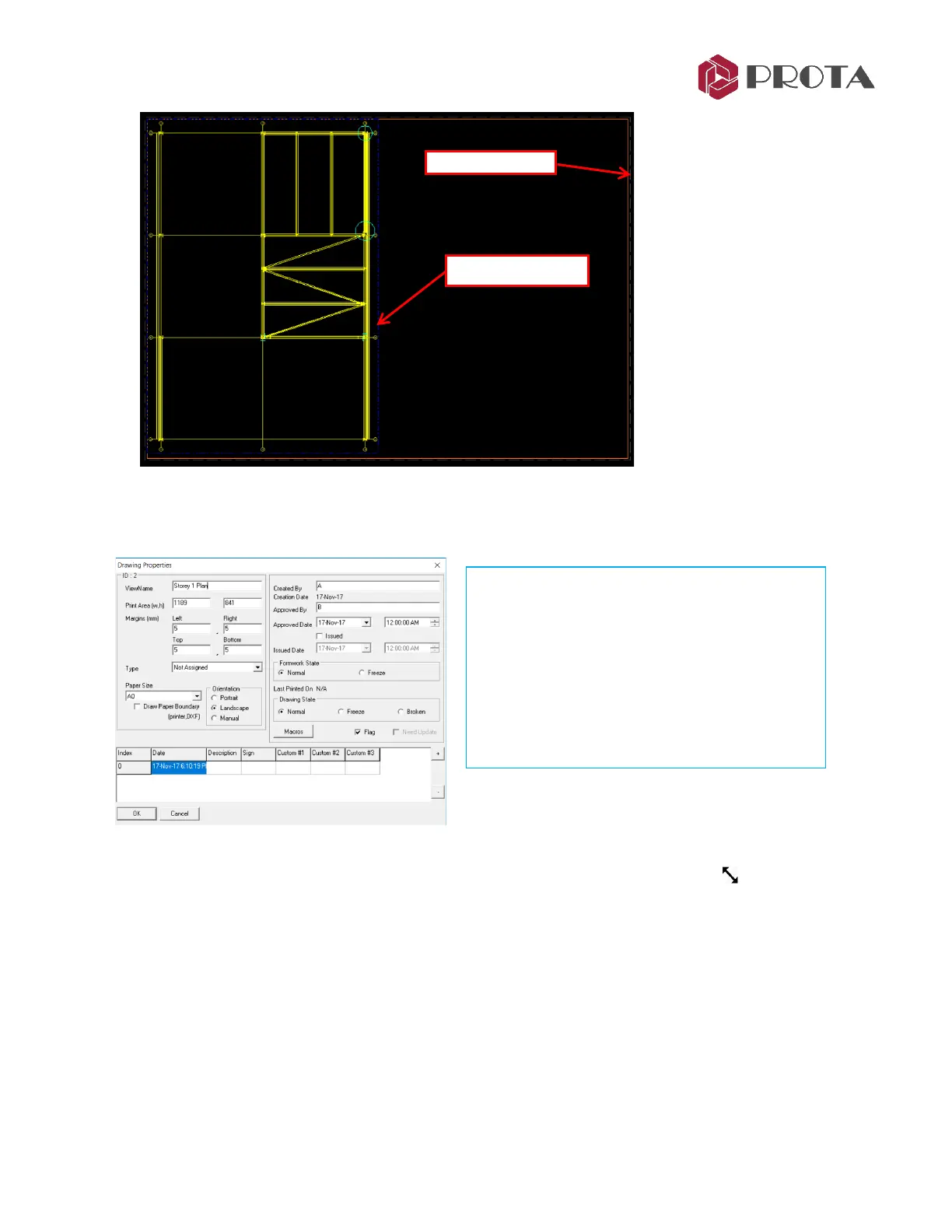
The outermost brown line is the Drawing Border (A0 size). The size & other settings of the drawing can
be changed by :
➢ Double-click on any empty space within the drawing border to access the Drawing Properties
The inner dotted blue line is the Viewport border which is directly linked to the view :
➢ Place the mouse cursor at the lower-right corner
→
cursor will change to resize
➢ Click & drag to resize & ensure all the elements is visible
➢ Place the mouse cursor at the boundary line
→
click & drag to move the position of the region
➢ Double-click any place within the Viewport to access the Viewport Properties
Note : Region has been renamed Viewport in current release
Documents Properties will appear where the
following can be changed:
• Drawing Name
• Print Area & Margin
• Paper Size & Orientation
• Created, Approve by, Approved Date
• Document State : Normal / Freeze / Broken



 To Next Page