ProtaSteel 2021 - Quick Start Guide 46
➢ Right-click on Connection Detail Drawing macro icon
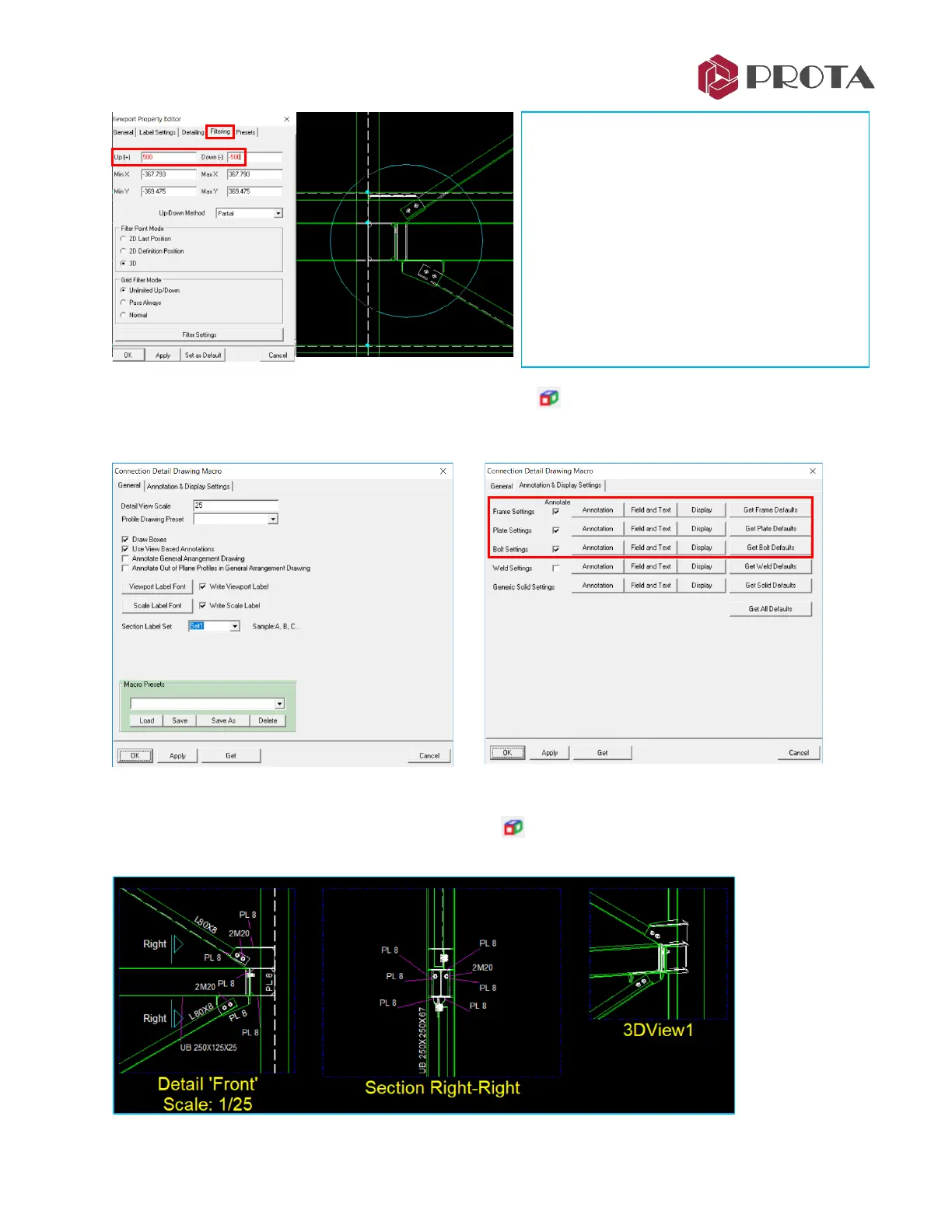
In this dialog you can set the details of the connection drawing such as the scale and Annotation
➢ Under Annotation & Display Settings, review Annotation, Field and Text & Display
➢ Click on Connection Detail Drawing Macro icon
The Connection Detail will be inserted into the drawing as shown below.
➢ Double-click on the region to access the
Viewport Property Editor
➢ Scale can be change but let’s leave it as
default
➢ Go Filtering tab
→
change Up = 500 &
Down = -500
➢ OK to close the dialog
Notice there is a circle around the connection
– this is directly linked to the connection box
created in the main model.



 To Next Page