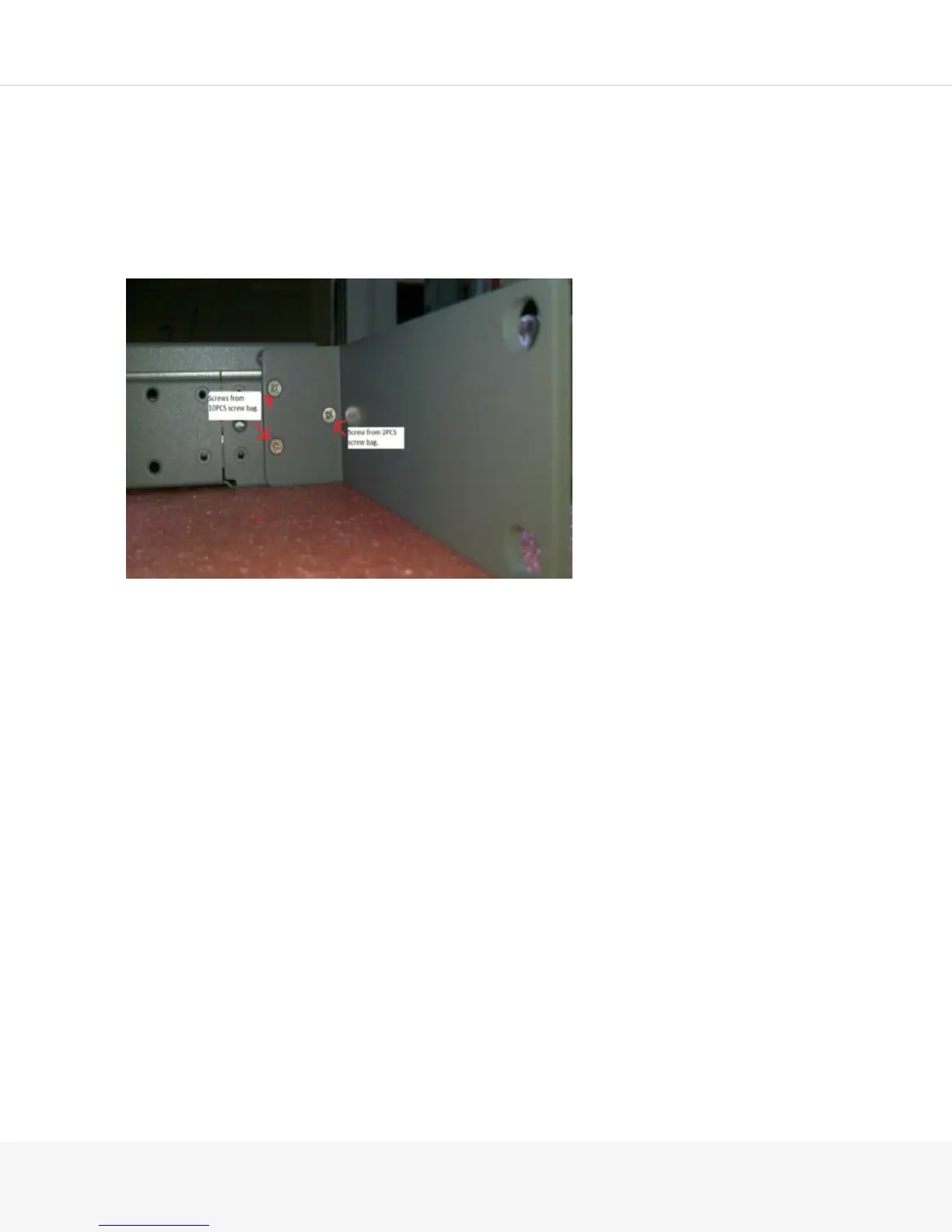
To attach the mounting kit to your MAG4610:
1.
Remove and separate the rails and brackets from the packaging.
2.
Place the MAG4610 Pulse Secure Gateway on a flat, stable surface.
3.
Line up the gray ear on the front bracket with the front of the Pulse Secure Gateway. The screw holes
on the front side of the Pulse Secure Gateway should line up with the front bracket.
4.
Use a flat-head screw from the 2-pc bag in the single hole at the front to attach the bracket to the
MAG4610. Use flat-head screws from the 10-pc bag in the remaining two holes.
5.
Position the rear bracket to the inside of the rail ear and fasten using the flat-head screws from the 10-
pc bag. Screw from the outside of the rail ear inward.
6.
Attach the rail to your Pulse Secure Gateway using the silver round-head screws. Do not tighten the
screws yet.
7.
Measure your rack or cabinet to determine the distance between the ear on the front bracket and the
ear on the back bracket and adjust your rear bracket accordingly.
8.
Tighten the screws on the rail to secure it in place.



 To Next Page