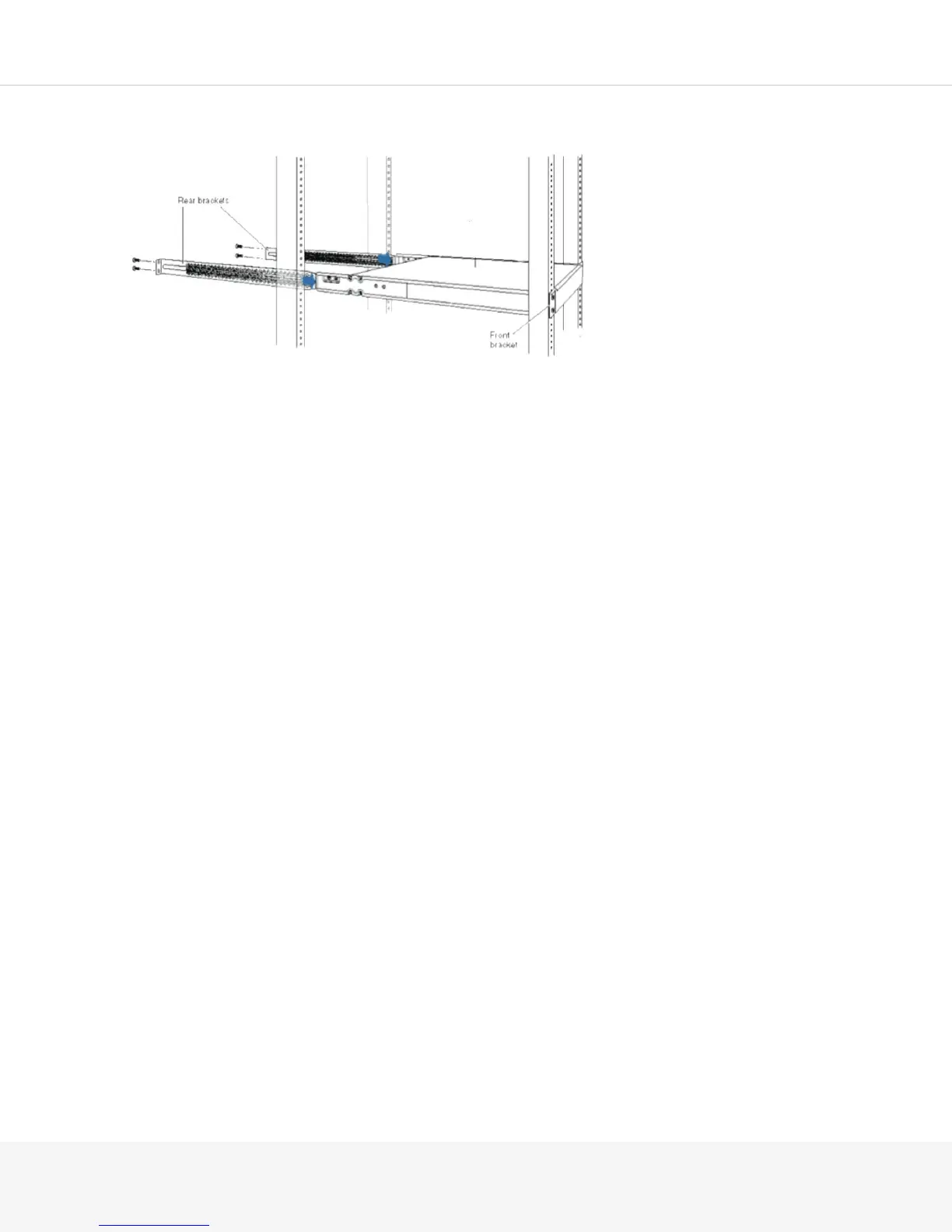
3.
If you have not already set the rear bracket length, slide the rear brackets in place and attach the rear
brackets to the rear post by using the appropriate screws for your rack. Tighten the screws.
4.
Ensure that the chassis is level by verifying that all the screws on the front of the rack are aligned with
the screws at the back of the rack.
Mounting in a Recessed Position in a Rack or Cabinet
You can mount a Pulse Secure Gateway in a rack or cabinet such that the chassis is recessed inside the rack
from the rack front by 2 in. Use the front brackets in the provided rack-mount kit to mount the chassis in a
recessed position.
To mount the Pulse Secure Gateway in a recessed position on four posts, follow the same instructions as
for mounting on four posts.
NOTE: You cannot mount the Pulse Secure Gateway in a recessed position in a two-post rack or cabinet.
Installing the MAG2600 on a Desk
Follow these guidelines when installing the MAG2600 on a desk:
•
You can install the MAG2600 on a desk, table, or other level surface.
•
The device is shipped with the rubber feet attached. The rubber feet stabilize the device on the desk.
•
You can install the device in a horizontal position only.



 To Next Page