Rack Mounting
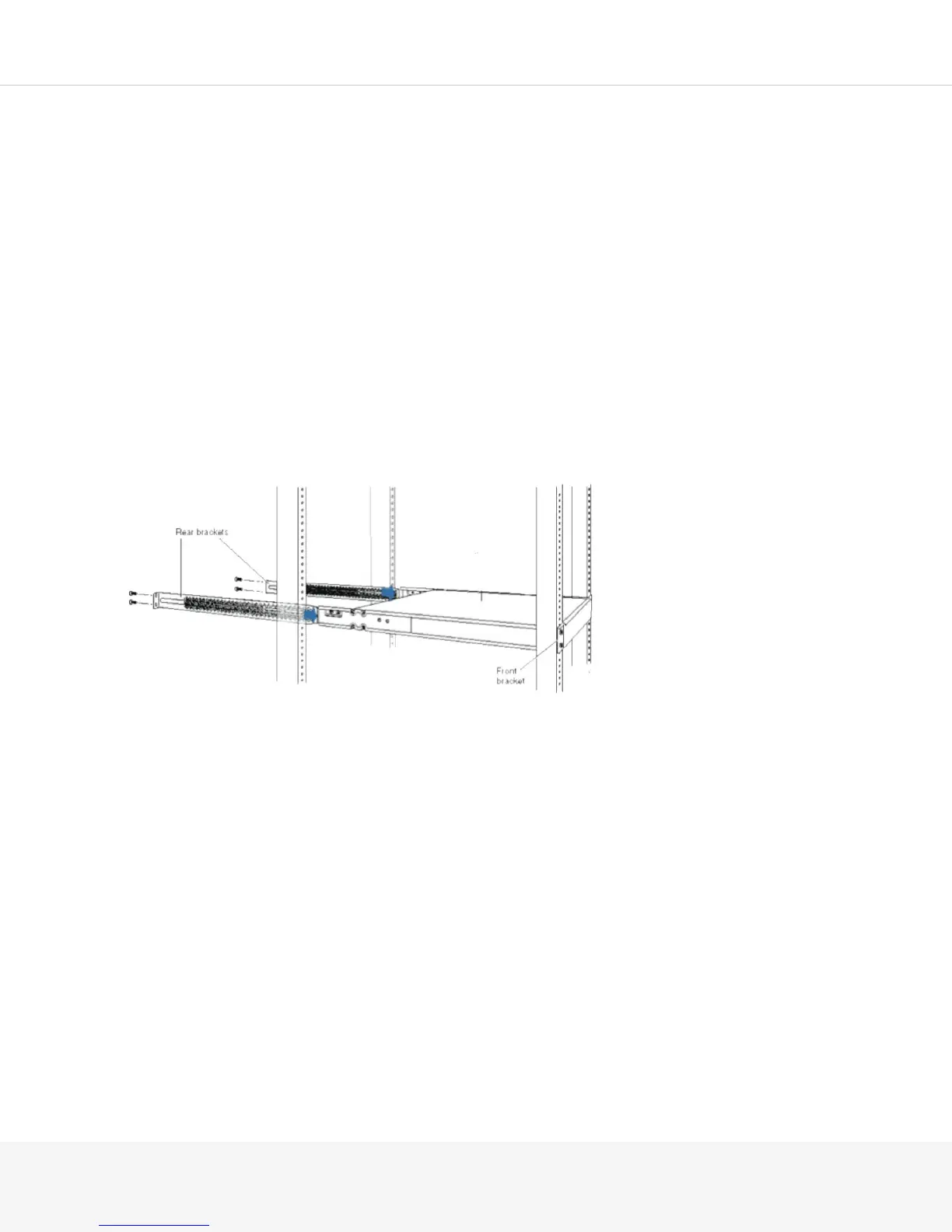
Installing the Pulse Secure Gateway in a Rack
The Pulse Secure Gateway is shipped in a cardboard carton that also contains an accessory box.
NOTE: The device is maximally protected inside the shipping carton. Do not unpack it until you are ready to
begin installation.
Store the shipping carton box and packing material in case you need to return or move the device at a later
time.
You can mount the MAG4610, MAG6610, or MAG6611 as follows:
1.
On four posts in a 19-in. rack or cabinet by using the mounting brackets provided with the Pulse Secure
Gateway:
NOTE: Due to the size and weight of the Pulse Secure Gateway, Pulse Secure recommends that you
four- post mount the chassis and not front mount only.
2.
In a position recessed 2 in. from the front of a 19-in. rack or cabinet by using the mounting brackets
provided with the Pulse Secure Gateway. You can mount the chassis in this recessed position on four-
post racks and cabinets.
The holes in the mounting brackets are placed at 1-U (1.75-in., or 4.45 -cm) apart so that the Pulse Secure
Gateway can be mounted in any rack or cabinet that provides holes spaced at that distance.
NOTE: If you are installing multiple devices in one rack, install the lowest one first and then proceed upward
in the rack.



 To Next Page