65
3. Configure the camera settings on NAS
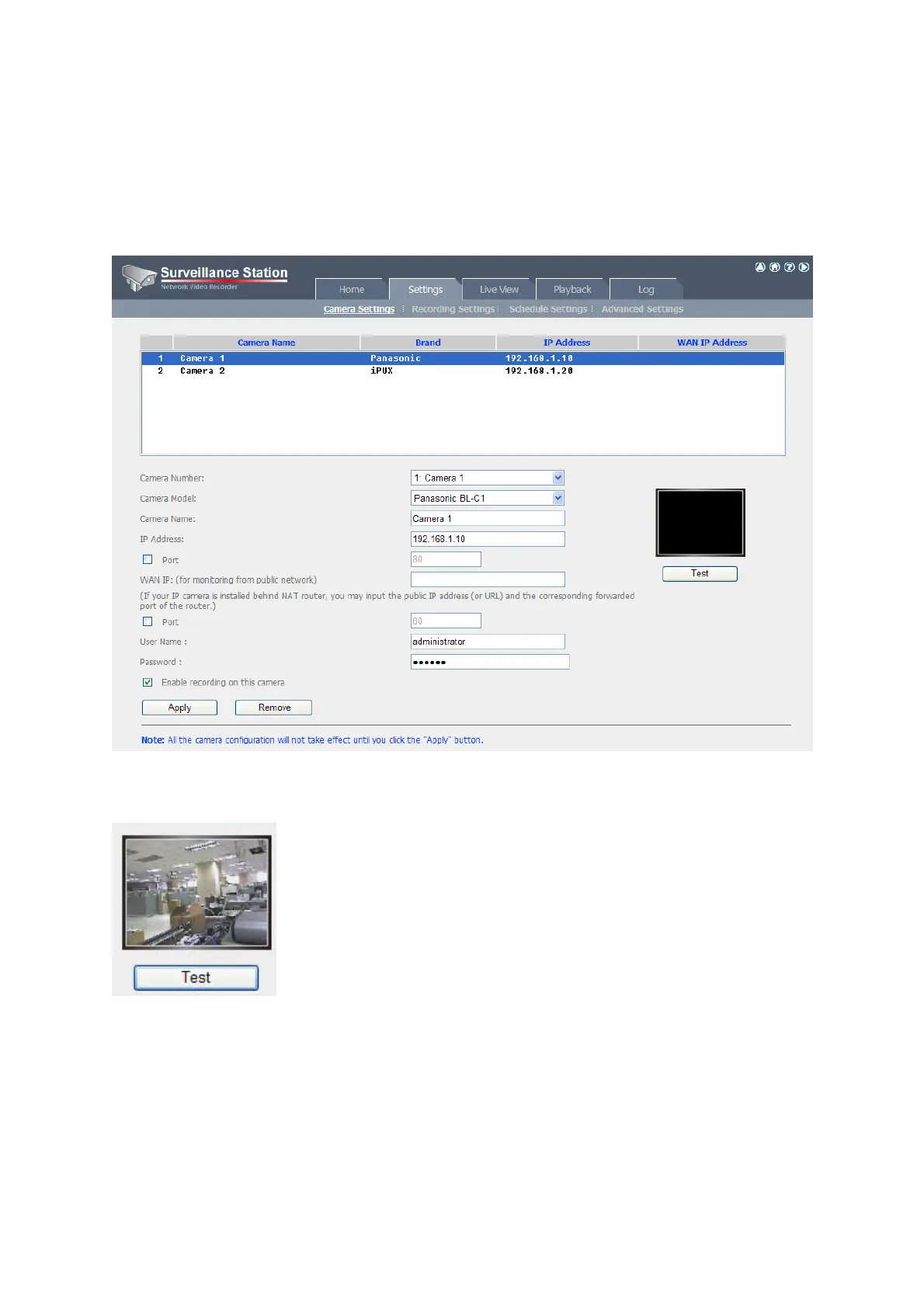
Login the Surveillance Station by IE browser to configure the IP cameras. Go to
“Settings>Camera Settings” page. Enter the camera information, e.g. name, model, and
IP address.
Click “Test” on the right to ensure the connection to the IP camera is successful.
You may enable continuous recording by checking the option “Enable recording on this
camera”.



 To Next Page