67
4. Configure your NAT router (for remote monitoring over the Internet)
To view the monitoring video and access the NAS remotely, you need to change the
network settings by forwarding different ports to the corresponding LAN IP on your NAT
router.
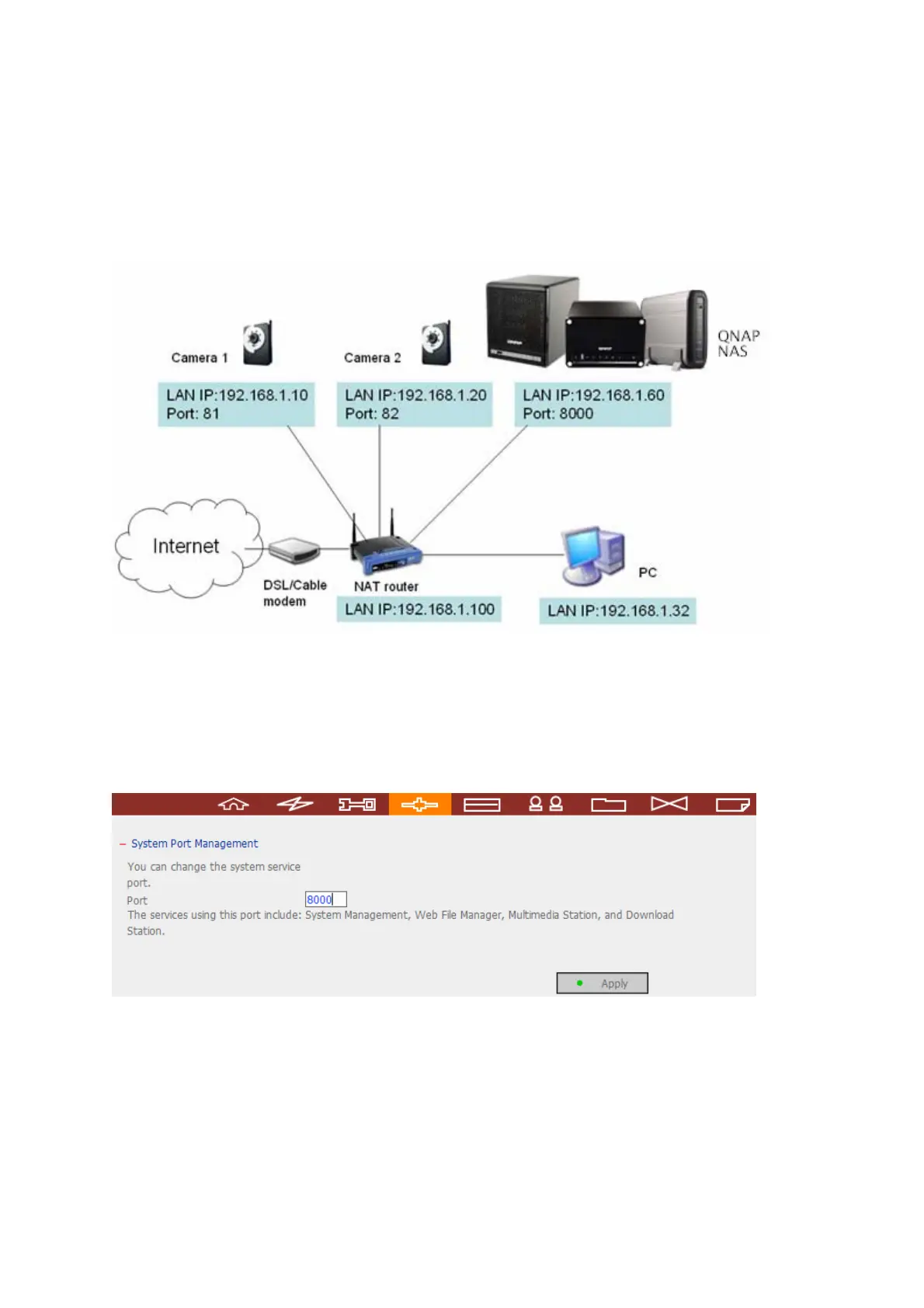
Change the port settings of NAS and IP cameras
The default HTTP port of NAS is 8080. In this example, the port is changed to 8000.
Therefore, you have to access the NAS via http://NAS IP:8000 after applying the
settings.
Then login the network settings page of the IP cameras. Change the HTTP port of
Camera 1 from 80 to 81. Then change the port for Camera 2 from 80 to 82.



 To Next Page