Maintaining your Mailing System
166
11
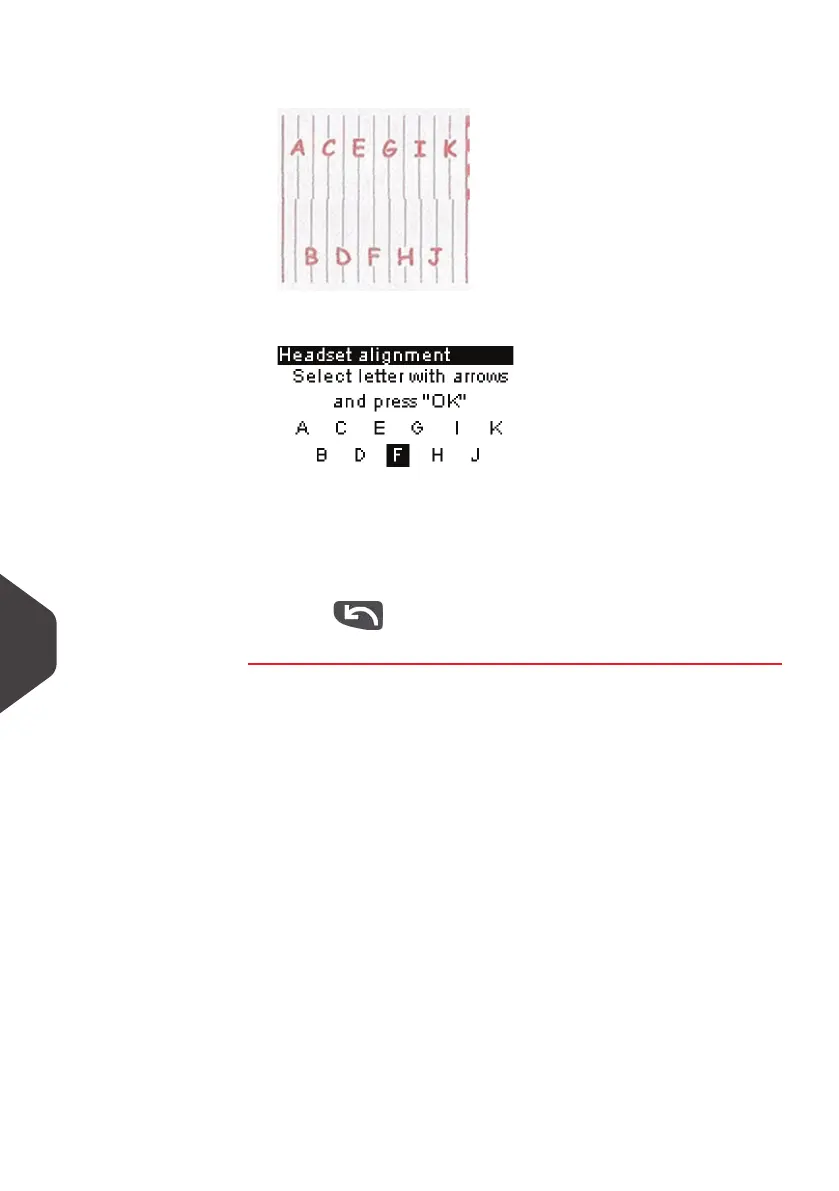
2 Insert a piece of paper in the mail path.
The system prints a test pattern.
The
headset alignment
screen is displayed.
3 Observe the pattern and use the Up / Down keys to select
the letter that corresponds to the straightest and complete
vertical line (here
F
).
4 Press [OK] to validate.
5 Press to go back to the ink cartridge menu after ali-
gnment is completed.
ALPHA1_UK.book Page 166 Jeudi, 6. septembre 2012 4:08 16



 To Next Page