980 DP Video Generator - User Guide Rev. A4
Page 177 July 14, 2014
Available only from the External 980 GUI Manager (not shown on the embedded GUI)
Enables you to save a DPCD configuration file for later reuse. A dialog box will appear
enabling you to assign a name to the DPCD file.
Enables you to read the entire current DPCD configuration of the 980 DP Rx device. This
populates dialog boxes with the current register settings.
This writes the entire contents of the edited DPCD file to the 980 DP module’s Rx port for
emulation.
Enables you to read the DPCD register values of the selected page of the 980 DP Rx device.
This populates dialog boxes with the current register settings.
This writes the contents of the register values on the selected page of the DPCD to the 980 DP
module’s Rx port for emulation.
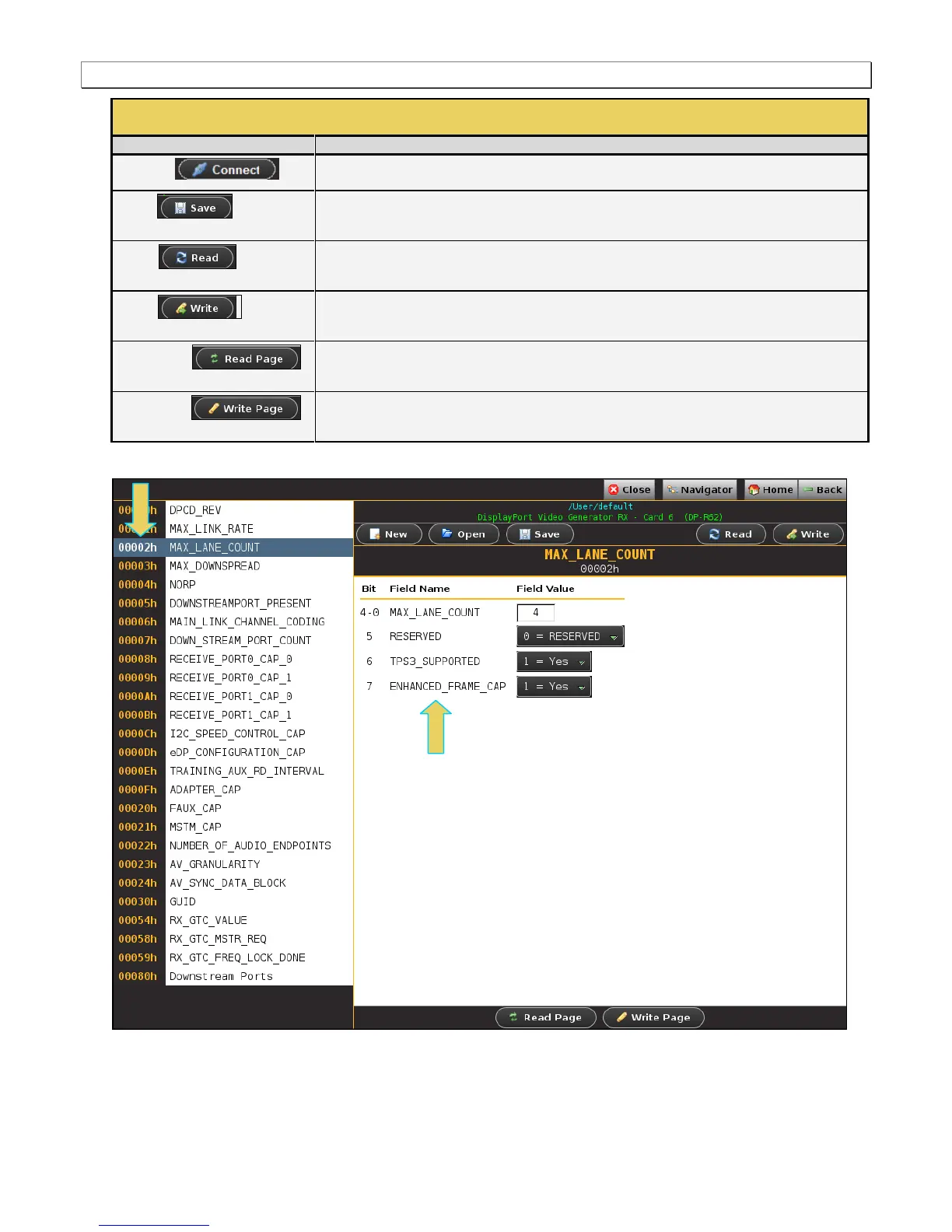
The following screen examples show several of the DPCD Editor’s address blocks (pages).



 To Next Page