980 DP Video Generator - User Guide Rev. A4
Page 29 July 14, 2014
The highlighted format is the format that is active. You can also determine this from the status information at
the top of the panel. Alternatively you can click on the Star button to show the selected format. When
you click on the Star button the list of formats will be repositioned such that the selected format is shown on the
top line.
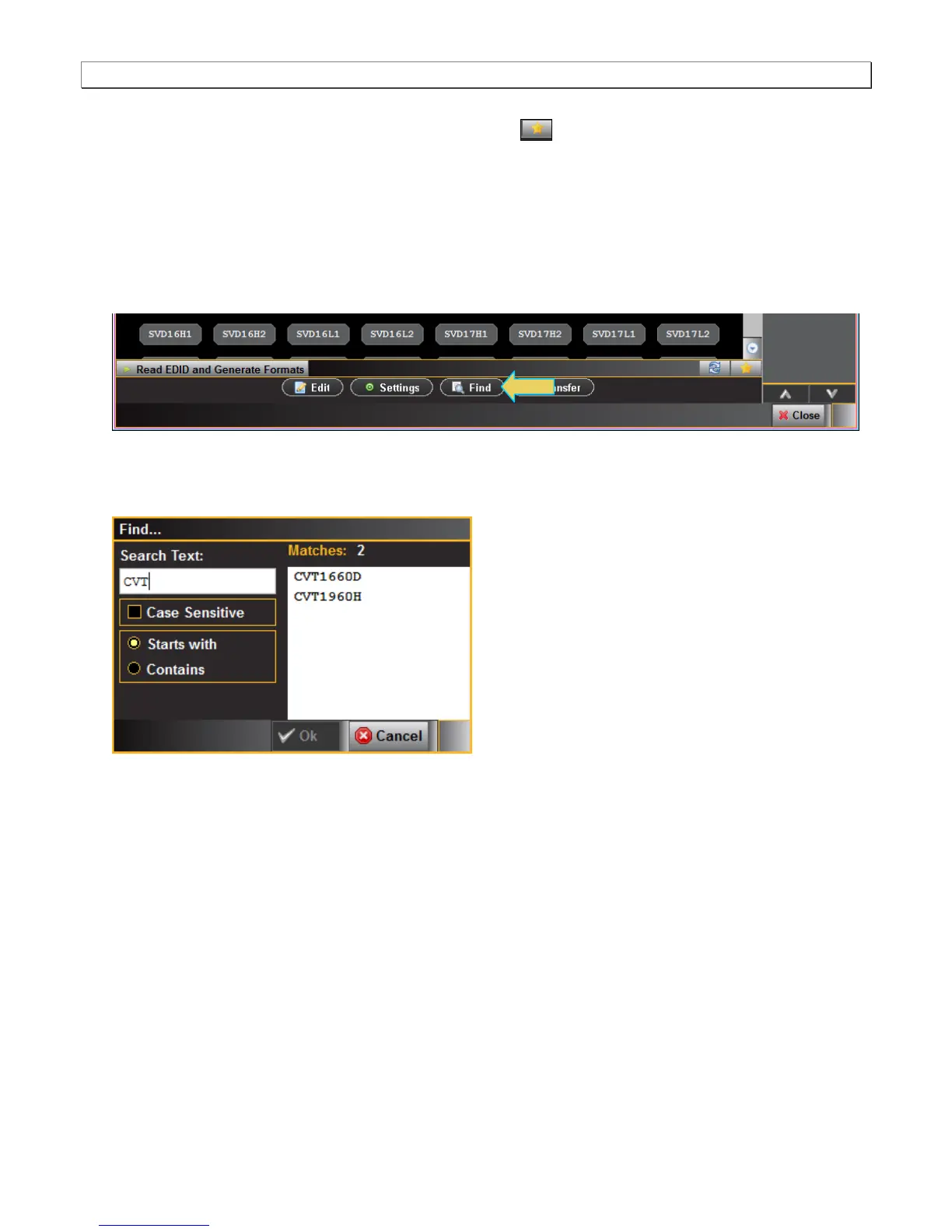
2. Note that you can browse for a format using the scroll bar. You can also search for a format using a test strings
on the Find Format dialog box.
3. Select a format from the list by clicking on it.
4. Click on the Find activation button on the lower portion of the Format panel.
The Find Format dialog box appears as shown below. Enter a string in the Search Text field to find a format.
You can specify either Starts with or Contains using the radio buttons and you select the Case Sensitive check
box to indicate case sensitivity in your text. Click on the OK button when you have located the format.
5. Click on the EDID smart activation button on the lower left to configure the list of formats in accordance with
the EDID for the connected display.



 To Next Page