980 DP Video Generator - User Guide Rev. A4
Page 85 July 14, 2014
5. Scroll through the data to find specific events. The scroll bars are indicated in the screen example above.
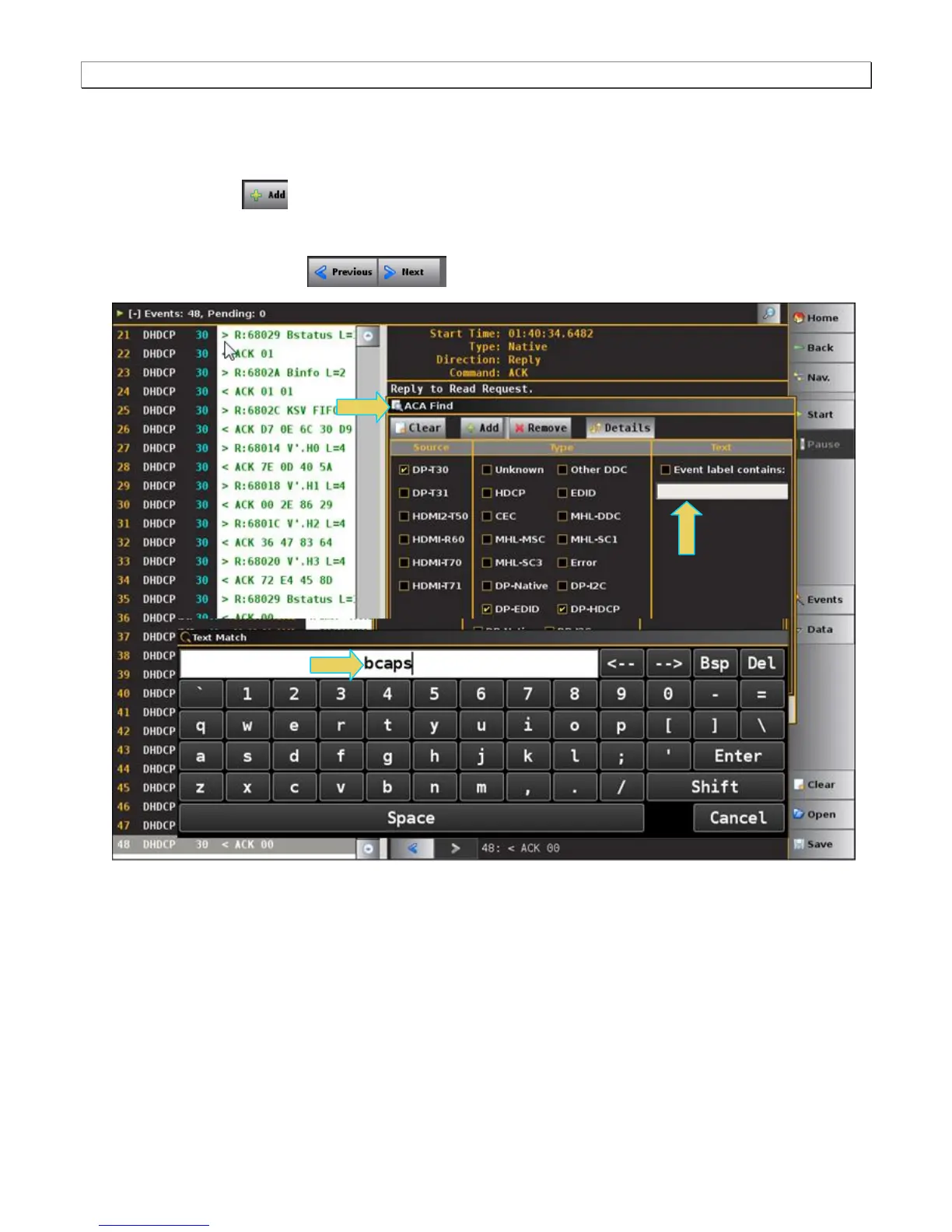
6. The ACA Find dialog box is accessible through the Data pop-out menu shown in the screen example below.
The ACA Find function enables you to quickly locate different types of events.
a) Click the Add button to add a new search criteria.
b) Define the search by selecting the Source, Type and any Text on the Event.
c) Click Previous or Next to locate the item in the transactions.



 To Next Page