980 DP Video Generator - User Guide Rev. A4
Page 84 July 14, 2014
3. Take the necessary action—such as a hot plug—to initiate EDID, HDCP or Link Training transactions. You will
see the Aux Chan transactions in the ACA panel as shown below.
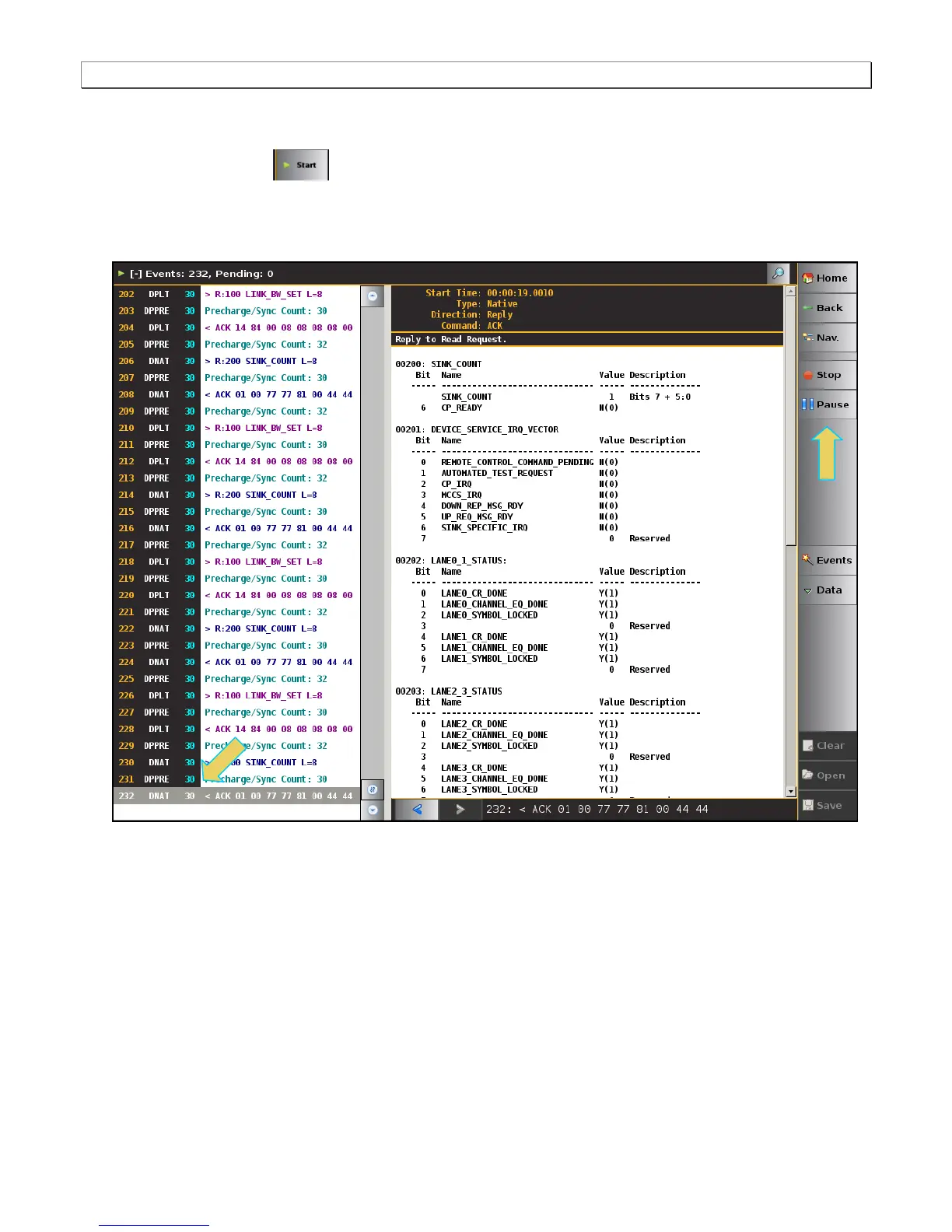
4. Touch select the Start button on the ACA Menu panel on the right to initiate the viewing of the DP
Aux Chan transactions. An example showing monitored data is shown below. You can stop or pause the
collection at any time using the buttons on the ACA menu panel on the right. These are indicated in the screen
example below.



 To Next Page