Extended Manual for RF919 v2.1
© 2024 page 46 of 63
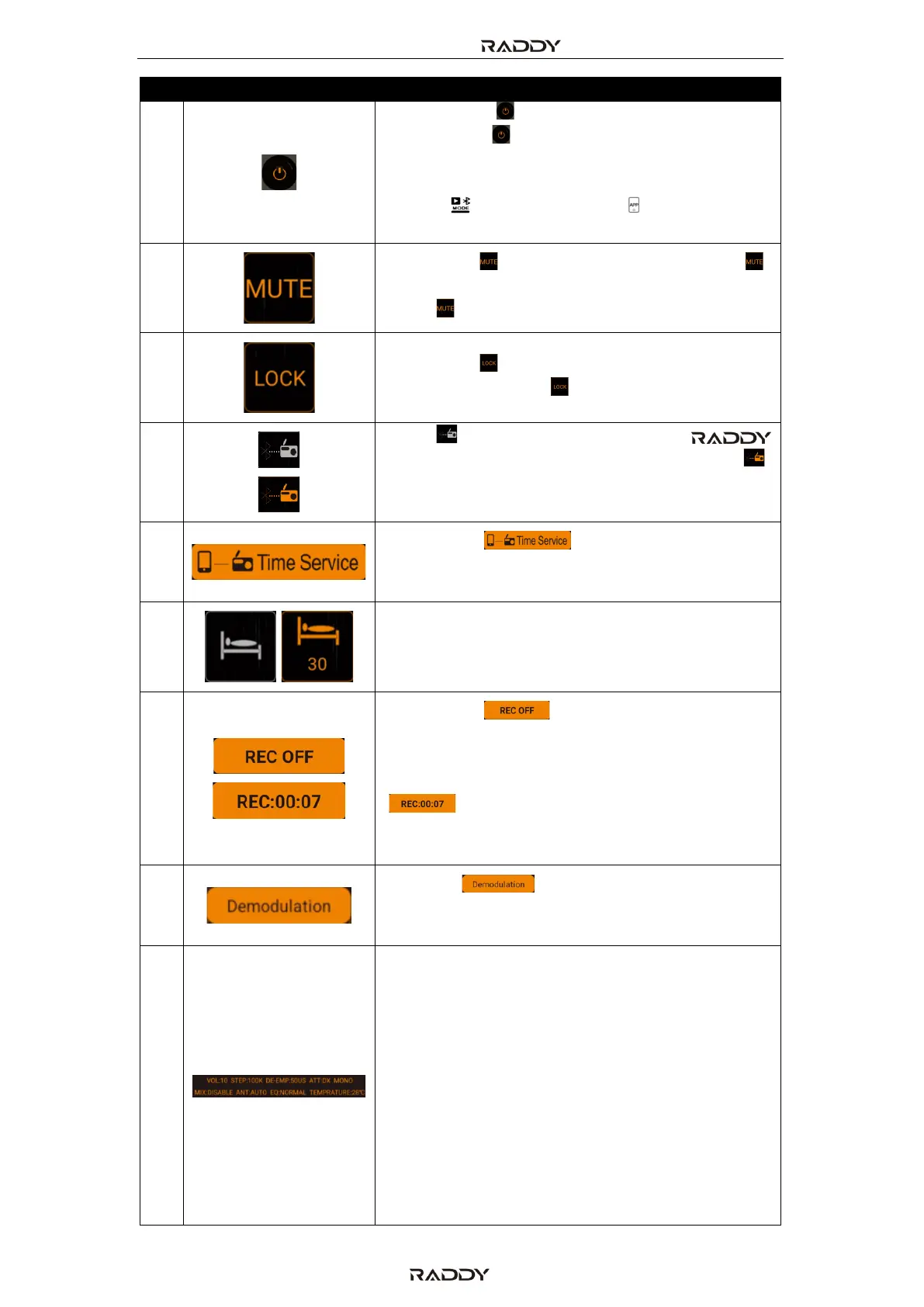
• Short press [ ] to power on the radio.
• Long press [ ] to power off the radio.
• Disconnect APP connection: after powering off
the radio is in time display mode. Now long
press [ ] on the radio until “ ” is no longer
displayed on the primary screen of the radio.
Long press [ ] to enable the mute function. “ ”
symbol flashes when the device is muted. Long
press [ ] again to unmute.
Long press [ ] to lock the operating elements of
the APP. Long press [ ] again to unlock them.
Press [ ] to connect the APP with the
RF919 via Bluetooth. The color of the button [ ]
will turn orange as soon as the connection to the
radio has been established.
Short press [ ] to align the time of the
radio to the time of the connected mobile
device.
Short press [ ] to start recording of
current audio stream. Short press the same
button again to stop recording. During
recording, the elapsed time will be displayed
“ ”
Note: Recording is only possible if a TF card has
been inserted in the radio.
The field “ ” shows the current
demodulation type used for the currently
selected frequency band.
This area shows various other parameter values,
such as:
VOL: Current Volume
STEP: Stepping value for current band
DE-EMP: De-Emphasis
ATT: DX, LOCAL
STEREO, MONO: normally “MONO”
MIX: DISABLE (not available)
ANT: AUTO
EQ: Equalizer setting (NORMAL, POP, ROCK, JAZZ,
CLASSIC, COUNTRY)
TEMPERATURE: Current temperature in °C



 To Next Page