Line Scan
© Radiodetection 2016 41 RD1500 Operation Manual
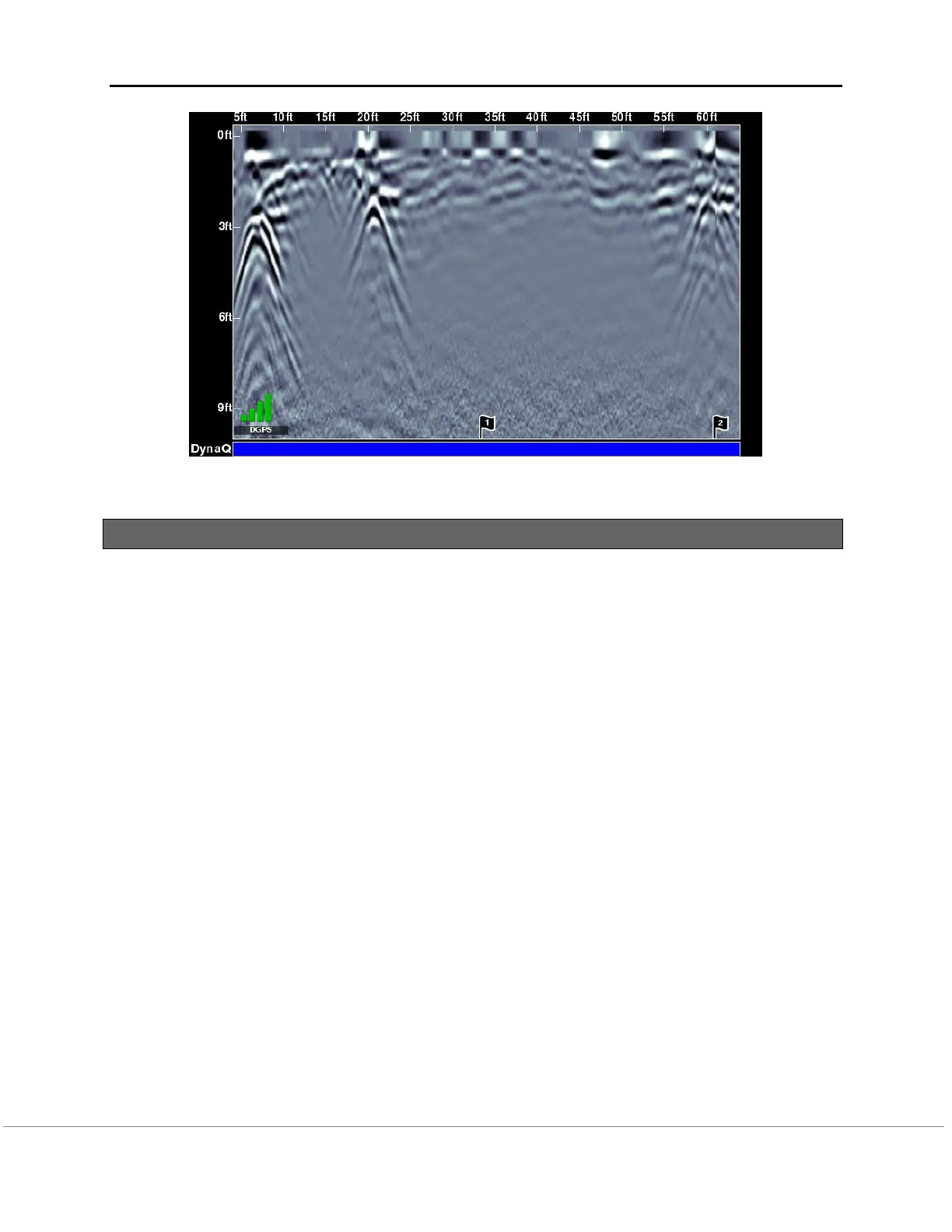
Figure 8-6: Inserting Flags
8.6 Line Scan menu options
All the settings described below change the way the data is viewed on the screen. They do
not alter the saved data in any way. These settings can be altered while you are still
collecting data, or after you have pressed Stop.
Zoom
This button alters the aspect ratio of the displayed GPR data, and changes the buttons on the
bottom menu as follows:
Depth – Pressing + and - under the Depth button allows you to change the display
depth of the data. This is commonly referred to as the depth window. The pre-set values
range from 1m to 8m (3’ to 25’), see Figure 8-7.
If the data was collected with a shallower depth, the depth setting can still be increased after
the fact, when reviewing the data. In general, it is recommended that you set your displayed
depth to 1.5 - 2 times the depth you expect the deepest target to be.
Position – Pressing + and - under the Position button allows you to change the length
of data display on a single screen. This is also known as horizontal scaling. The pre-set
values range from 10m to 30m (25’ to 100’), see Figure 8-8.
One reason for setting this to 30m would be to fit more data on the screen and look for
consistency among hyperbolas that were crossed.


 To Next Page