Slice View
RD1500 Operation Manual 60 © Radiodetection 2016
10.4 Line View
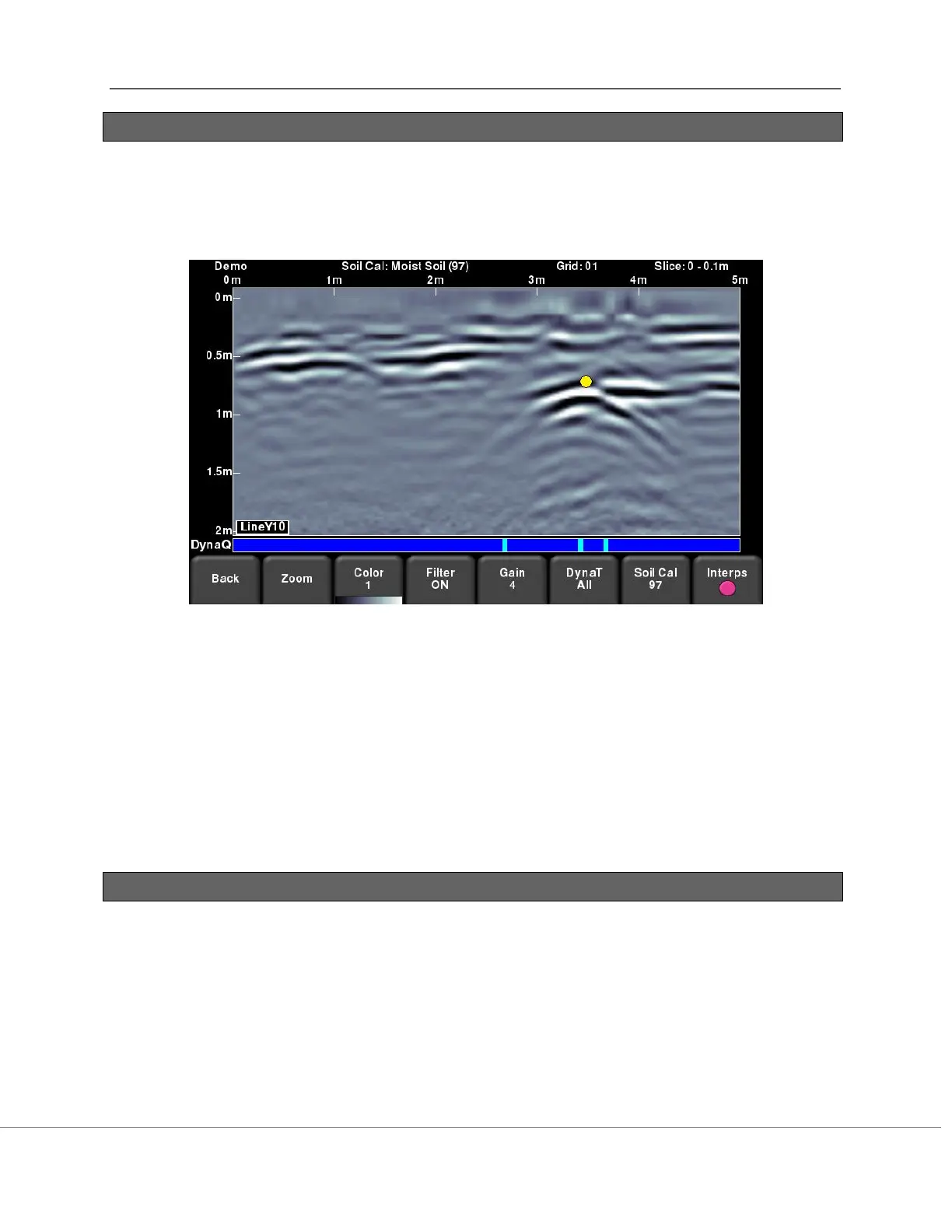
Pressing this button displays the currently selected GPR line as a full screen image. All the
functionality of Line Scan (such as depth, color, filter, gain, FrequenSee, Soil Cal, interps) are
available here. Use the 4-way directional keypad to change to a different line.
Figure 10-4: Changing Line View settings from within Slice View.
Press Back to return to Slice View. Any changes made will be reflected on the GPR line in Slice
View mode. If you change the Soil Cal or Zoom (depth), this will cause the depth slices to be re-
processed.
Users may want to change these display settings to make it easier to correlate line scan data
with depth slices.
10.5 Recollecting lines
After looking at the grid data in Slice View you may discover that one or more grid lines need to
be recollected (for example, maybe the starting position was offset). If so, you will need to enter
the Grid Scan menu again and select the appropriate grid number and press Start (the grid
number will be in red, since data exists).
Select the grid line that needs to be recollected. When you press Start, it will display a prompt
confirming if you want to overwrite the line. After recollecting the grid line(s), press the Slice
View button to re-process the grid data.


 To Next Page