Page 11 WES
3
Installation and Operations Manual V2.0 Ramtech Electronics Limited 2020
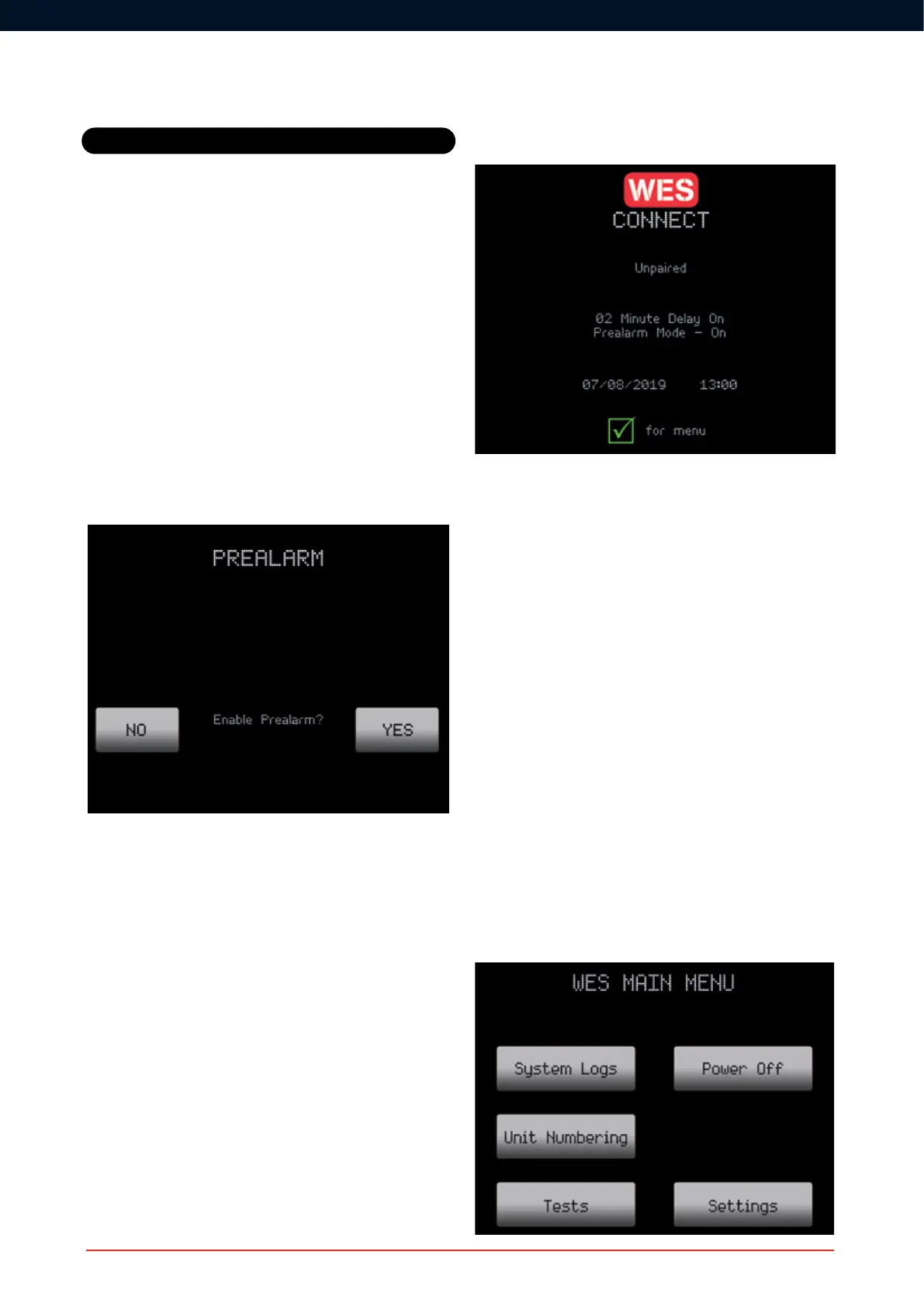
Pre Alarm Mode
ThePreAlarmfunctiondenessite-widebehaviourofthenetwork
during an Inspection Delay period.
With Pre Alarm mode enabled, the entire network will emit a site-wide,
intermittent sound and (on strobe-equipped call points) an intermittent
ash,toalertsitepersonnelthatapotentialevacuationmaybe
imminent.
With Pre Alarm mode disabled, the local call point which has been
triggered will sound in addition to the CONNECT unit. All other call
points around site will remain in the normal state of non-alarm.
Select your preferred option by using the arrows to the side of the
screen.
Note that Pre Alarm can only be set during the initial activation
process. Once set, the Pre Alarm setting can only be set or changed
by turning off all networked units and resetting up a network. This will
clear any existing unit numbering and other network settings from the
network.
On completion of initial set up, settings for Inspection Delay and Pre
Alarm mode are displayed on the CONNECT home screen. Check the
settings displayed on screen are the desired settings, and if not, repeat
the Initial CONNECT Setup process before proceeding.
Basic System Operation
2. Creating a network
A network can be made up of a variety of WES
3
units such as Call
Points, Base Stations and Interfaces. All WES
3
units are delivered to
site with batteries installed and ready for site activation. To activate
any unit, hold down ‘A’ and press ‘B’ three times in quick succession.
AllthreeLEDswillbrieyilluminateandthentheamberLEDwillash.
This operation activates the unit – no radio connection is
established at this point. The system must include a least one
Call Point in order to generate an audible alarm. Where a system
comprises Detectors only, no audible alert will be transmitted on site.
3. Allocate unit numbers
Activated Call Points, Detectors, and other WES
3
units can be added
to create a WES
3
network using the Unit Numbering process. During
Unit numbering, WES
3
devicesreceivedetailsofnetworkconguration
from the CONNECT unit, including Inspection Delay and Pre Alarm
settings. Note this is the only way of creating and adding to a
WES
3
network.
Access the Unit Numbering option on the CONNECT main menu
screen. This can be accessed by selecting Unit Numbering with the
appropriate arrow next to the screen.



 To Next Page