Page 22 WES
3
Installation and Operations Manual V2.0 Ramtech Electronics Limited 2020
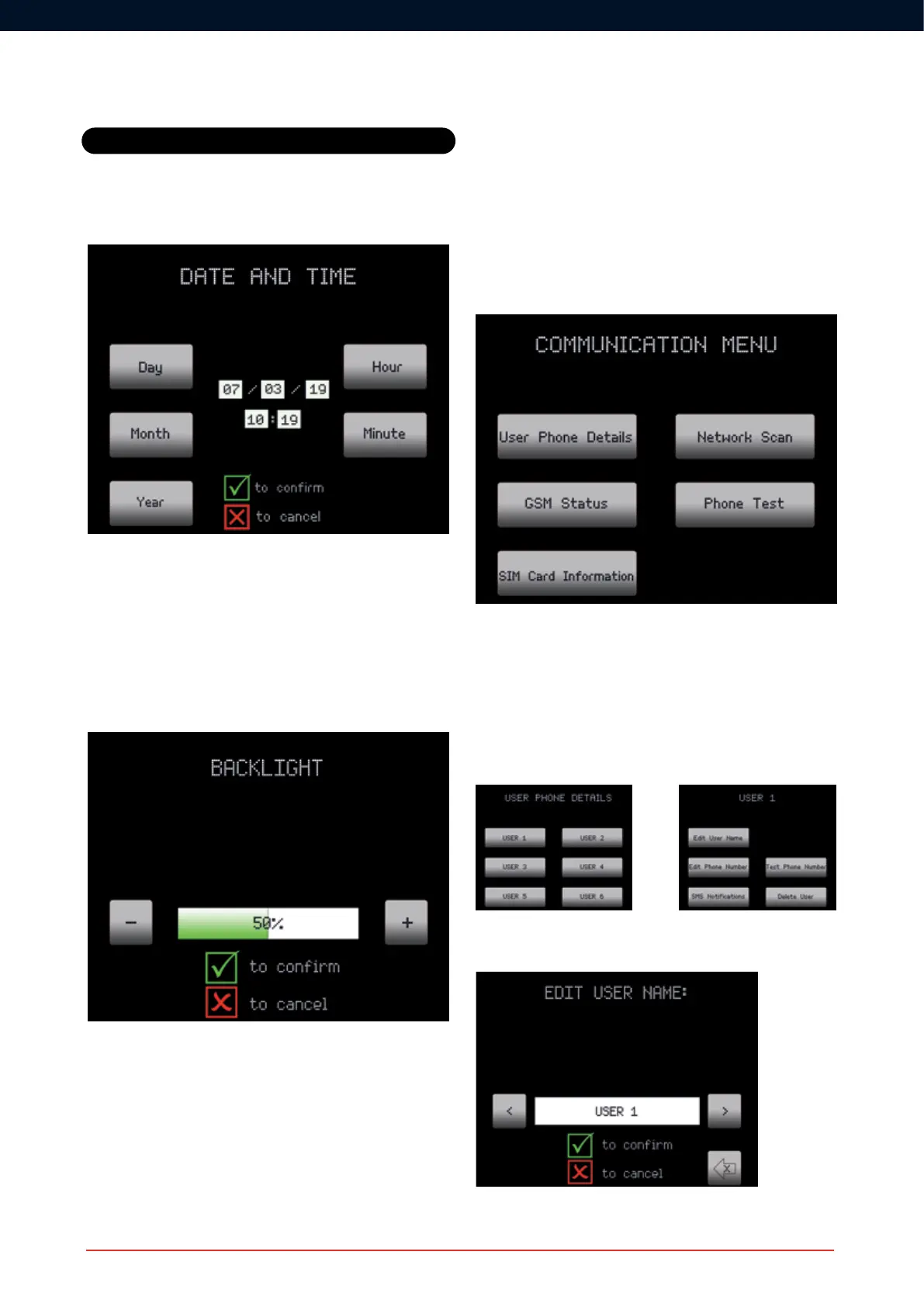
Date and Time
The date and time can be updated in the Date and Time screen using
the Soft Keys and Pad Control Keys, pressing
R to save. The date
and time must be set manually and will not automatically adjust for
internationaltimezones,BritishSummerTimeetc.TheformatisDD/
MM/YYYYandHH:MM.Timeisdisplayedasa24hrclock.
Back Light
The screen back light brightness can be changed using the + and -
Soft Keys.
Mobile Base
It may be desirable for the CONNECT unit to be used without being
xedtoawall,forexample,ifyouneedtokeepitinthesiteofce
during the day but move it to a security hut at night.
This feature deactivates the rear tamper so the unit is Mobile.
The CONNECT unit can be made mobile by pressing the relevant Soft
Key on the Mobile base option. A highlighted button indicates that the
Settings
Mobile Base option has been enabled.
Communications
The Communications menu has six options as shown below:
User Phone Details
The user phone details allow up to six users names and telephone
numbers to be entered and the type of warning each user will receive
tobeselected.Textmessageonarealarmissetforeachuserand
cannot be altered. Only one text message is sent to each user during
eachrealarmalthoughmultipleunits(repointsanddetectors)may
beactivatedduringthere.
Enter the name of the user using the CONNECT Pad Controls. Once
edited, USER X is replaced by the name of the user entered.
The telephone number must be in international format with the country



 To Next Page