Page 34 WES
3
Installation and Operations Manual V2.0 Ramtech Electronics Limited 2020
At the end of the re-arming period the base station will return to the
home screen unless any system warnings have been received during
therealarmorre-armperiod.
System Warnings
The base station will indicate warnings from itself or any other system
unit.WhenawarningisreceivedtheLCDwillashandtheunitwill
beep periodically.
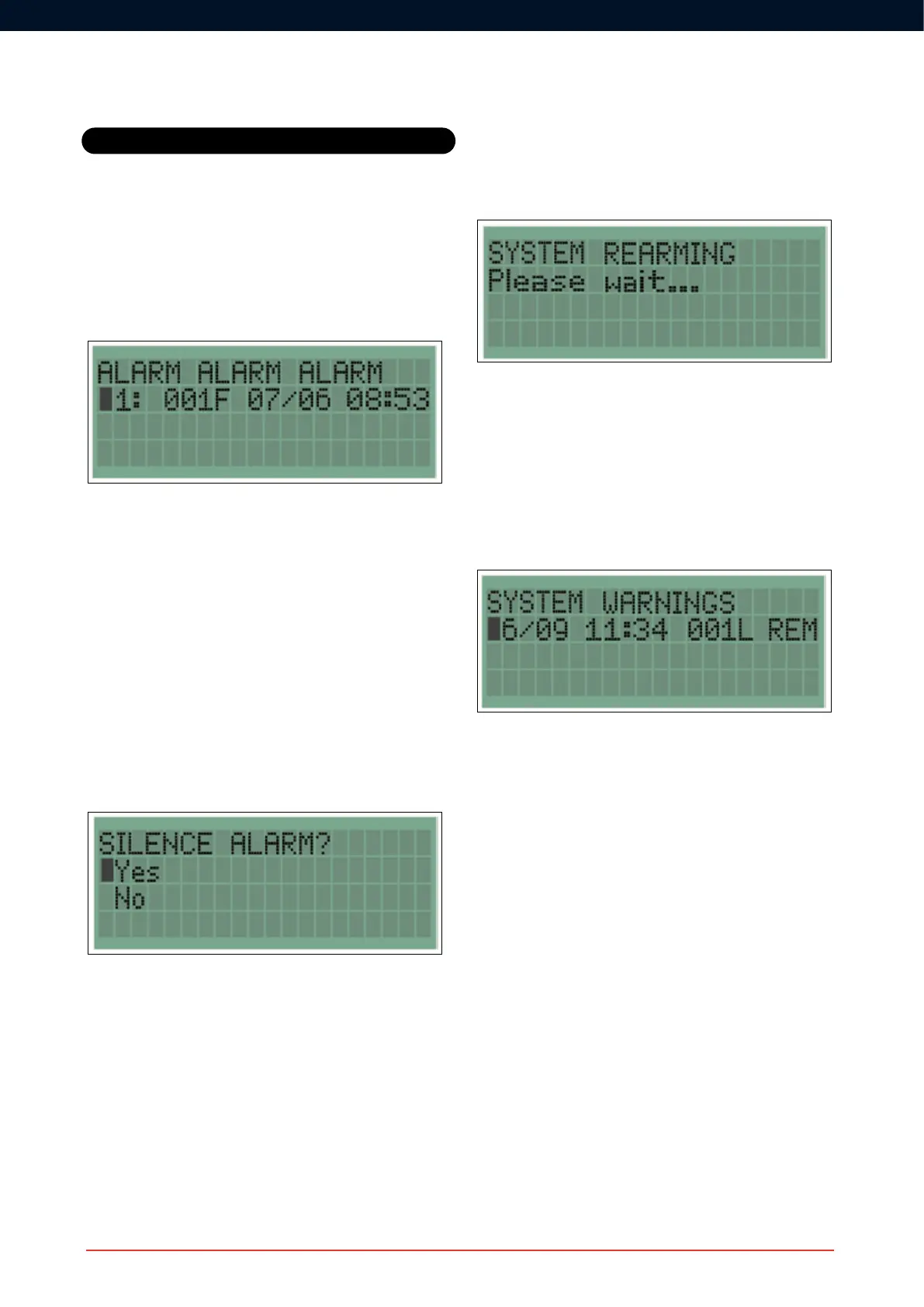
Warnings are displayed in the format: date, time, unit number and type,
warning type. Some warnings, for example EXT, will self-clear if the
fault is resolved.
Alarm
When an alarm has been raised by a Fire Point or Detector, the Base
StationwillashtheLCDdisplay,beepanddisplay“ALARMALARM
ALARM” together with which units raised the alarm. The newest event
will be at the top of the list.
Unitsareidentiedbyunitnumberandunittype.FindicatesaCall
Point, I an Interface and D a Detector. For example, the above shows
that a Call Point with the number 001 was activated at 08:53 on the 7th
June.
An alarm can be silenced in three ways:
i) Resetting a Call Point
ii) Waiting 30 minutes after the last activation
iii) Using your access code to silence the alarm from the base station
Tosilencethealarmfromthebasestation,pressenterduringthere
alarm. This will take you to the Silence Alarm screen.
Select ‘Yes’, and enter your access code when requested. During
the re-arming period the following message will be displayed for two
minutes.
Advanced
Base Station Operation



 To Next Page