Page 15 WES
3
Installation and Operations Manual V2.0 Ramtech Electronics Limited 2020
WES
3
can receive and display multiple Medical Alerts on the
CONNECT unit and these can be managed and cancelled individually.
Multiple medical alerts are displayed in chronological order, and
prioritisedoverothersystemmessagesexceptrealarm.
In the event of a Fire Alarm being raised while a Medical Alert is active,
the system will give priority to the Fire Alarm. Any Medical Alert that
was active prior to the Fire alarm, will remain in the WES
3
system and
be displayed once the Fire alarm has been resolved.
Unit Alive Indication
ActiveunitswithnofaultswillashtheirgreenLEDonceevery4
seconds to indicate that the unit is operational.
Amber LED Indication
Each WES
3
unit monitors itself for a number of faults. These are
indicatedviatheamberLED,whichwillashingroupedpatternswith
longer than usual gaps in between them.
Units displaying one of these patterns require further investigation and
shouldnotberelieduponaspartoftherealarmanddetectionsystem
until the fault has been corrected. Use the chart below to determine the
nature of the issue:
Group Flash 1 - Low Battery
Group Flash 2 - Low signal
Group Flash 3 - Unpaired
Group Flash 4 - Tamper
Group Flash 5 - Re-arm or
Unit latched (potentially input
latched on Interface unit only)
Red LED Indication
Ifadetectorhasraisedthealarm,itsredLEDindicatorwillashduring
arealarm.
Itisrecommendedthattheresystemistestedweeklyorwhenever
asignicantchangehasbeenmadetotheinstallationorthebuilding
under construction. WES
3
is equipped with a system test function
that allows you to test the radio link between units without activating
anaudiblerealarm.Youcanthereforeensureeachunitinthe
systemhasarobustradiolinkwithsufcientcapacitytoallowfor
environmentaluctuationswithoutdisturbingthesite.
Initiating a System Test
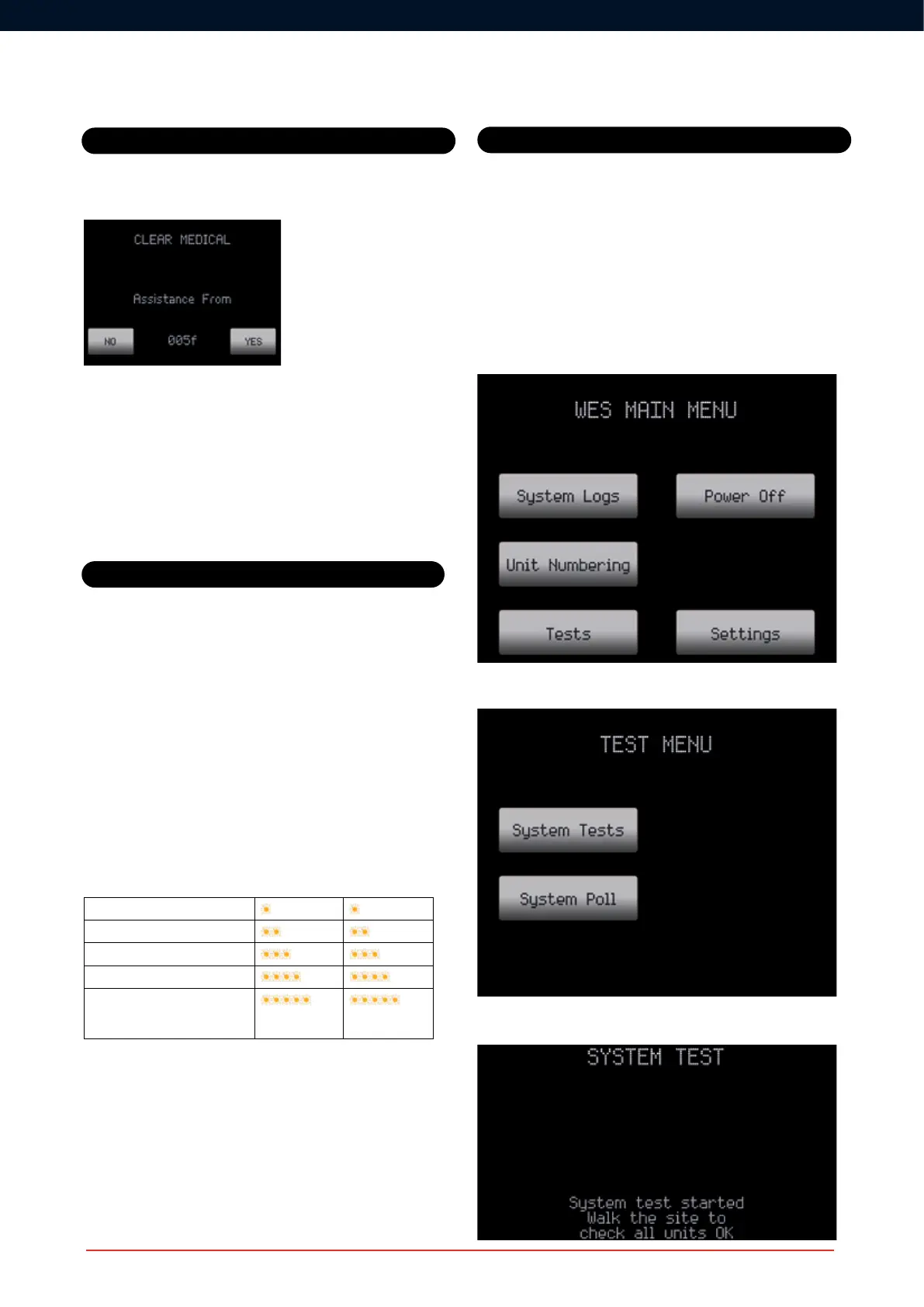
The System Test is started from the CONNECT Test Menu, via the
Main Menu:
From the Test Menu, select System Test to start test mode.
TheCONNECTunitwilldisplayaconrmationmessagethatthetest
has started. Walk the site to check all units in the network.
LED Indications
System Operation
System Tests
Initiating a System Test
The System Test is started from the Connect Test Menu, via the Main
Menu:



 To Next Page