Page 19 WES
3
Installation and Operations Manual V2.0 Ramtech Electronics Limited 2020
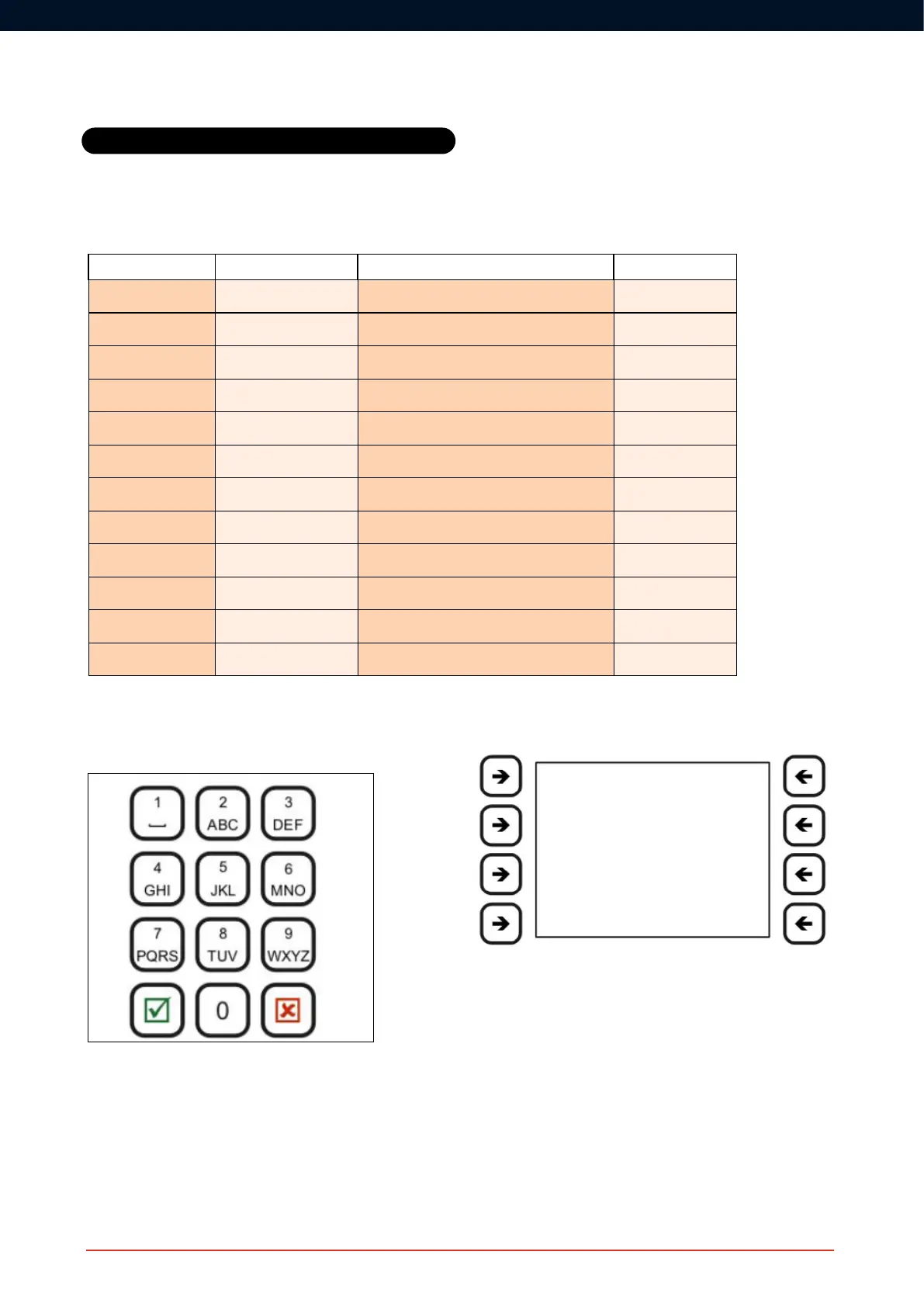
CONNECT Pad Controls
The R key is used to enter the Main Menu from the Main Screen. It is
alsousedtoconrmaselection/dataentry.
The Q key is used to exit from menus. It is also used to cancel a
selection/dataentry.
The numeric keys are used to enter data.
WES Warning Code Guide
Warning Code Warning Description Self-Clearing
MED Medical Assist Medical assistance required at Unit NNN No
BAT Low Battery Unit NNN has a low battery No
DET Detector Tamper Unit NNN has had detector head removed Yes
EXT External Tamper UnitNNNhasbeenremovedfromwall/ceiling Yes
FLT Flat Battery UnitNNNhasturnedoff,itsbatteryisat No
INT Internal Tamper Unit NNN has been opened No
LAT Latched Call point button on unit NNN is still depressed Yes
REM Removed Unit NNN has been deactivated and removed No
SIG Low Signal Unit NNN has a low radio signal Yes
TST System test Unit NNN initiated a System test Yes
NEW Unexpected unit Unit NNN added since last system poll No
GON Unit missing Unit NNN removed since last system poll No
Soft Keys
The function of each key is displayed on screen and varies depending
on the screen displayed.
Home Screen
Pressing R on the home screen opens the Main Menu, giving access
to the System Log Menu, Unit Numbering Screen, Test Menu, Power
Off screen and the Settings Menu. The settings are only available to
authorised users with an access code.
If the CONNECT unit has not yet been paired, it will display ‘Unpaired’
instead of the site name.
Advanced
CONNECT Operation
Screen



 To Next Page