Page 23 WES
3
Installation and Operations Manual V2.0 Ramtech Electronics Limited 2020
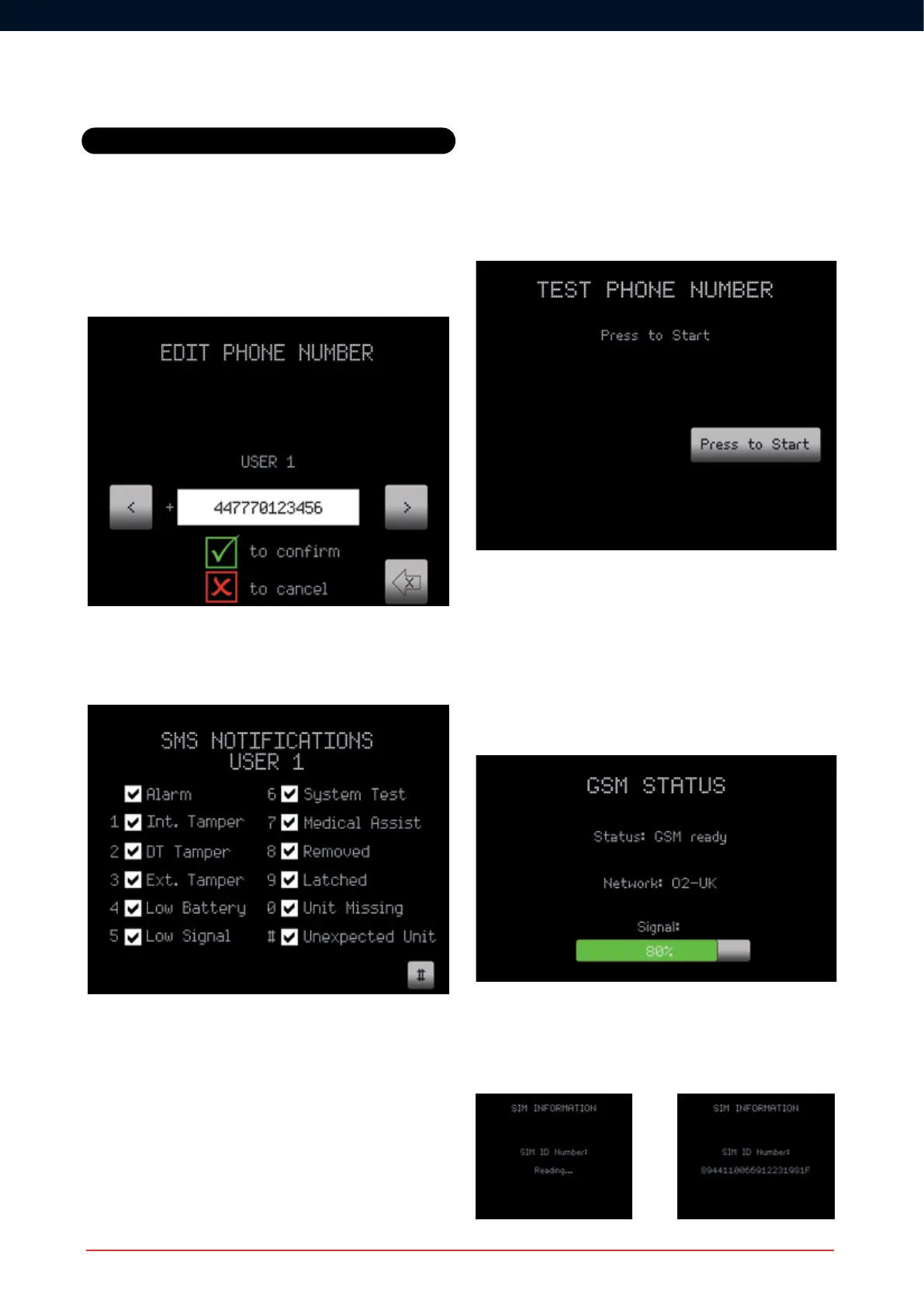
code. Note: A ‘+’ symbol is not required before the country code.
For the UK the country code is 44 and the starting 0 of the telephone
number is dropped (e.g. a mobile telephone number of 07806123456
would be entered as 447806123456).
TheSMSNoticationsMenucanbeusedtoselectwhicheventsthe
user is interested in. A tick will result in a message being sent for that
event.Eventsareselected/deselectedbypressingthecorresponding
number key, or the arrow Soft Key nearest to the # symbol.
Settings
Test Phone Number
Pressing the arrow Soft Key nearest the ‘Press to Start’ icon will initiate
an SMS message to the user’s telephone. A further screen will appear
toconrmthatthemessagehasbeensent.
GSM Status
The status of the connection to a mobile telephone network can be
checked via the GSM Status option. Note that the modem is switched
off when not in use to conserve battery power, so this check can take a
few minutes to complete.
SIM Card Information
Selecting this option will automatically scan the SIM card in your
CONNECT unit to reveal its SIM ID Number.



 To Next Page