Page 29 WES
3
Installation and Operations Manual V2.0 Ramtech Electronics Limited 2020
Raising the Alarm
Manual activation
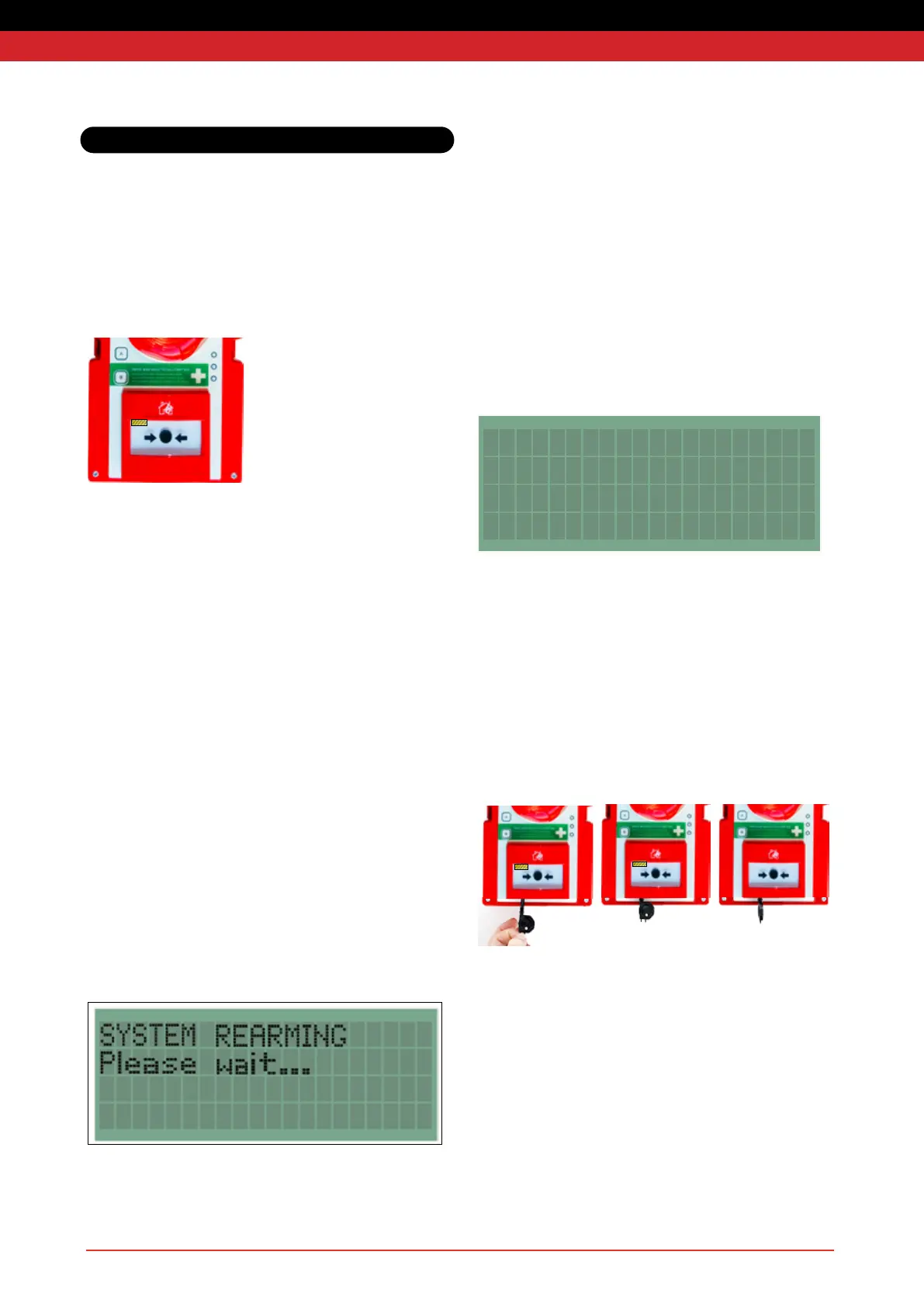
To raise the alarm, press any call point in the system. The call point will
latch into the pressed position and a mechanical yellow and black
stripedagwillbedisplayedinthecallpointwindowasbelow.
Automatic activation
Smokedetectionunitswillautomaticallyraisethealarmifsufcient
smoke is detected. Heat detection units will automatically raise the
alarm if the temperature rises above the threshold. The red ‘Alarm’
LEDwillonlyashontheunit(s)whichraisedthealarm
.
Silencing the Alarm
Note:itisvitaltoconrmthatthereisnorehazardbeforesilencing
the alarm.
Do not attempt to open the unit or deactivate by removing the battery.
The alarm must be silenced either by using the reset key or at the
Base Station.
Therealarmwillautomaticallysilence30minutesafteractivation.
Therealarmcanbemanuallycancelledfromacallpointthathas
been pressed using the reset key provided. If necessary, a call point on
anearerrepointcanbepressedandthenresettocancelthealarm.
Please wait for 5 seconds between pressing and resetting a call point.
After the alarm has cleared the system has a short (2 minute) re-arm
period during which the sirens will sound intermittently, and the amber
warningLEDsashingroupsof5,followingwhichthesystemis
re-armed and ready for use.
During the re-arm period, the alarm cannot be reactivated. It is
thereforevitaltoconrmthatthereisnorehazardbeforesilencing
the alarm.
Resetting a Call Point
Anyrepointunitswithactivatedcallpointswillperiodicallybeepafter
the re-arm period has ended as a reminder that the call points need to
be mechanically reset using the key before they can be used to raise
arealarm.
The Latched call point alert displayed on the Base Station will show
which individual call point (or call points) need to be reset:
SYSTEM WARNINGS
23/06 22:13 004F LAT
1) Insert reset key with tab to the right as shown below.
2) Push key in as far as possible (take care not to use excessive
force as this could damage the unit)
3) Turn key anti-clockwise until a loud mechanical click is heard.
4) Remove the key
Ensure the call point is fully reset before removing the key. Partially
resettingalatchedcallpointaftertherealarmhasbeencancelled
canretriggertherealarm.
System Operation



 To Next Page