Instructions for Use MPR1 DATALOGGER
Manufacturer: zwo-399EN
RAUMEDIC AG, Hermann-Staudinger-Strasse 2, 95233 Helmbrechts, Germany Rev. 9, 2020-10-16
Page 11 of 98
1
2
3
4
5
6
7
8
9
10
11
12
13
14
15
16
17
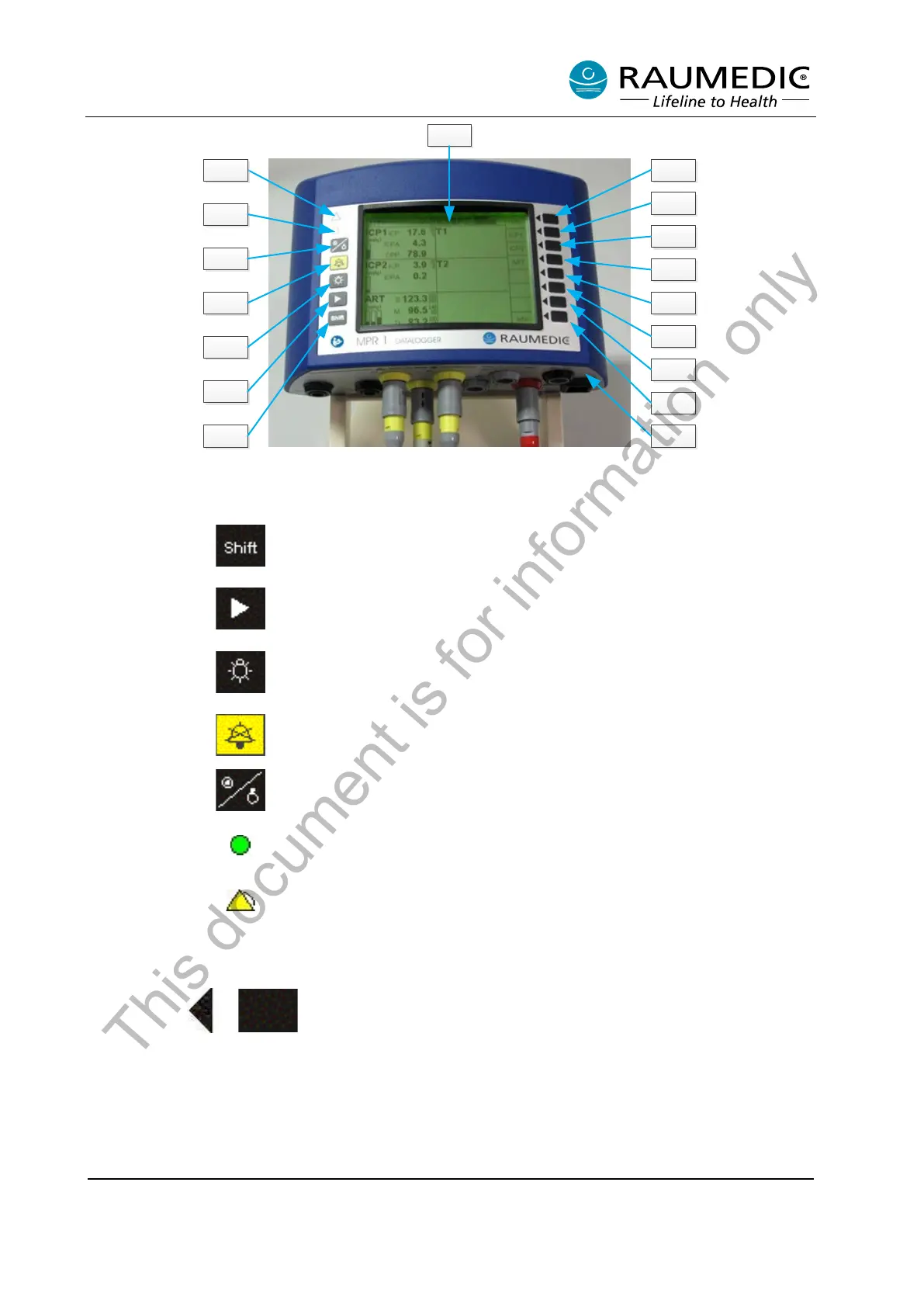
Figure 1: Operating elements, connections, displays
[1]
The Shift key switches this operation control key to the second level.
The Shift key is a toggle key (thus it switches on and off alternately);
however, the Shift status is automatically left without depression of the
[2]
The right arrow key sets the display to the next image. When the last
image is made, the first image is displayed again.
[3]
The light bulb symbol switches the background lighting on/off in
battery-operated mode (toggle function). After 60 seconds the lighting
is switched off automatically. During mains operation this key has no
[4]
The bell symbol switches the AUDIO OFF function of the active alarm
conditions (in keeping with standard IEC 60601-1-8), long depression
sets global AUDIO PAUSING or global AUDIO OFF).
[5]
The Symbol on/off key is used to switch the unit on and off. To switch
the unit off, keep the key pressed for 2 seconds.
[6]
Power On LED (green) combined with the optical display for alarms
with higher priority (red LED).
[7]
Display for alarms with high priority (flashing red LED) or average
priority (flashing yellow LED).
[8] Display.
[9] to [16]
Soft keys, also referred to as F keys.
[17] Connection field.
Table 1: Keys and functions
This document is for information only



 To Next Page