2 - STARTUP
11
2.4.3 Error Messages
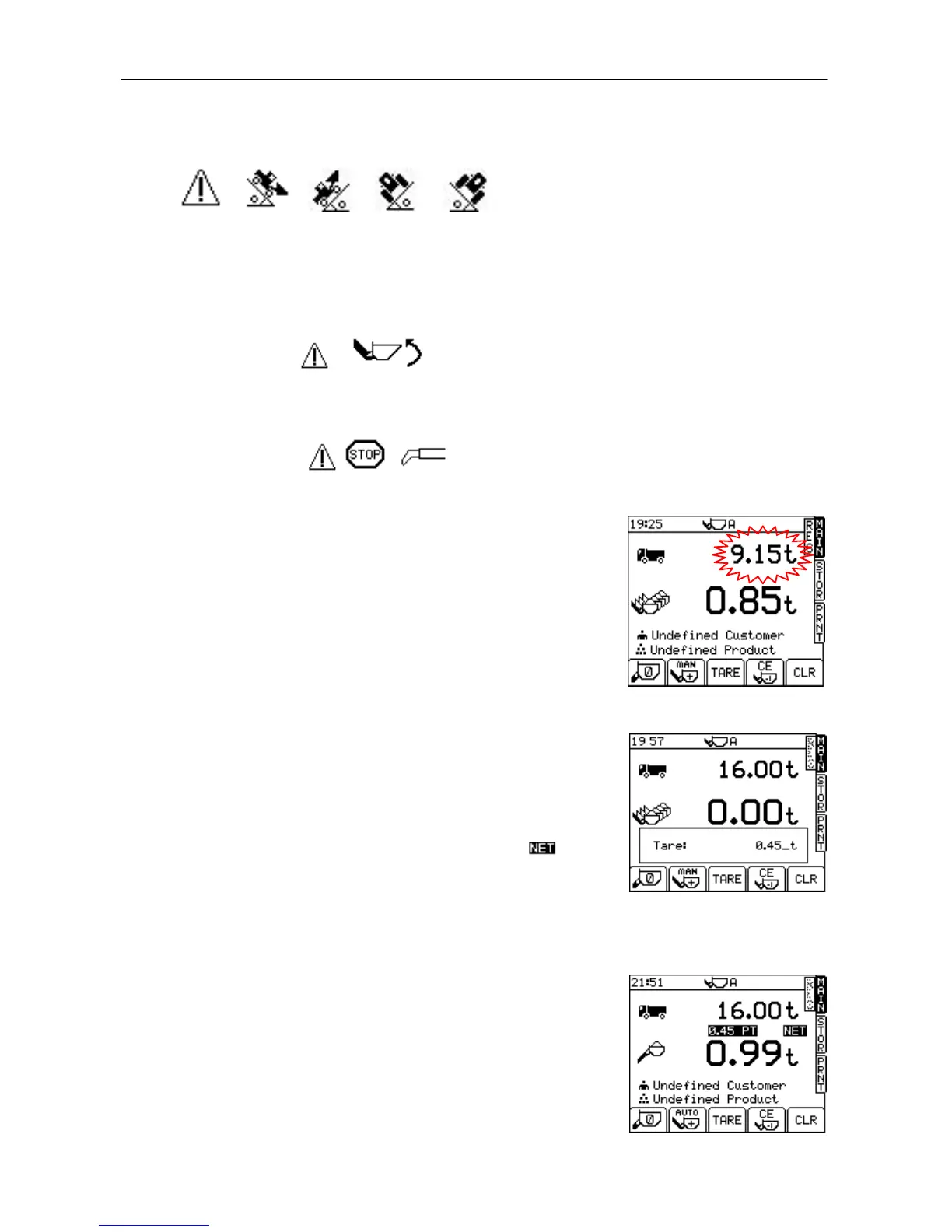
(i) Angle of Slope
This indicates that the angle of slope is too great in a particular direction
- move to a more level area.
(ii) Low Oil Temperature / Sensor Faults
The instrument also warns you of low oil temperature or a sensor fault
and inhibits the zero routine.
(iii) Crowd Bucket
You must crowd the bucket right back before weighing can take place.
(iv) Boom Sensor (Telehandlers only)
You must retract/extend the boom to the correct position.
2.5 Set Target Load
You want this weight to load on the vehicle (fig. 13).
From the MAIN screen, simply key-in the target weight and then press
the ENTER key to confirm. As you commence the loading cycle, the
figure will decrease to show how much is left to load.
2.6 Set Preset Tare
This facility is used to display the NET weight of a product within a lifted
container. The normal gross weight is taken, from which the pre-
programmed empty weight of the container is automatically subtracted.
From the MAIN screen, press and hold the TARE key (fig. 14). Key-in the
empty container weight and press ENTER to confirm.
The Preset Tare (PT) is then displayed on the MAIN screen (fig 15a).
With a tare set, each bucket weight is displayed with the symbol
above it (fig. 15a) and any printout will be identified with the letters
The Tare facility may be switched off from the SYSTEM SETTINGS menu
in which case the TARE key will no longer appear on the screen.
2.6.1 Cancel Preset Tare
To CANCEL a preset tare, simply press and hold the TARE key again,
then release. After a few seconds the "Tare" window will disappear,
canceling the preset tare setting.
Figure 13
Figure 14
Figure 15a



 To Next Page