4 - STORE FUNCTIONS
19
4.1.1 Hardware Setup - Data Module
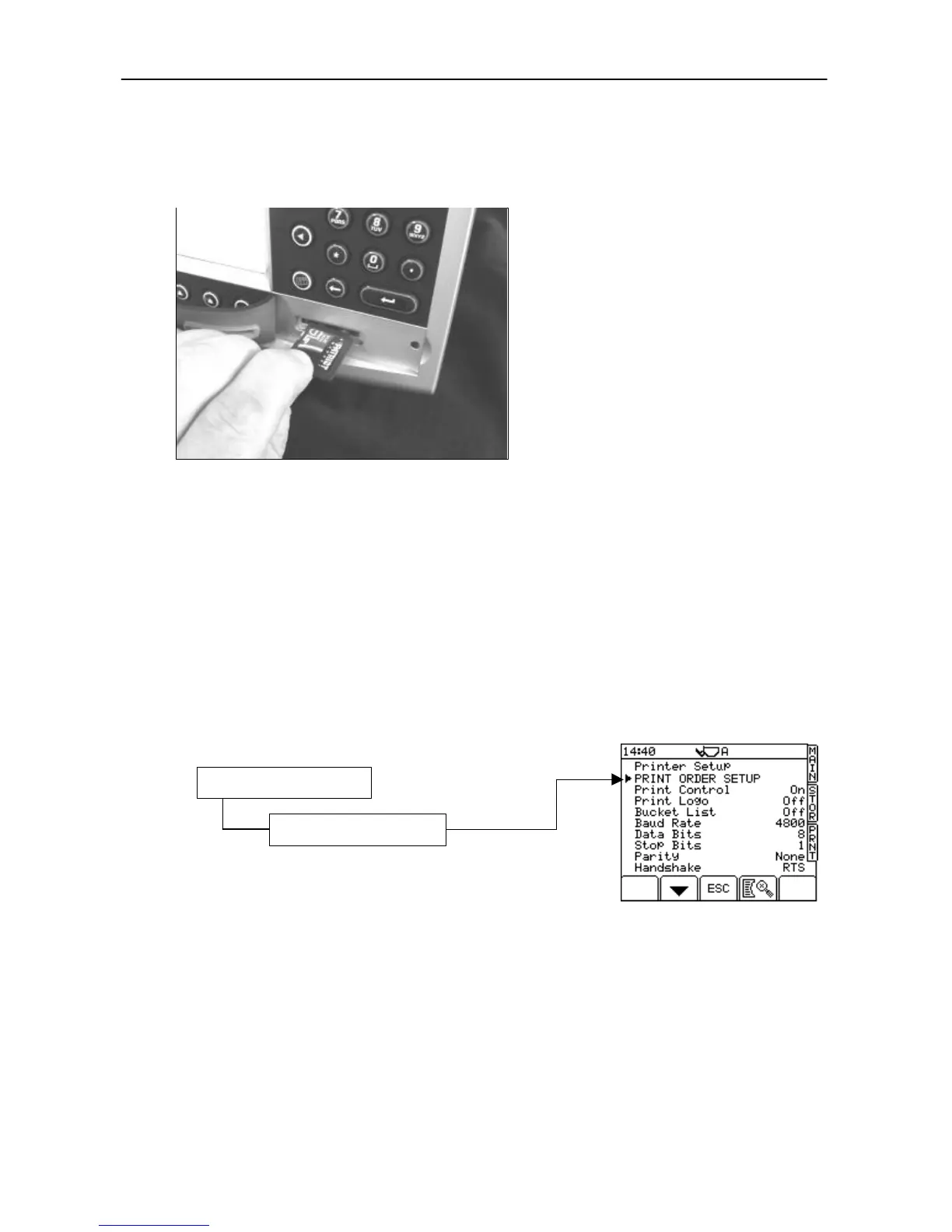
Simply insert a formatted SD card containing the required files (ref. Sections 4.1.4 - 4.1.5). Any SD card up to
2Gb is compatible. SD-HD (> 2Gb) cards are not compatible. The SD card is inserted as shown below.
Figure 25: SD Data Card Module
The instrument will take several seconds after switching on to establish communication with the module.
NOTE: Until communication is established with the module the error message “Data Card Module Needed” will be
regularly displayed. If the required files are not found on the inserted card, the error message “Data Card or
File Error” will be regularly displayed.
4.1.2 Hardware Setup - ICP 300 Printer
The top port is factory set for connecting an RDS ICP printer, without further configuration being necessary. If
another printer is used (or you want to select an option other than a printer), you can configure the settings
from the ‘SETUP’ menu. Connect the printer to the TOP port using cable S/CB/268-1-049 that also provides a
power supply from the head unit (fig 25).
NOTE: For more information on the printer, please refer to the ICP300 printer manual.
4.1.3 Software Setup for Printers (in Approved Mode)
From the SETUP menu, press,
The default settings suit the RDS ICP 300 In-Cab Printer. If you are
using an existing printer from another manufacturer, it may operate with
a different protocol. If it does not work with the default settings, please
refer to the printer instructions.
The default settings (fig. 26) are for the RDS ICP 300 In-Cab Printer.
Print Order Setup: See below
Print Control Off = Instrument sends all jobs as a continuous data stream - e.g. when using a
roll printer
On = Instrument sends one job at a time to printer and the operator must manually
initiate the next print job, e.g. when printing individual sheets with an Epson slip
printer.
Print Logo: Off / On : Prints your company logo on a load ticket.
Bucket List: Off / On : Enables an itemised list of each bucket making up a load total.
Baud rate: 110 / 150 / 300 / 600 / 1200 / 2400 / 4800 / 9600 / 19,200 / 31,250 or 38,400.



 To Next Page