2 - STARTUP
12
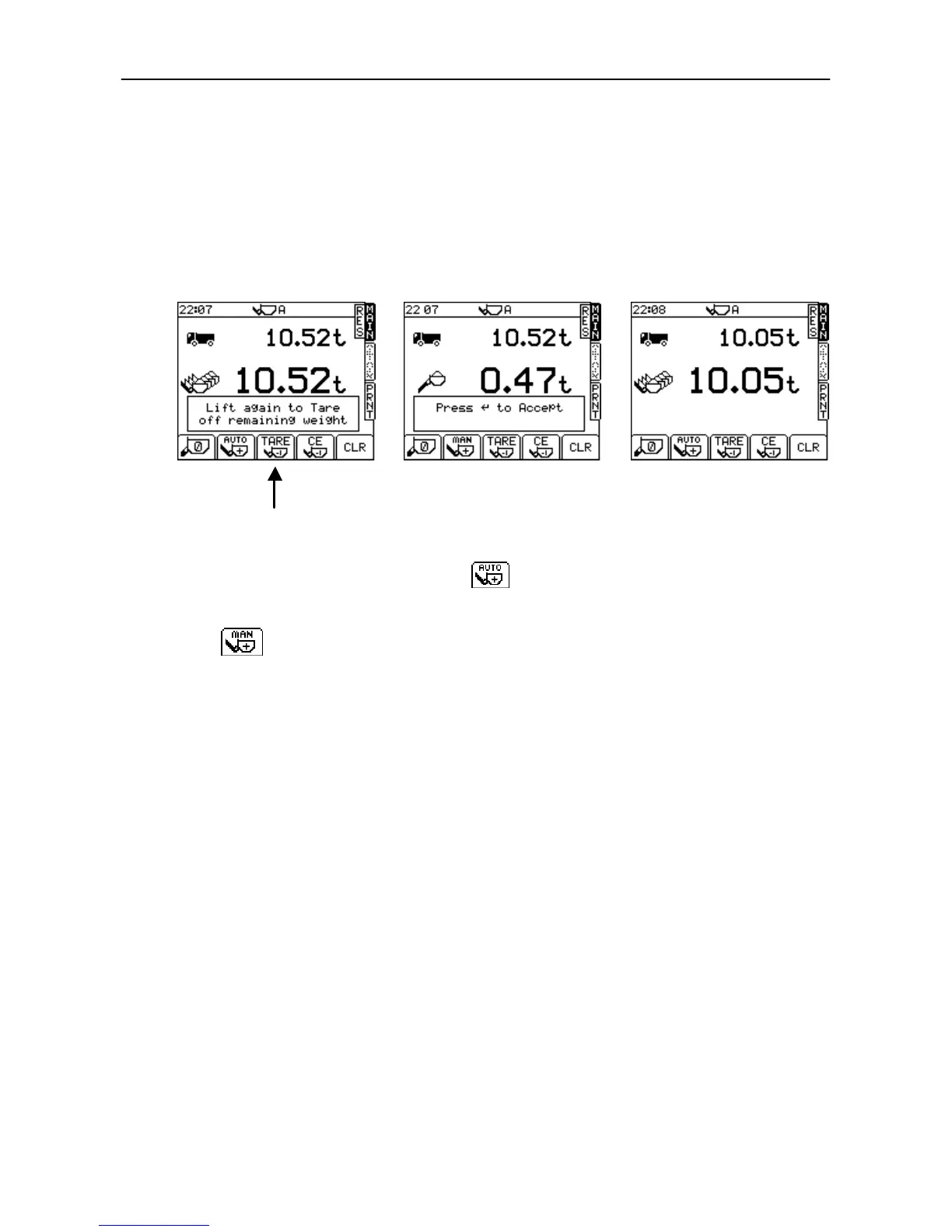
2.6.2 Re-weigh function (Tare –1)
The loader operator may wish to tip a partial amount off the last bucket load to “top-off” the truck load. The
“re-weigh” function enables the weight of this surplus material to be subtracted from the truck total, ensuring
the recorded total matches the actual weight loaded into the truck.
The re-weigh function must be enabled from the SETUP menu (ref. section 5.3).
1. Lower the bucket load with the remaining material.
2. Press the “Tare –1” key (fig.15b).
3. Lift to re-weigh and then press ENTER. The remaining material weight is then subtracted from the total.
2.7 Set the Load Enter mode (AWI only)
The Load Enter mode should normally be set to . The load will be automatically entered as the bucket
is lifted above the weighing position.
Alternatively, if you prefer to manually enter the bucket weight on every lift, then hold the SUB MENU key to
select .



 To Next Page