3 - WEIGHING
14
3.3 Static Weighing
This uses the loader's auto-kickout system to automatically stop the lift
arms in the reference position before sampling the weight.
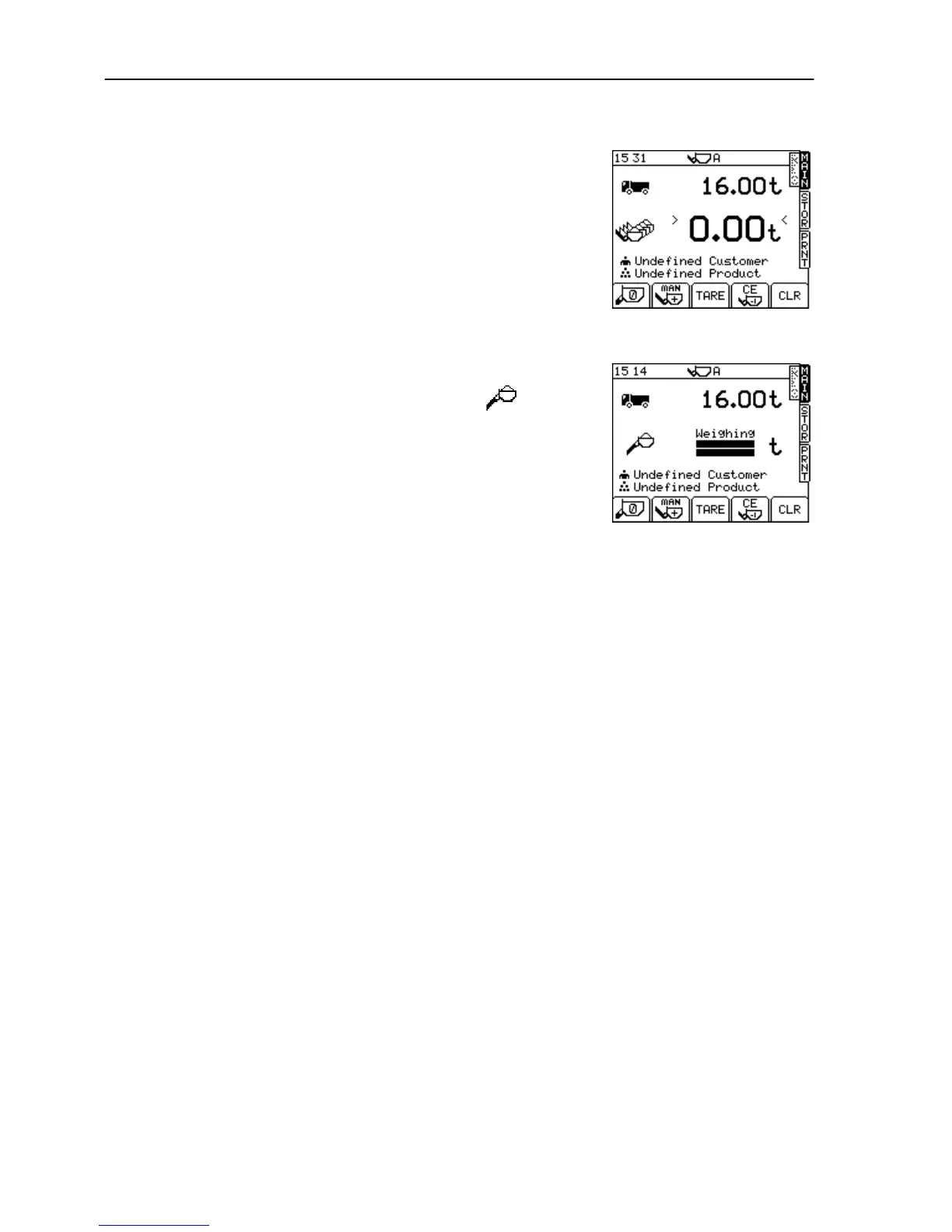
The weighing screen (fig. 19) will appear the same as for AWI Mode,
other than that AUTO ENTER is not selectable.
Fill the bucket as normal and crowd it right back. Pull the lift lever back
to it's held position. As the loader reverses the bucket will come up to
the weighing point and the lift lever kickout will operate automatically.
NOTE: Best accuracy is achieved with the vehicle stationary. The system will
display a warning if excessive movement occurs, and weighing will be
inhibited.
Keep the loader as steady as possible while the weight is taken.
The display will show two ‘bars’, which fill up, indicating that the weight
is being sampled (fig. 20) and the bucket weight is then
displayed.
There is no AUTO ENTER option. The weight reading will be logged
and stored only when the LOAD ENTER button is pressed.
As with dynamic weighing, when the bucket weight is entered, the
target weight figure will decrease by that amount.
Continue loading until you get to the last bucketful. The instrument
does not switch to 'last bucket' Static weighing mode as it does in non-
approved Mode. Instead, if the last bucket weight is more than the
target weight, the bucket weight will start flashing. Either press the
REMOTE ENTER BUTTON to enter the weight, or lower the bucket
below the reference/direction sensor to cancel it.
NOTE: The ">" and "<" signs (figure 19) confirm the instrument is zeroed to within 0.25e (Section 2.4.1).



 To Next Page