3 - WEIGHING
13
3 Weighing in Approved Mode
In approved mode (NAWI or AWI), weighing will be inhibited unless the
machine is up to normal operating temperature and the bucket is
crowded right back. These restrictions do not apply in non-approved
mode. The system also has several compensatory features allowing for
varying lift speed, weighing 'on the move', and weighing on a slope
while maintaining the accuracy required. Warnings will be displayed if
you exceed the operating parameters of the system.
3.1 Dynamic Weighing
With dynamic weighing, the load is lifted without any interruption.
Weighing can be fully automatic and quick,. and weighing 'on the move'
is possible.
Fill the bucket as normal and crowd it right back. Hold the lift lever
back. Lift the bucket smoothly at a constant speed through the
reference position, keeping the loader as steady as possible while the
weight is taken.
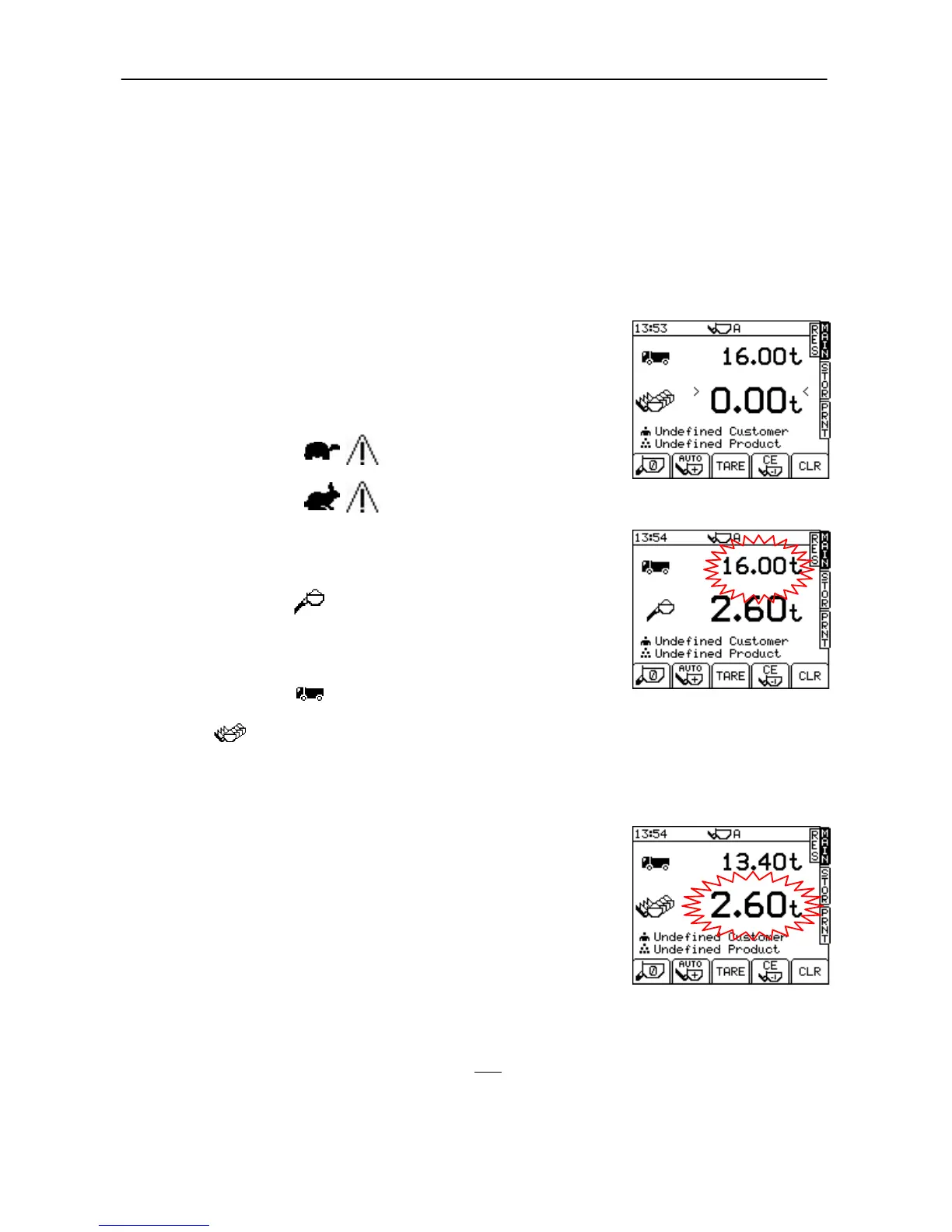
If the display shows this indicates that the lift speed was
too slow - try again.
If the display shows this indicates that the lift speed was
too fast - try again.
Avoid excessive bounce if weighing on the move. The system is
designed to compensate for vehicle movement within certain limits,
beyond which a warning is displayed and weighing is inhibited.
The bucket weight is then displayed (fig. 17) and if AUTO
ENTER is set (as shown), the weight is automatically stored in memory.
If MANUAL ENTER is set, then PRESS the LOAD ENTER BUTTON to
store the weight reading in memory.
The target weight will decrease by the bucket weight to show
how much is left to load (fig. 18).
The figure then indicates the total of all bucket weights
entered so far. Continue loading until you get to the last bucketful.
3.2 "Live Last Bucket" Weighing (Dynamic only)
The "live last bucket" mode must have been enabled from the SETUP
menu.
Lift the arms up to the weighing position and the instrument then
switches automatically to "last bucket" static weighing mode. When the
target weight is reached or surpassed, the bucket weight display will
flash and the display will give a "live" readout. You can tip off a little as
required, allowing the live display to settle down.
YOU CANNOT MANUALLY ENTER THE LAST BUCKET WEIGHT.
Instead, lower the bucket and then lift dynamically. The final bucket
weight is then automatically added to the total.
NOTES: The ">" and "<" signs (figure 16) confirm the instrument is zeroed to
within 0.25e (Section 2.4.1, where 'e' = Scale Interval.).
For AWI only, if the individual bucket weight is below the minimum
weight specification, the calculated lift weight will NOT be added to the
totals. The screen will display the message "Below Minimum Weight".



 To Next Page