2 - STARTUP
9
2 Startup
Before you start to load you need to check a few things,
?? Select Approved or Non-approved mode
?? Work the hydraulics to get up to normal operating temperature,
otherwise the screen displays the message "Oil too Cold" and weighing
is inhibited.
?? Set Zero Weight
?? Set the Target load.
?? Set Preset Tare (if required)
?? Set Load Enter Mode
?? Set the Customer and/or Product Store to which totals will be recorded
(section 4).
2.1 Switch On
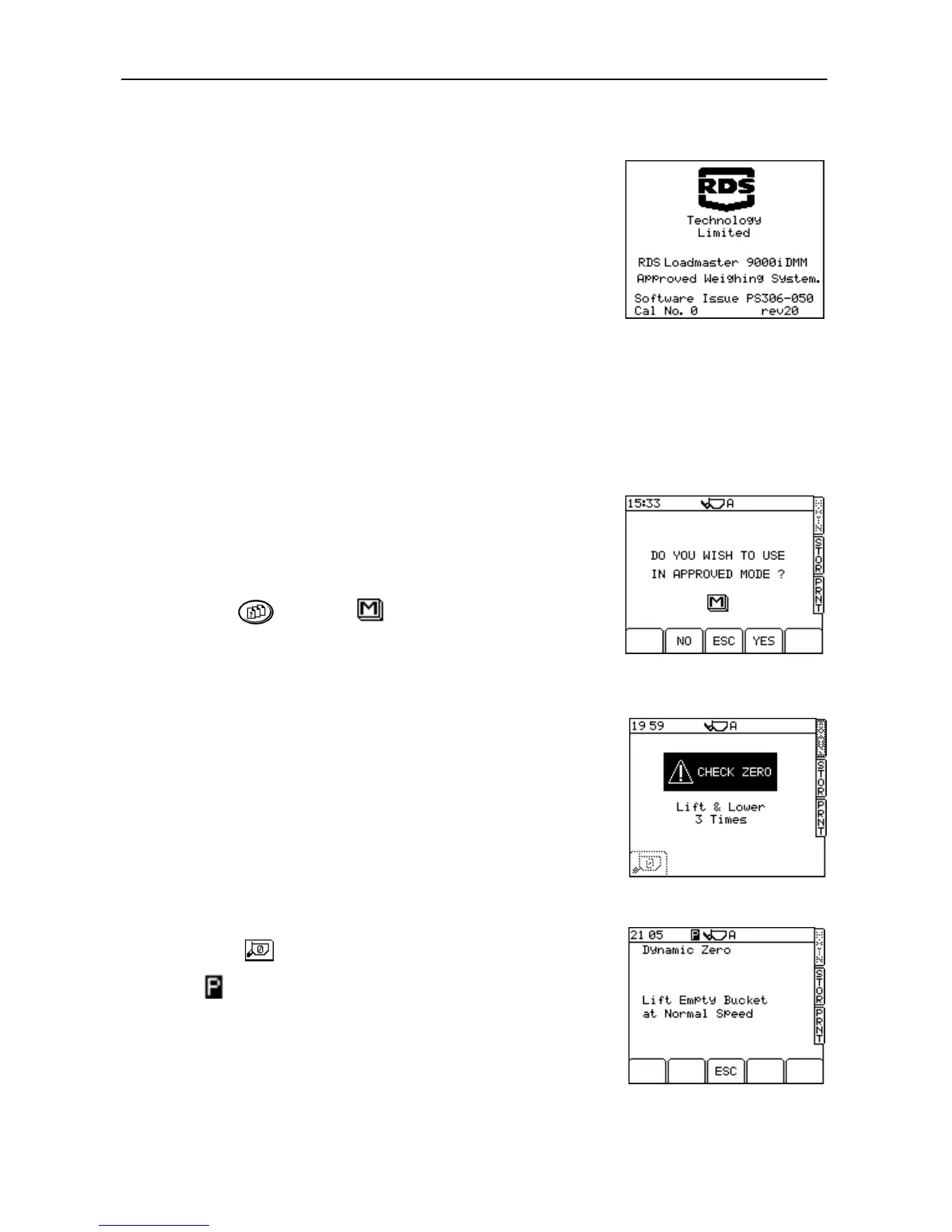
On switch on, the following screen is shown (fig. 4).
The Cal No. is zero after a software reset. It increments each time the
calibration is entered by using the FACTORY PIN number.
NOTE: THIS NUMBER SHOULD MATCH THE NUMBER ON THE PLATE ON THE
SIDE OF THE INSTRUMENT. IF NOT, LOCAL CERTIFICATION HAS BEEN
VOIDED.
2.2 Set Weighing Mode
Press the key then the key (fig. 5).
The instrument prompts you to choose the approved mode (NAWI / AWI)
or non-approved mode.
Press 'YES ' or 'NO' and wait as the instrument is re-configured. You must
zero after selecting the weighing mode.
NOTE: Please refer to the Loadmaster 8000i manual for weighing in non-
approved mode.
2.3 Zero Prompt
The "CHECK ZERO" screen (fig. 6a) occurs if the system has been
switched off or has not recognised any lifts for more than 15 minutes.
Three beeps occur and are repeated every 60 seconds thereafter when
in this state.
Lift and lower the empty bucket 3 times. "Lift & Lower 3 Times" is
prompted, with the number shown, and decrements one number after
each lift has been achieved. When the third lift has been completed,
press the button and the screen automatically moves to the
"Dynamic Zero" screen (with AWI set-up) or "Static Zero" screen (NAWI).
The symbol (fig. 6b) denotes that this is the first dynamic/static zero
after switch-on.
After the first 10 minutes from switch on, when the first "CLR" is
performed, the "CHECK ZERO" routine must be repeated, and again
after another 10 minute period has passed. After that, the routine should
occur every 30 minutes.



 To Next Page