3 - WEIGHING
17
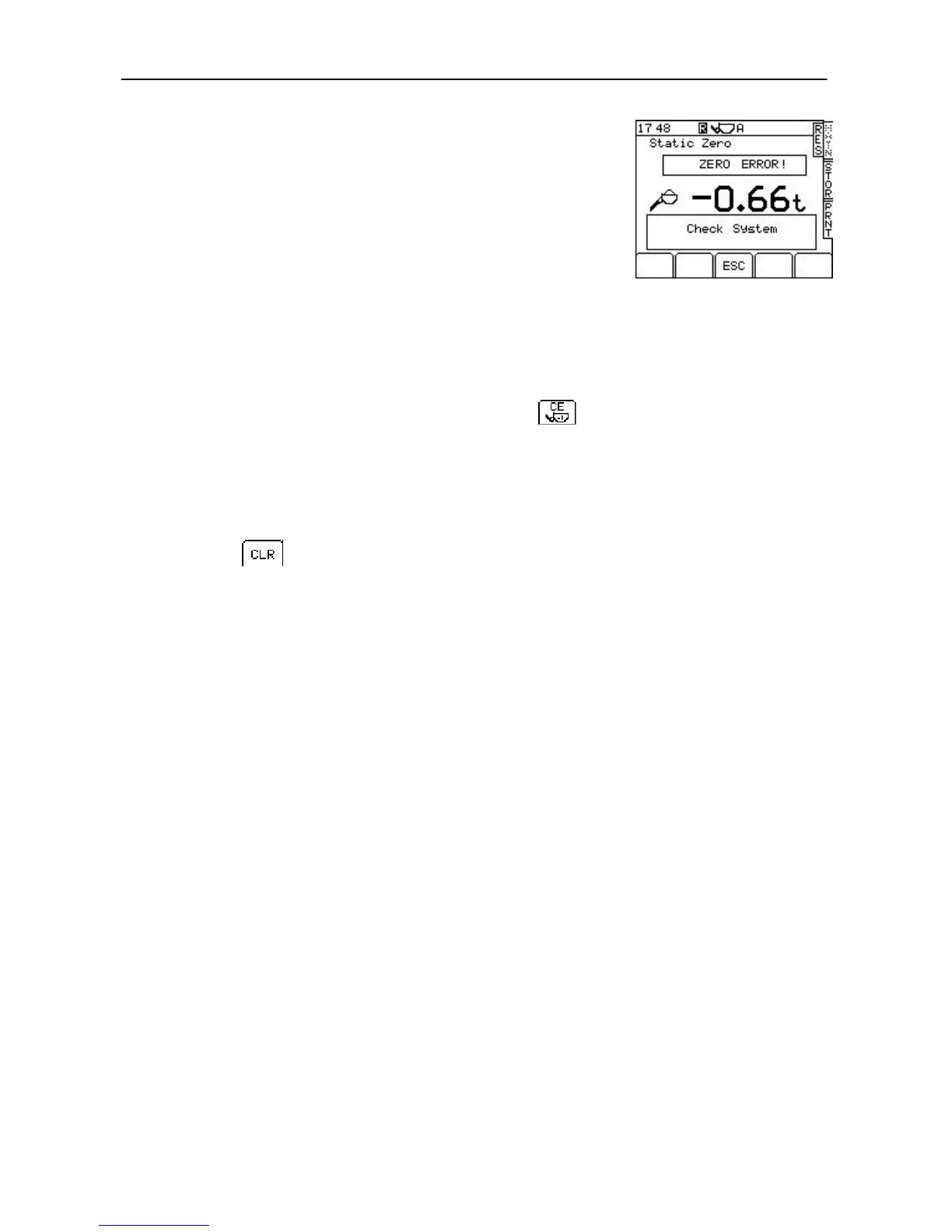
Zero Error (more than ±10%)
When the system is initially switched on, or if the unit has not been
used for 15 minutes, the figure resulting from the Zero procedure is
compared to the initial Zero's logged during the systems initial
verification. If these figures are different by more than ±10 % of the
maximum weight, the Zero confirmation will be inhibited, and the
following screen will be shown (fig. 22c).
Example limits are:
for 2000kg max. weight: -±200kg
for 5000kg max. weight: -±500kg
for 10000kg max. weight: -±1000kg
If a "Zero Error" cannot be rectified, re-calibration is necessary.
3.7 Clear Last Entry
If the last bucket weight was entered in error, then press the key to
delete it.
Only the last entry can be cleared.
3.8 Reset for next load
Press the key.
or
Press and hold the LOAD ENTER BUTTON for five bleeps.
The load record is then stored to the pre-selected product / customer
stores.
If the printer mode is set to 'REC' (Record) or 'ROLL' then a printout is
produced automatically when the CLR key is pressed.
The instrument resets to the preset target load. If a different target load is
needed for the next load, simply key-in the new value for the target load
and press the ENTER key.
NOTE: The printer output mode 'OFF', 'ROLL' or 'REC' is selected from the PRNT
screen.
Figure 22c



 To Next Page