1 - OVERVIEW
6
1.3 Calibration
For approved mode operation, all calibration is done on installation prior to NAWI or AWI certification. No further
calibration is permissible.
For calibration in non-approved mode, please refer to the Loadmaster 9000i Calibration manual.
1.4 Weighing Units
For NAWI and AWI approved modes: The units are 't' for tonnes or "kg" for kilograms, with a resolution ('e') according
to the certification as defined on the label on the head unit
In non-approved mode: Metric or imperial units (kgs, tonnes, m
3
, UK tons, US tons, lbs), and the resolution can be
selected via the 'CALIBRATION' menu. If weighing volumetrically, you must set the density.
On a Loadmaster 8000i, the units are normally displayed on screen and on printouts. If a Loadmaster 9000i Class IIII
approved weighing system is used in non-approved weighing mode (i.e. as a Loadmaster 8000i), then units are not
displayed on screen or included on a printout in compliance with the requirements for Weights and Measures Approval.
Also, the text "Not for Trade use or Applications under Article 1.2(a) 90/384/EEC" will appear on every printout.
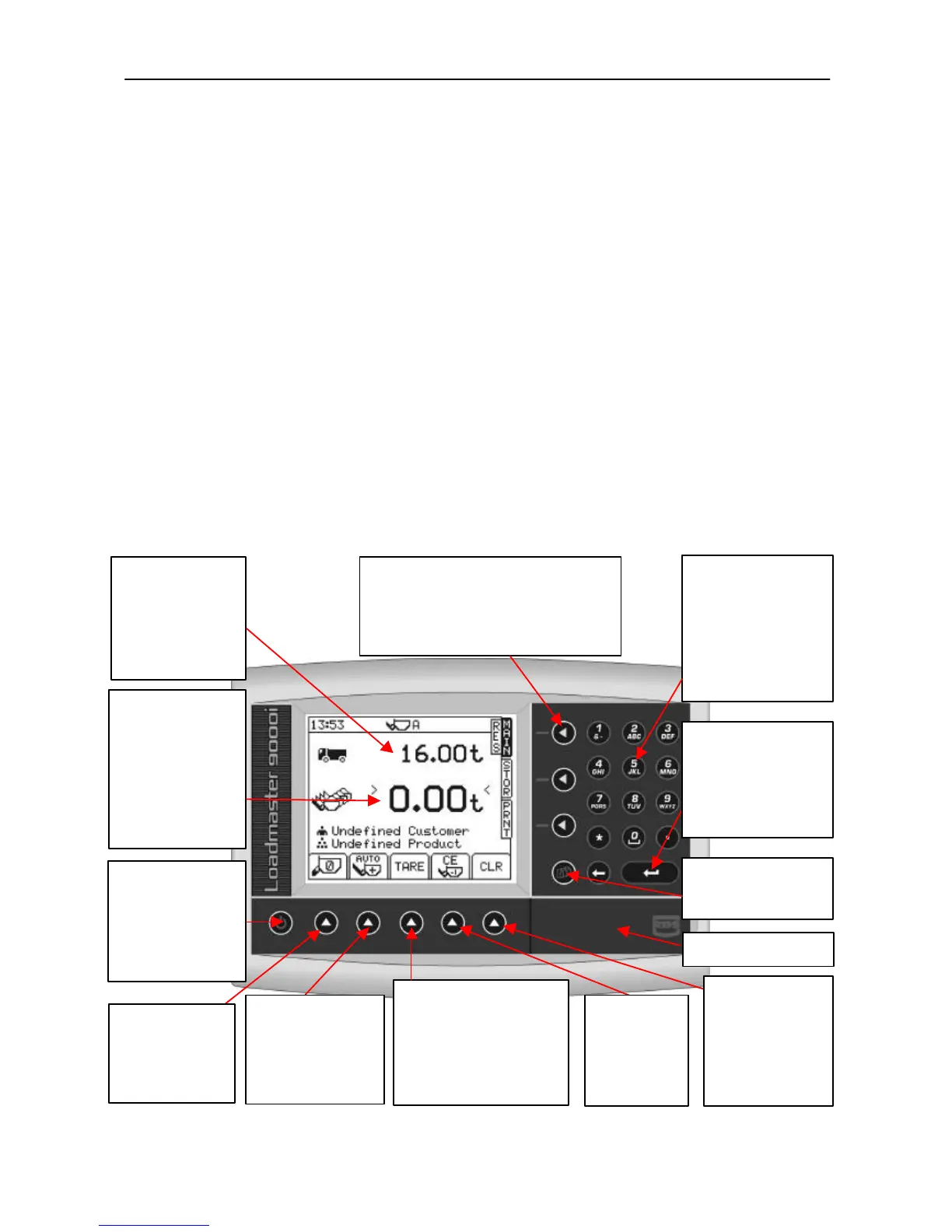
1.5 The Head Unit
Figure 2
“Target load”
You want this load to
load on the vehicle.
been loaded so far.
TARE Button
Optional TARE entry facility
subtracting a set value to
provide a NET Weight.
Press and hold until the Tare
window appears, then enter
the tare value required
“Setup” Button
Not used when loading.



 To Next Page