82 | City Series CV40E-12
maintenance
Bulb Replacement
1. Turn o unit and allow to cool to room temperature.
2. Remove outer safety glass panels and inner panels (rebox glass)–see
instructions in this manual.
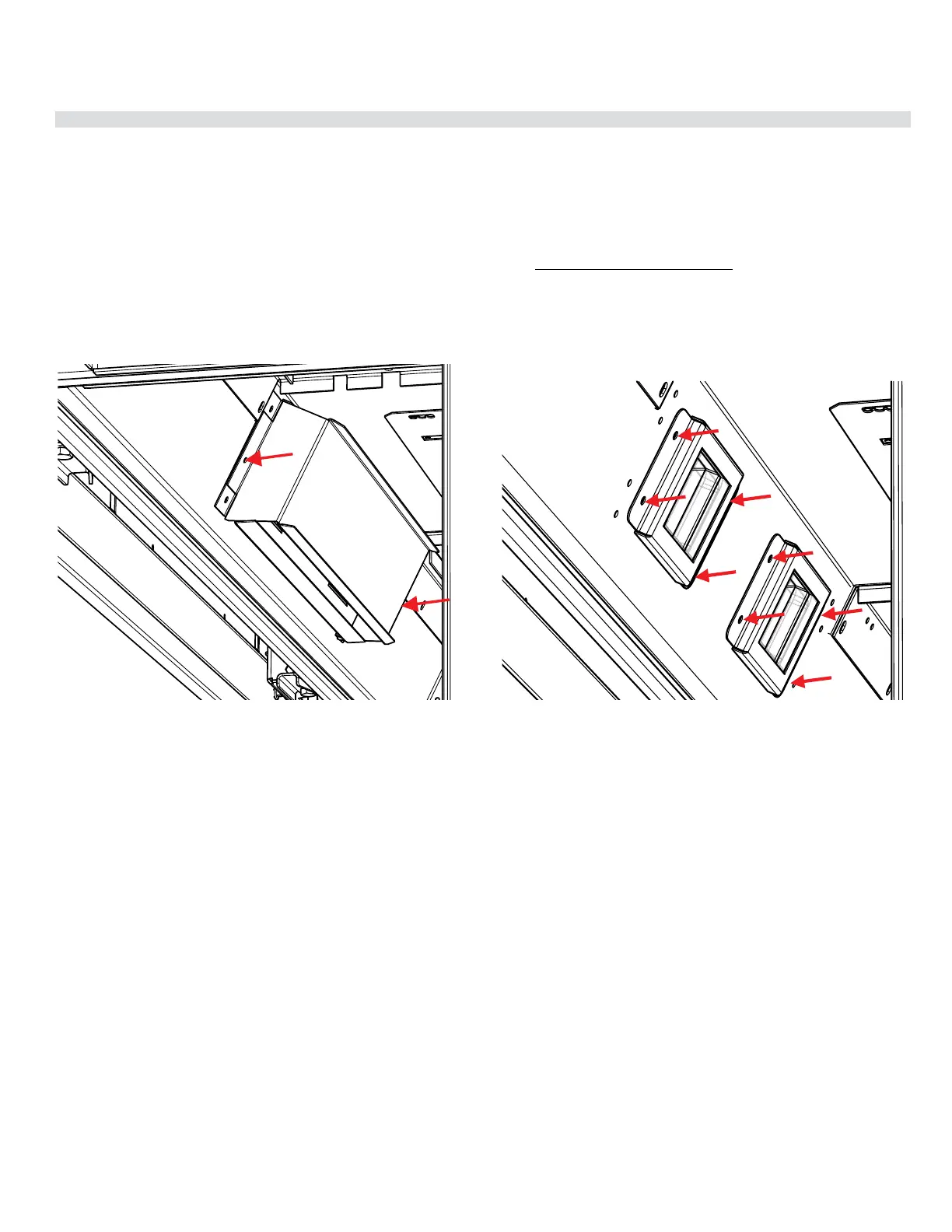
3. Loosen 2 outer screws on each side to remove outer light cover — located
in the upper inside front of the rebox and remove.
4. Loosen 2 screws on each side of individual inner light cover and remove.
5. Remove glass cover by using a at head screwdriver to pry the tab securing
the glass assembly in place.
6. Replace bulb and reverse steps to complete procedure.
NOTE: Do not handle bulb with bare hands. Use packaging or a tissue to hold
new bulb when replacing.
Regency Part# 911-208 Oven Lamp Assembly G9 120V/25W
Regency Part# 911-072 Replacement Bulb G9 120 Volt/25 watt




 To Next Page