GB.39
ENTERING A DESTINATION (4/6)
Selecting an address from
the Favourites
You can find the destination to a loca-
tion stored in the Favourites. To utilize
this function more effectively, we rec-
ommend that you save destinations to
which you often travel in advance.
Firstly, save the favourite destinations
by searching for the address. Please
refer to the section on “Managing fa-
vourites”.
Press “Home” > “Nav” > “Destination”
> “Favourites” to display the list of fav-
ourite destinations.
6 7
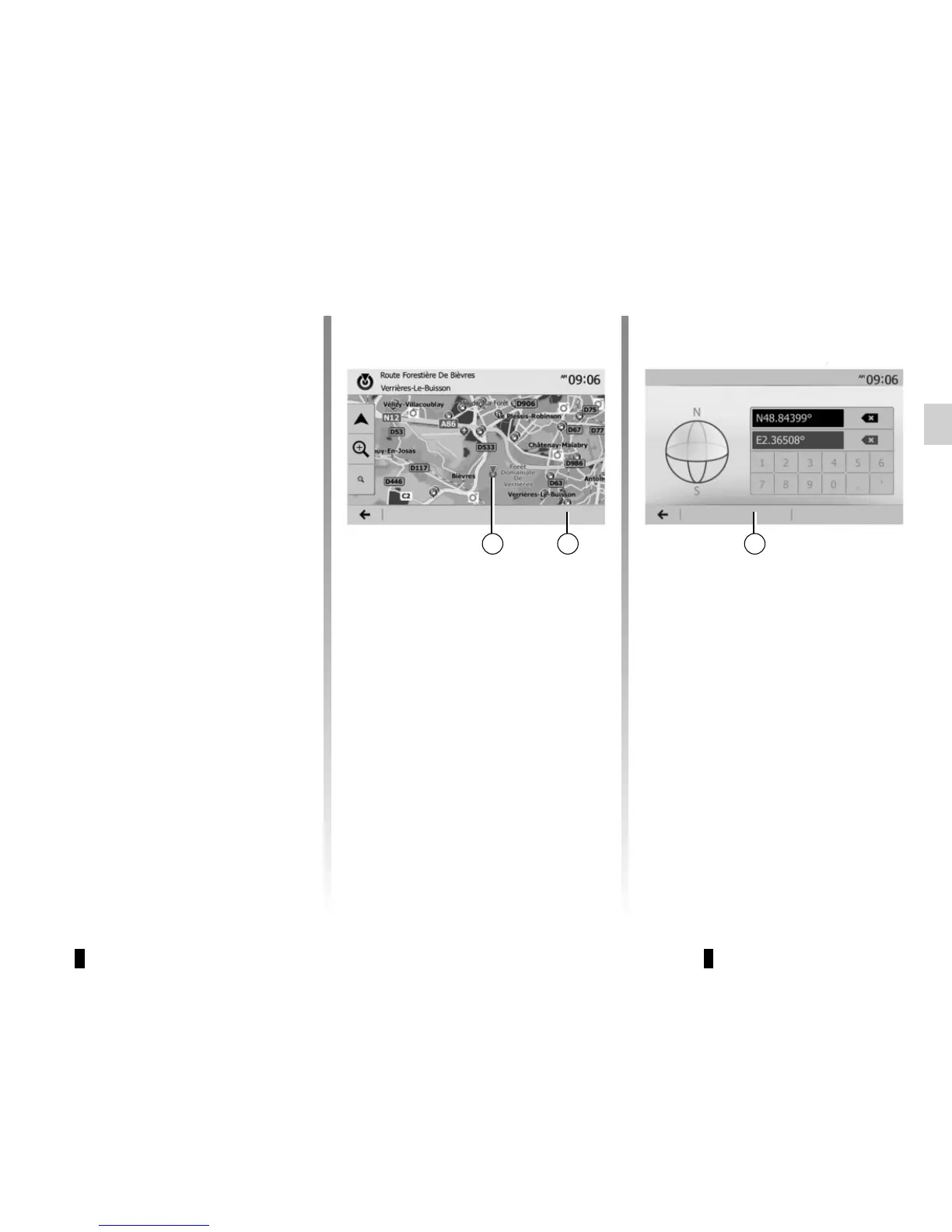
Selecting for destination by
using the map
This allows you search for a destination
by scrolling the map.
– Press “Home” > “Nav” > “Destination”
> “Find on map” to select the destina-
tion on the map.
– Then press on the location on the
map that you want to select as your
destination. Point 6 is displayed;
– press 7 to confirm.
Entering the coordinate of
the destination
This allows you search for a destination
by entering its coordinate.
Press “Home” > “Nav” > “Destination” >
“Coordinate”.
You can enter the latitude and longitude
values in any of the following formats:
decimal degrees; degrees and decimal
minutes; or degrees, minutes and deci-
mal seconds.
Press 8 and then UTM to enter the co-
ordinates in UTM format.
8
Options OK Options OK
Coordinate



 To Next Page