GB.67
3
ANDROID AUTO™, CARPLAY™ (3/4)
Once the “Android Auto™” application
or the "CarPlay™” service is activated,
you can use the voice recognition
button in your vehicle to activate some
of your smartphone functions by voice.
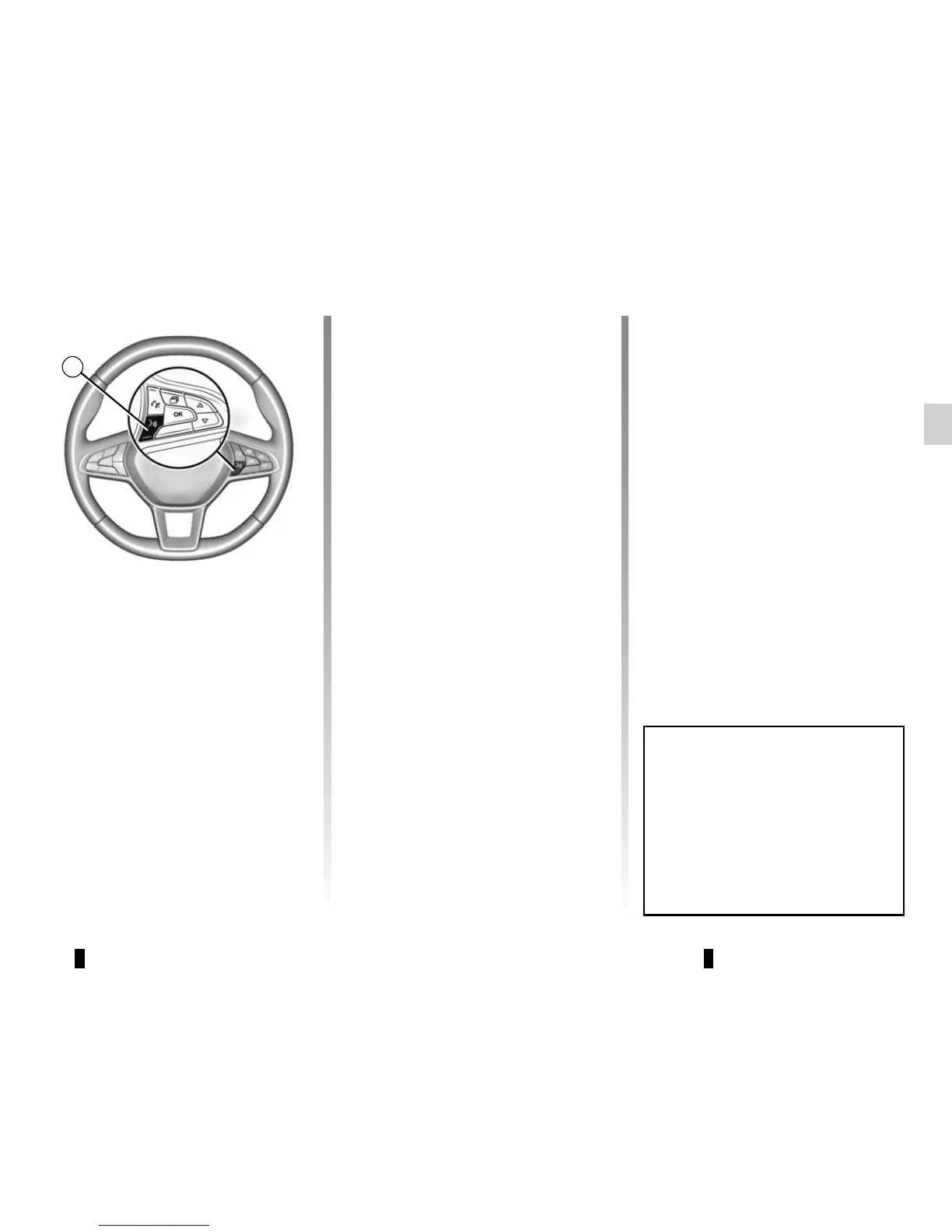
To do this, press button 3 on the steer-
ing wheel of your vehicle (for more in-
formation, refer to the section on “Using
voice recognition”).
Note: when you use “Android Auto™”
or “CarPlay™”, you can access your
smartphone's navigation and music ap-
plications. These applications will re-
place similar applications integrated
in your multimedia system Media Nav
Evolution which are already running.
For example, only one navigation appli-
cation, “Android Auto™”/“CarPlay™”,
or the application integrated into your
multimedia system can be used.
Note: when you are using the “Android
Auto™" application or the "CarPlay™"
service, certain functions of your mul-
timedia system will continue to be car-
ried out in the background. For ex-
ample if you start "Android Auto™" or
"CarPlay™" and use the navigation on
your smartphone while the radio on the
multimedia system is currently playing,
the radio will continue to be broadcast.
When you use the “Android Auto™"
application or the "CarPlay™" serv-
ice, the transfer of cellular data re-
quired for it to operate may lead to
additional costs not included in your
phone plan.



 To Next Page