Reolink PoE NVR
User Manual
You can set to require a password when unlock the screen to protect the NVR
system. Or you can set the NVR to automatically lock the screen and then requires
a password to unlock. It can be set up at NVR Settings > System > General page.
Camera Settings
Stream
Go to Settings > Camera > Stream, here you can change the resolution, frame rate
and bit rate of the camera. Set up a higher resolution provides a better image
quality, but also requires a much higher network bandwidth and uses up more
storage space while recording.
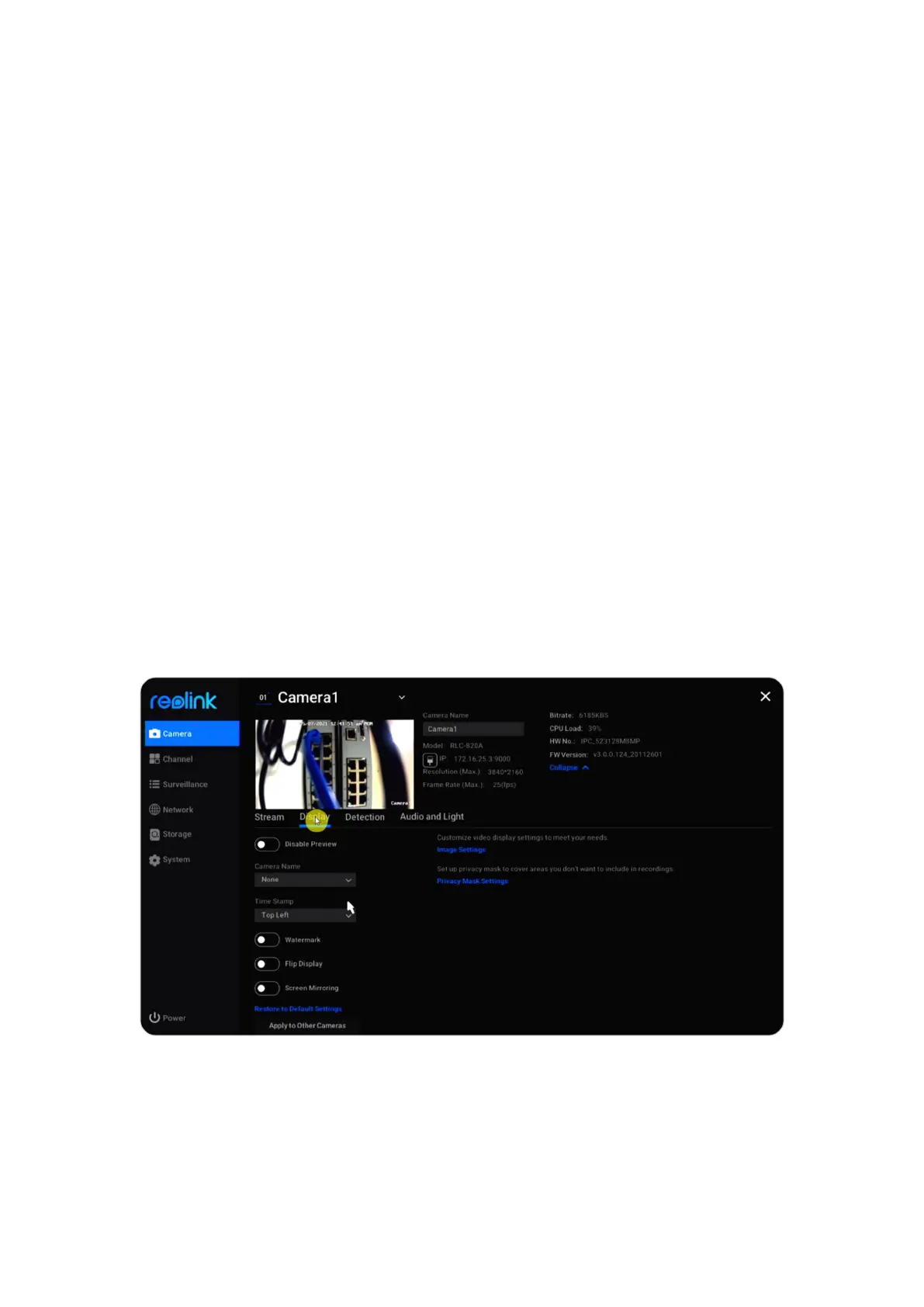
Display
Go to Settings > Camera > Display, here you can set up the Camera Name, Time
Stamp, Watermark, Flip and Mirror etc.
Disable Preview: Turn on or off live view of the camera.
Camera Name: Set a name for the camera.
Time Stamp: Set the position of the Time Stamp, you can choose from Top Left,
Top Right, Bottom Left, and Bottom Right.
Watermark: Turn on or off the Reolink Logo on the live view.
Flip Display: Turn the camera’s image upside down when enable this option.



 To Next Page
 Loading...

