Reolink PoE NVR
User Manual
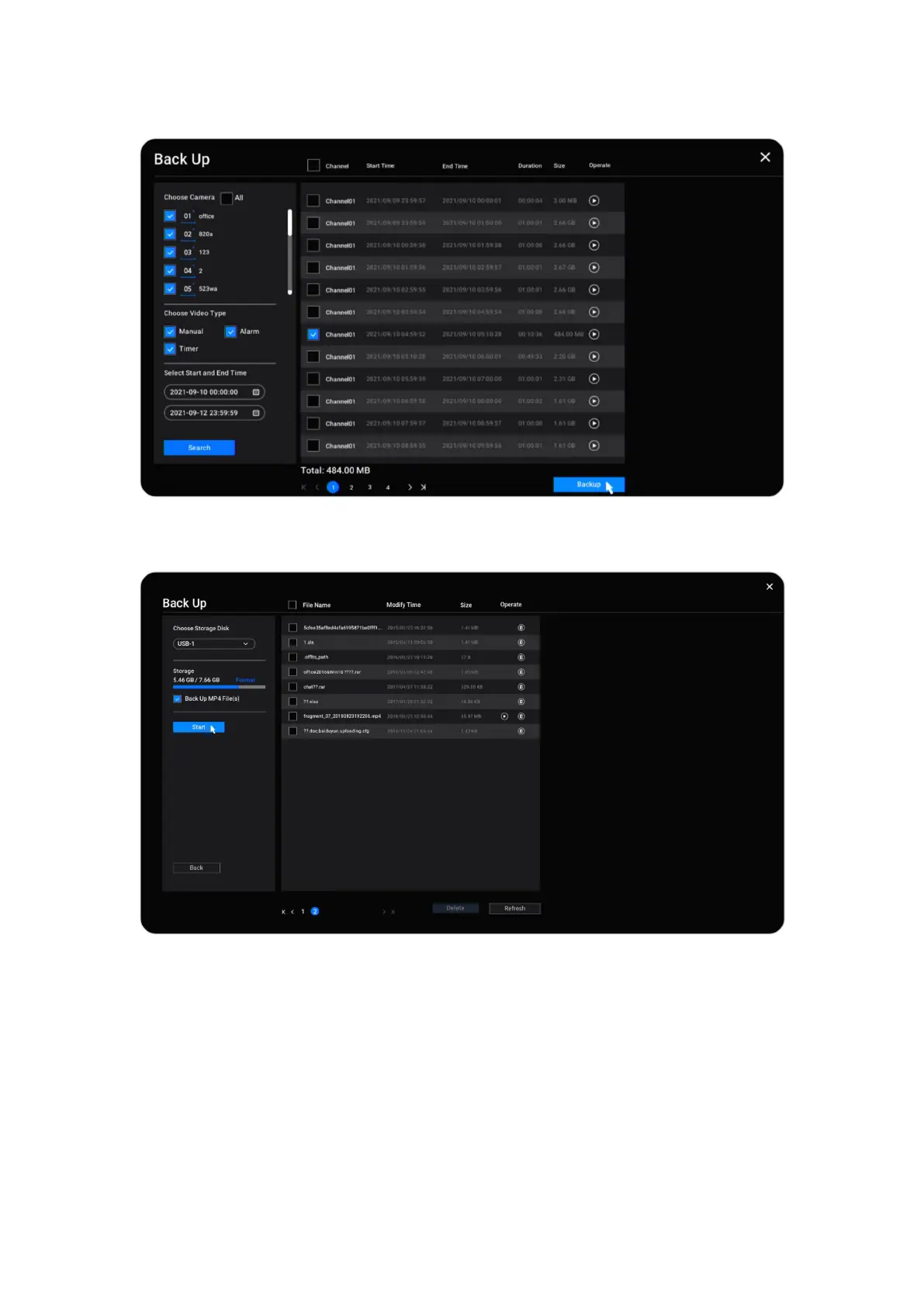
Select the recordings from the searched recording list, then click Backup.
Choose the storage disk to save the cut recording clip. Check the option Back Up
MP4 File, it’ll convert the recording into mp4 for saving. And then Click Start.
Delete Recordings
The NVR system doesn’t support deleting selected recordings. The NVR will
automatically delete and overwrite the older recordings when the HDD is full. Or
you can manually format the HDD to delete all recordings.



 To Next Page
 Loading...

