Reolink PoE NVR
User Manual
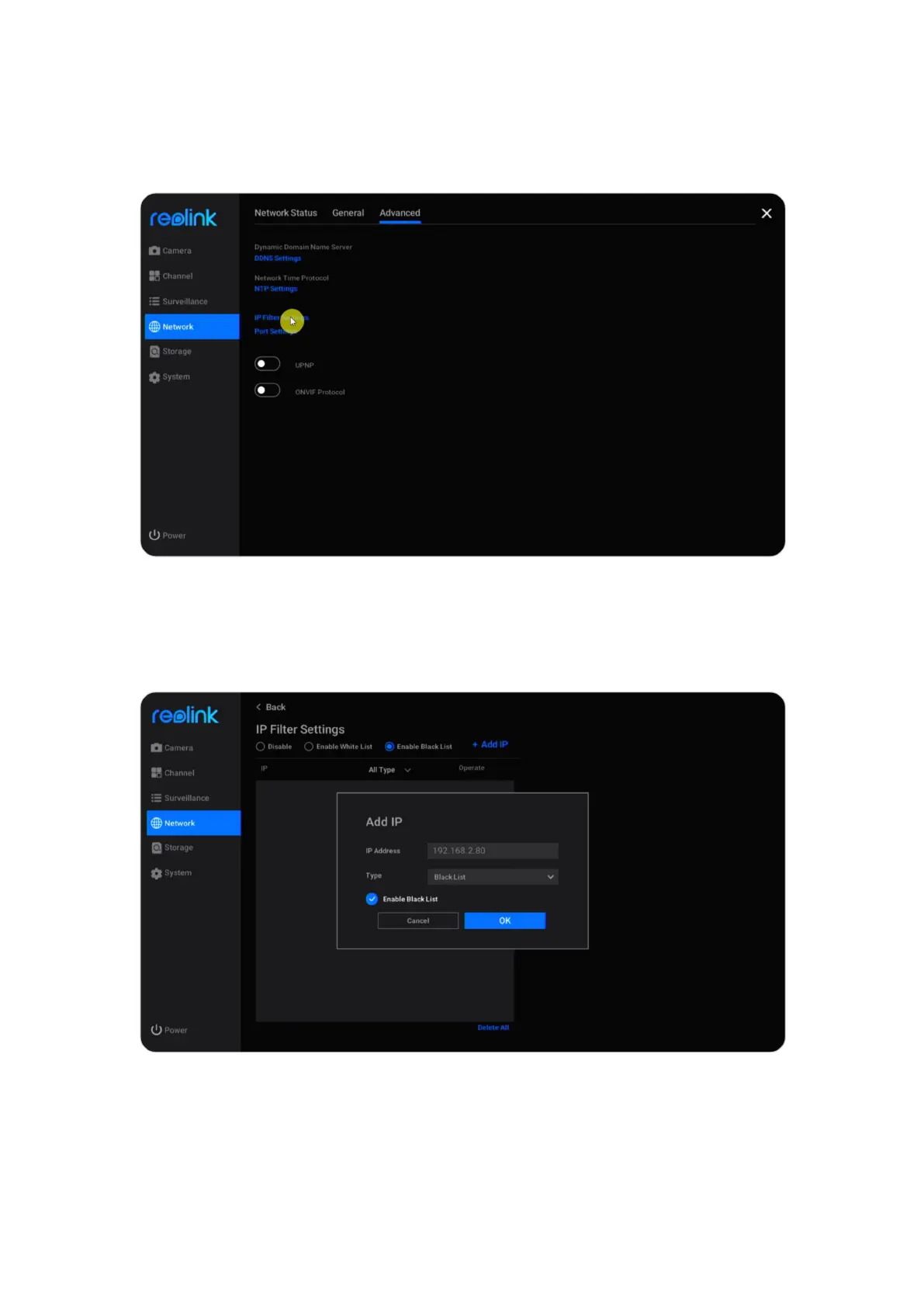
Set up IP Filter Settings
Click Network > Advanced, then click IP Filter Settings.
Choose Enable White List or Enable Black List, then click on Add IP. Manually
enter the IP address you want to allow or block access, then click OK to save the
change.
Choose option Disable to turn off the IP filter settings.



 To Next Page
 Loading...

