Reolink PoE NVR
User Manual
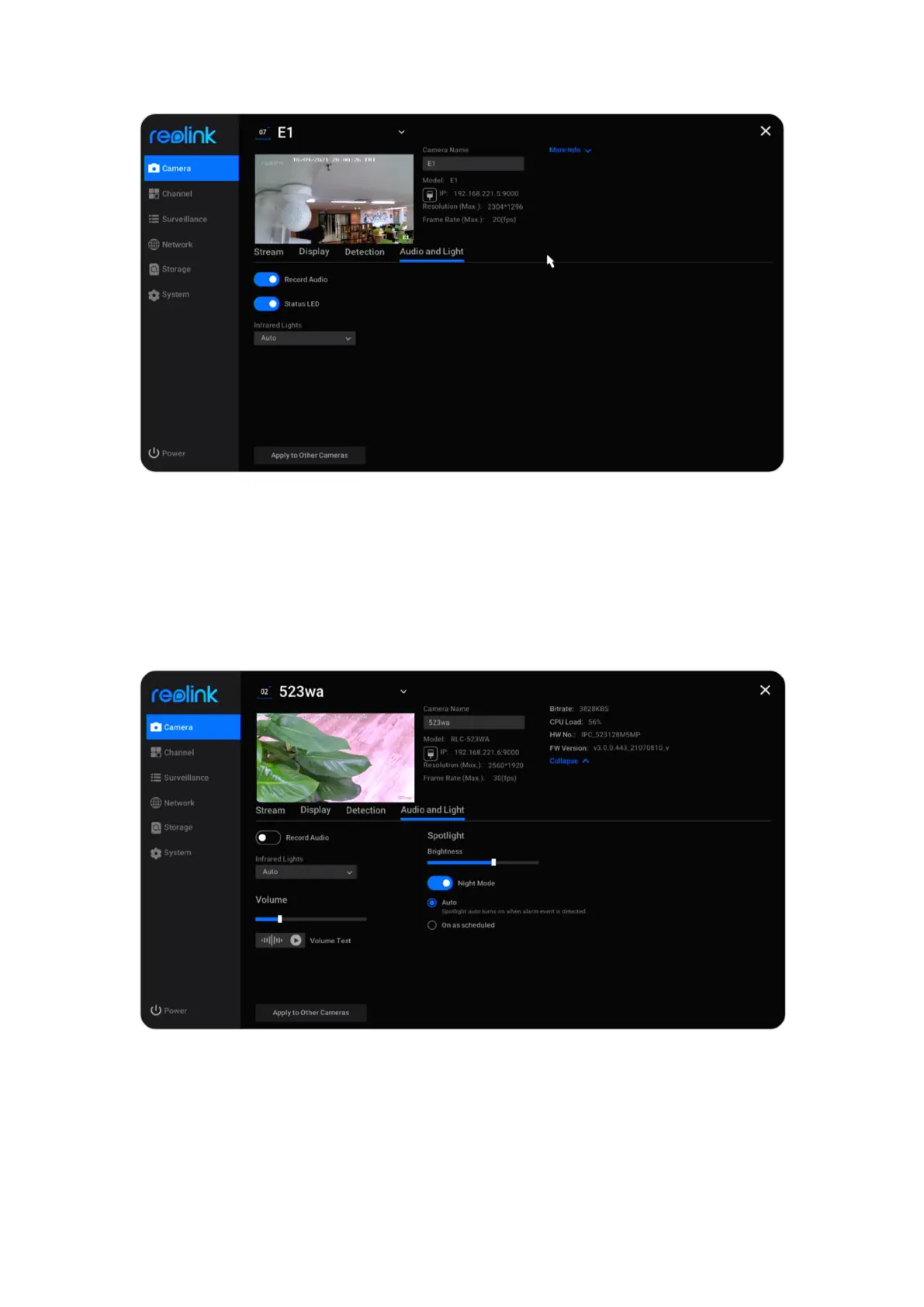
Volume: For cameras that support adjusting volume, you can also drag the volume
bard to adjust the volume of the camera’s speaker.
Spotlight: For cameras with built-in spotlight, you can drag on Brightness bard to
adjust the brightness of the spotlight. Click to enable Night Mode, you can choose
Auto mode or On as scheduled. With auto mode, the spotlight will turn on when
alarm event is detected. With on as scheduled mode, you can set the time when
the spotlight will turn on and off.



 To Next Page
 Loading...

