Reolink PoE NVR
User Manual
Set Static IP for the NVR
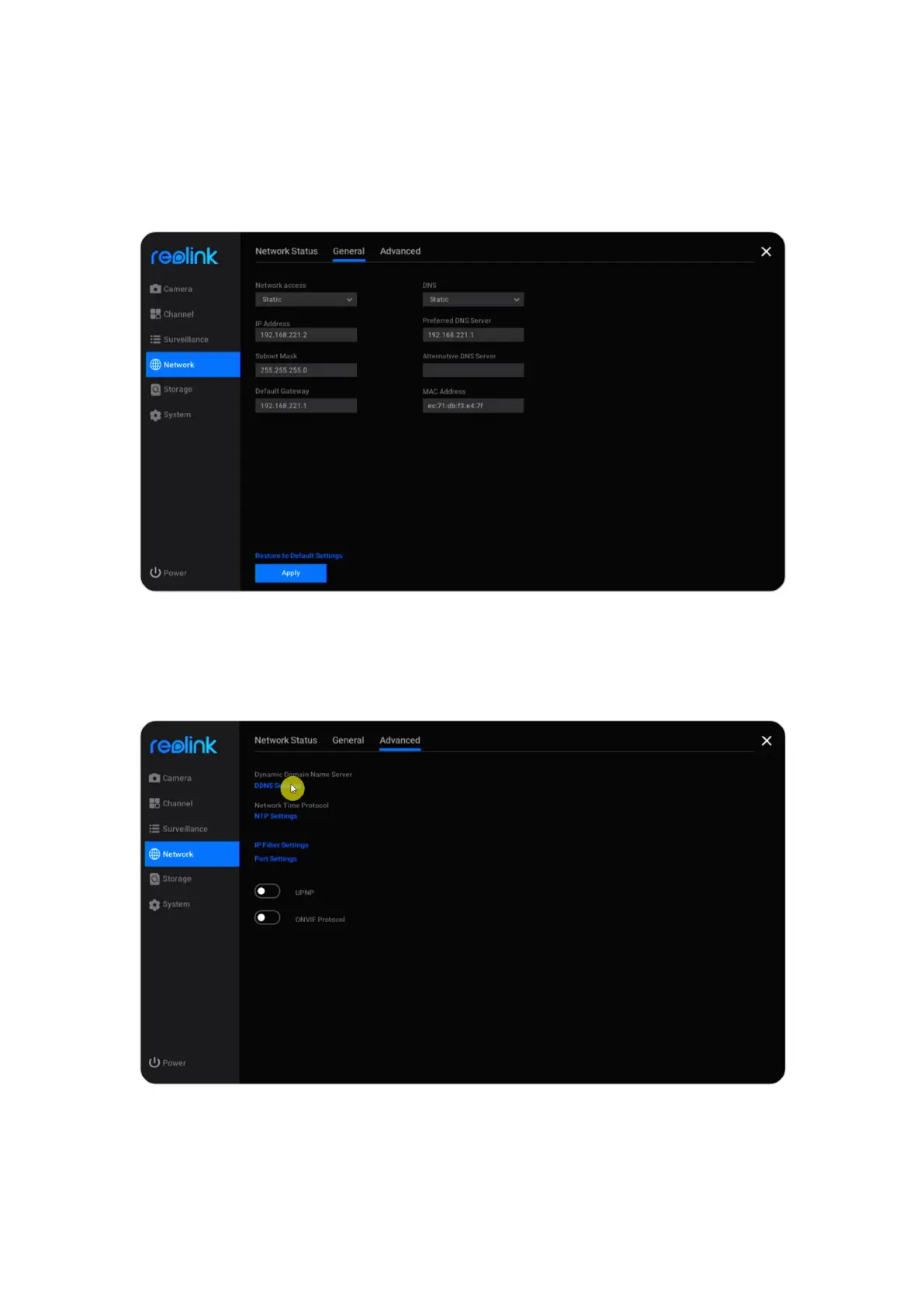
Click Network > General, here change Network Access from DHCP to Static. Then
enter the IP address, Subnet Mask, Default Gateway, DNS Server manually, and
click Apply to save the settings.
Set up DDNS
Click Network > Advanced, then click DDNS Settings.


 To Next Page
 Loading...

