Reolink PoE NVR
User Manual
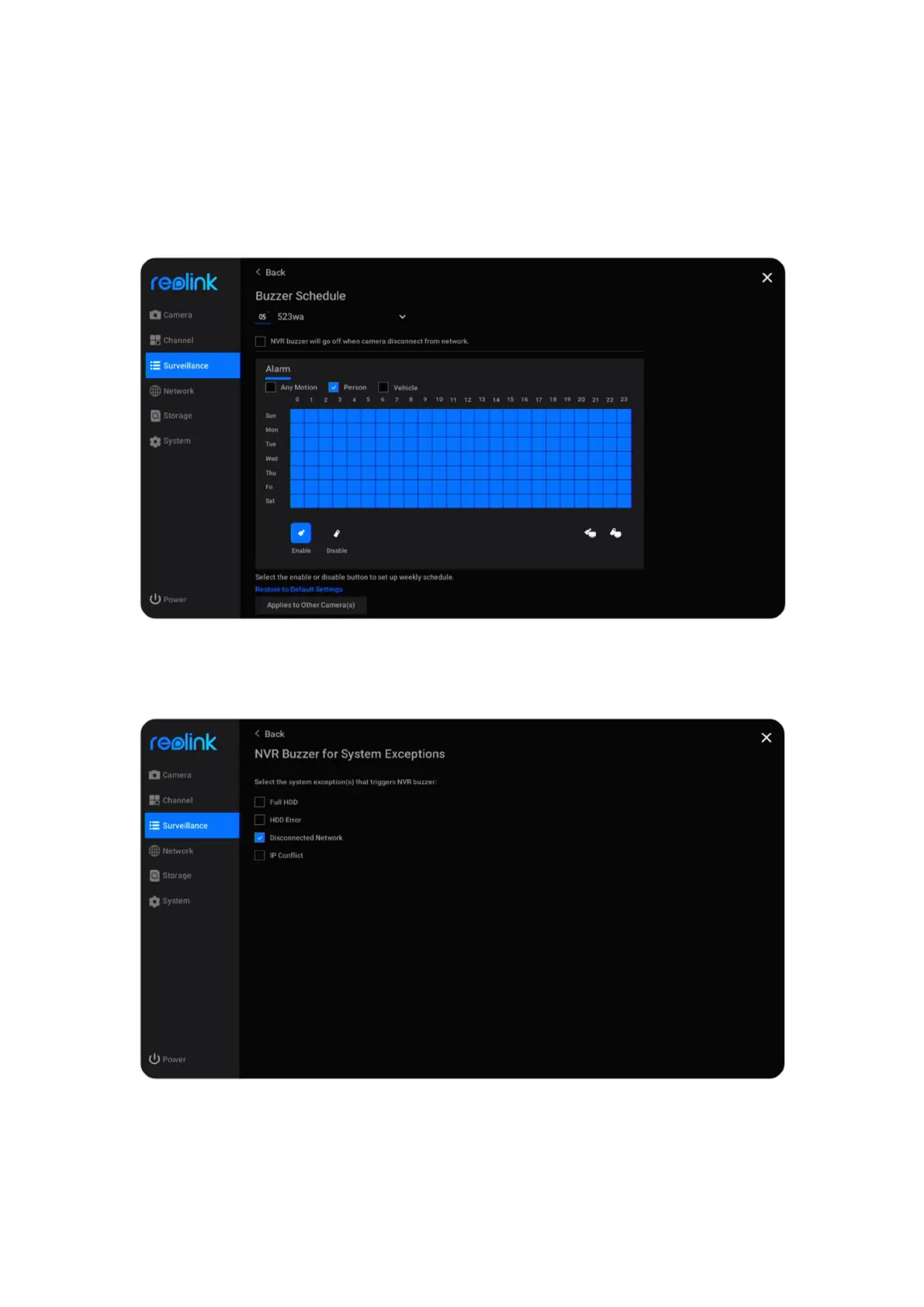
Click Daily Schedule under Buzzer. Select a camera, and then set a schedule when
you want the buzzer to work. For cameras with person/vehicle detection you can
also choose the Alarm type from Any Motion, Person or Vehicle.
Check the option NVR buzzer will go off when camera disconnect from network,
it’ll also make a beep sound when the camera is disconnected.
Click Exception under Buzzer, here you can choose which exception the NVR will
buzzer. Choose from options Full HDD, HDD Error, Disconnected Network or IP
Conflict.



 To Next Page
 Loading...

