repligen.com XC-LAB-UG-V4
7.5 User interface formats and conventions
The software is designed with careful consideration of colors, formats and conventions to quickly
build familiarization. These are briefly described below.
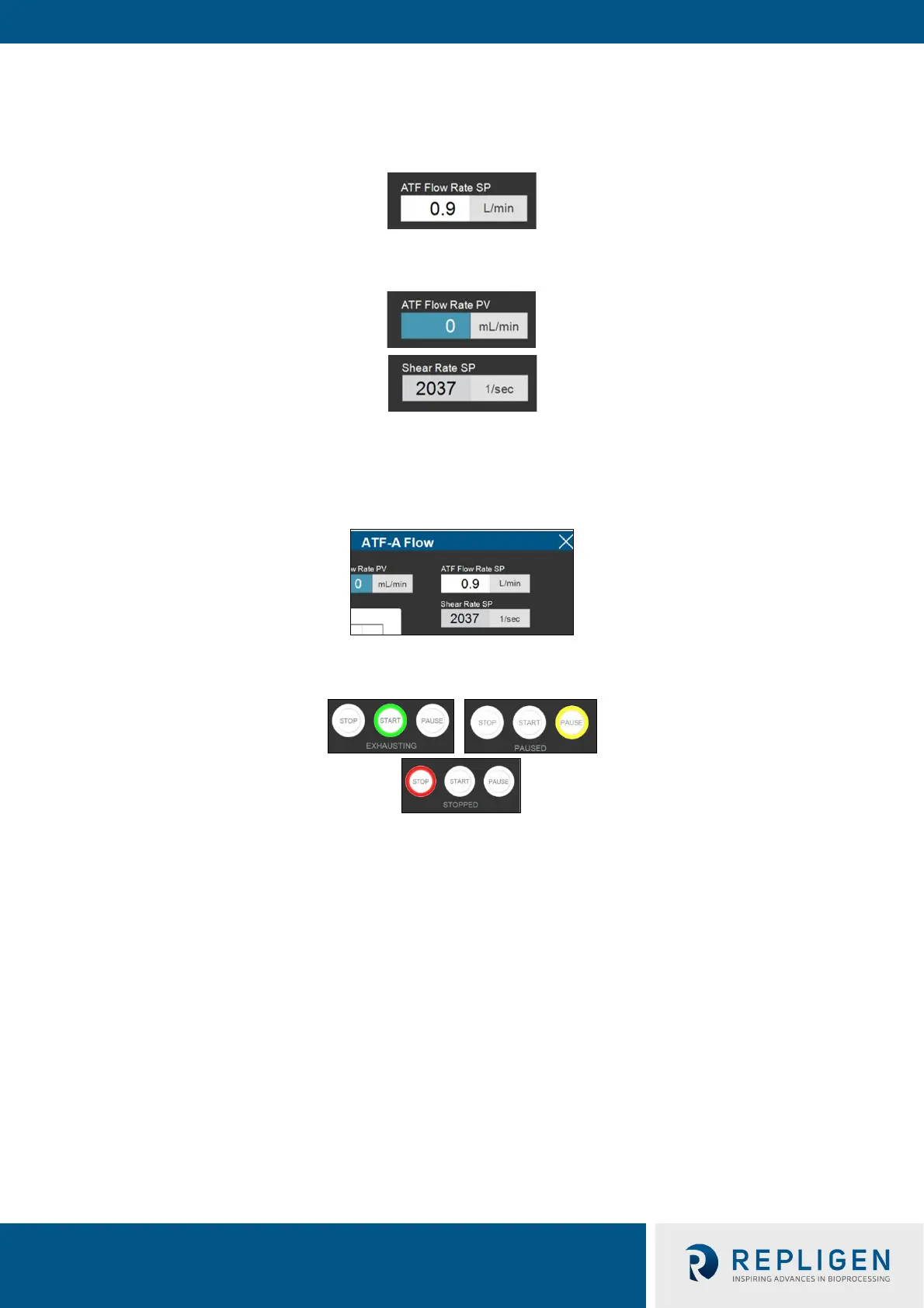
Boxes which allow user input have white backgrounds (such as ATF flow rate set point).
Boxes with values that cannot be changed by a user either have a colored background (such as some
Process Values) or a grey background (such as fixed dimensions of a filter, shear rate or values for
informational purposes only).
Close pop-ups by selecting X in the top right corner of the screen.
Device start, pause and stop features are highlighted green, yellow, and red, respectively, when
active.
Note: Some options may be greyed out or missing from your software version. This could be either
due to the version of hardware purchased (S, D, or D-P), or because the device configuration
chosen does not support that feature (e.g. dual mode with different sized XCell ATF® Devices).



 To Next Page